SEO at Home: A Practical Guide to Ranking Your Website Without Hiring Experts
What Is SEO at Home and Can You Really Do It Yourself? SEO at home means actively optimizing your own website — or a client's — without hiring an externa...

What Is SEO at Home and Can You Really Do It Yourself?
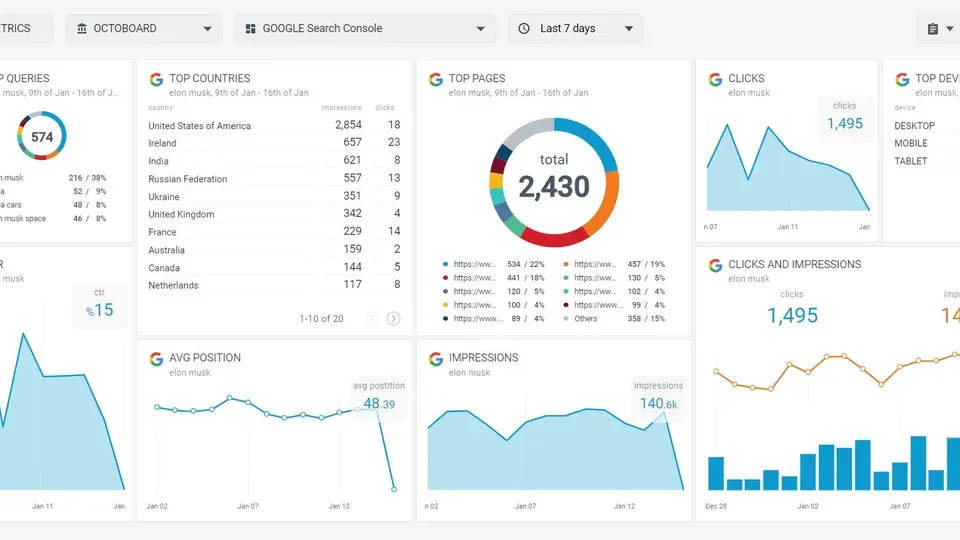
SEO at home means actively optimizing your own website — or a client's — without hiring an external agency or consultant. It's not just passively reading about search engine optimization; it's rolling up your sleeves, logging into Google Search Console, and making deliberate changes that move the needle on organic traffic.
The short answer to "can you really do it yourself?" is yes — and in 2026, the barriers to entry are lower than they've ever been. Free tools are more powerful, educational resources are abundant, and the fundamentals of SEO haven't changed as dramatically as the headlines suggest. If you're new to this, a solid SEO for beginners resource is worth bookmarking alongside this guide.
SEO (Search Engine Optimization) is the practice of optimizing a website's content, structure, and authority so it ranks higher in search engine results and attracts organic, unpaid traffic. You don't need a $5,000/month agency retainer to understand or execute those principles.
By the end of this guide, you'll have a complete five-step process — keyword research, on-page optimization, technical SEO, link building, and analytics — plus a printable checklist you can start working through today.
Is SEO Dead or Evolving in 2026?
This question comes up constantly in forums, and the honest answer is: SEO is not dead — it is evolving, and faster than ever.
Google's own Search Central documentation confirms that the core mission of search remains unchanged: "Organize the world's information and make it universally accessible and useful." What has changed is how Google evaluates content. The 2026 landscape is shaped by three major forces:
- AI-generated search summaries (AI Overviews) — Google now surfaces AI-generated answers at the top of many results pages. This has reduced click-through rates for some informational queries but increased the value of ranking as a cited source within those answers.
- E-E-A-T signals — Google's quality rater guidelines now emphasize Experience, Expertise, Authoritativeness, and Trustworthiness. Content that demonstrates first-hand experience and genuine expertise outperforms generic, surface-level articles.
- Search intent precision — Google's algorithms have become significantly better at matching query intent, which means keyword stuffing and thin content are more penalized than ever.
None of these changes eliminate the opportunity for home-based SEO practitioners. In fact, E-E-A-T rewards the kind of authentic, experience-driven content that individuals — not agencies — are best positioned to create.
Why DIY SEO at Home Works (And When It Doesn't)
In my experience working with small business owners and independent bloggers, home-based SEO consistently works when:
- You're targeting local or niche keywords with low-to-medium competition
- You can publish consistently — at least 2–4 quality pieces per month
- You're willing to invest 5–10 hours per week in learning and implementation
- Your domain has been active for at least 6–12 months
It becomes harder when you're competing in high-authority verticals like finance, legal, or health — what Google calls YMYL (Your Money or Your Life) topics — where established publishers dominate and backlink requirements are steep.
The cost-benefit is real: A mid-tier SEO agency charges $1,500–$5,000/month. A home practitioner who invests 6–8 hours per week can replicate a significant portion of that value at near-zero cost, primarily through sweat equity and smart use of free tools.
Step 1: Conduct Keyword Research From Home
Keyword research is the foundation of any successful SEO strategy. Without it, you're writing content and hoping — rather than making deliberate decisions about what terms your audience actually searches for.
The goal at this stage is to find keywords that are relevant to your content, achievable given your current domain authority, and searched often enough to be worth targeting. This trifecta is often called the "keyword sweet spot."
Here's a simple framework for how to do SEO yourself at the keyword research stage:
- Brainstorm seed topics — Write down 5–10 broad topics your website covers.
- Expand with tools — Enter each seed topic into a keyword research tool to find related terms, long-tail variations, and questions.
- Evaluate difficulty vs. volume — Filter for keywords with meaningful monthly search volume but manageable keyword difficulty (KD scores below 40 are generally accessible for newer sites).
- Map keywords to content — Assign one primary keyword and 2–3 secondary keywords to each page or article you plan to create.
For newer sites, long-tail keywords (phrases of 3–5 words) are your best starting point. They have lower competition and higher intent — a user searching "best running shoes for flat feet women" is far more specific than someone searching "running shoes."
Free Tools for At-Home Keyword Research
You don't need paid tools to conduct solid keyword research. When I tested these free options against paid alternatives, the core data was reliable enough for most home practitioners. Check out this dedicated guide to keyword research tools for a deeper comparison, but here's what I recommend starting with:
| Tool | Best For | Cost | |---|---|---| | Google Keyword Planner | Search volume ranges, paid search data | Free (Google Ads account required) | | Google Search Console | Finding keywords you already rank for | Free | | Ubersuggest (free tier) | Keyword ideas and basic competitor analysis | Free (limited daily searches) | | AnswerThePublic | Question-based keyword discovery | Free (limited searches) | | Ahrefs Free Tools | Keyword difficulty checks, backlink snapshots | Free (limited) | | Google Autocomplete | Real-time related searches | Free |
Pro tip: Type your seed keyword into Google and scroll to the "People Also Ask" box and "Related Searches" section at the bottom of the results page. These are free, real-time data points directly from Google about what users want to know.
If you're managing multiple sites or want to scale content production, Writora includes a keyword clustering feature that groups semantically related keywords automatically — useful for planning content silos without manually sorting hundreds of terms.
Step 2: Optimize Your Website for On-Page SEO
On-page SEO refers to all the optimization techniques applied directly to a webpage — the elements you can control entirely from home, without needing to contact anyone else. This is where most beginners see the fastest wins.
For a deeper walkthrough, this on-page optimization checklist covers every element in detail. Below, I'll focus on the highest-impact items.
Title Tags, Meta Descriptions, and Header Tags
These three elements are the most fundamental on-page signals, and they're often misconfigured on small business sites.
Title Tags:
- Keep them under 60 characters to avoid truncation in search results
- Include your primary keyword as close to the beginning as possible
- Write them for humans first — a compelling title gets more clicks, which signals relevance to Google
- Each page needs a unique title tag
Meta Descriptions:
- Aim for 150–160 characters
- Include the primary keyword naturally
- Write a clear value proposition — what will the user get from clicking?
- Meta descriptions don't directly affect rankings but significantly influence click-through rate (CTR)
Header Tags (H1, H2, H3):
- Every page should have exactly one H1 — usually the page title
- Use H2s for main sections and H3s for subsections
- Include keywords in at least 2–3 headers, but only where it reads naturally
- Headers improve both user experience and crawlability
In my experience, auditing a site's title tags and headers alone — and fixing duplicate titles or missing H1s — can produce measurable ranking improvements within 4–6 weeks.
Content Optimization Best Practices
Content optimization goes beyond keyword placement. Google's current algorithms are sophisticated enough to evaluate topical depth, not just keyword frequency.
Here's what effective content optimization looks like in practice:
- Cover the topic comprehensively. If competitors' top-ranking pages average 1,800 words on a topic, a 400-word page is unlikely to outrank them. Match or exceed the depth of existing top results.
- Use semantic keywords. Include related terms, synonyms, and entities that reinforce topical authority. If you're writing about "coffee brewing," naturally mention terms like extraction, grind size, water temperature, and brewing ratios.
- Answer the search intent directly. Informational queries want explanations. Commercial queries want comparisons. Transactional queries want clear calls-to-action. Match your content format to the intent.
- Structure for scannability. Short paragraphs, clear headers, and bullet points reduce bounce rate and increase dwell time — both indirect quality signals.
- Demonstrate E-E-A-T. Include your personal experience, cite credible sources, and show that real humans with relevant expertise wrote the content.
Step 3: Improve Technical SEO at Home

Technical SEO refers to backend optimizations that help search engines crawl, index, and understand your website. The phrase sounds intimidating, but most technical SEO fundamentals are achievable without a developer — especially if you're using a platform like WordPress, Squarespace, or Shopify.
For a beginner-friendly deep dive, see this guide on technical SEO for beginners. Here's what to prioritize first.
Site Speed and Mobile Optimization
Google officially uses Core Web Vitals as ranking signals — a set of real-world performance metrics that measure loading speed, interactivity, and visual stability. According to Google's documentation on the Page Experience update, mobile-first indexing means Google predominantly uses the mobile version of your content for indexing and ranking.
To improve site speed at home:
- Run a free PageSpeed Insights audit at pagespeed.web.dev — Google's own tool flags specific issues and provides fix recommendations
- Compress images before uploading — tools like Squoosh (free, browser-based) reduce file sizes by 60–80% without visible quality loss
- Enable caching — most WordPress caching plugins (WP Rocket, W3 Total Cache) offer free tiers that dramatically reduce load times
- Minimize render-blocking scripts — reduce unnecessary JavaScript and CSS by deactivating unused plugins
- Use a CDN (Content Delivery Network) — Cloudflare's free tier improves load times for international visitors
For mobile optimization:
- Use a responsive theme that automatically adjusts to screen size
- Ensure tap targets (buttons, links) are at least 44x44 pixels
- Test your site on actual mobile devices, not just a desktop browser's mobile preview
- Avoid interstitials or pop-ups that cover content immediately on mobile
When I tested a mid-size blog against Google's PageSpeed benchmarks, compressing images and enabling a caching plugin moved the mobile score from 52 to 78 — enough to noticeably improve ranking stability during a Core Web Vitals update rollout.
XML Sitemaps and Robot.txt Basics
These two files are fundamental to how search engines understand your site's structure.
XML Sitemap:
- A file that lists all the important URLs on your site, helping Google discover and crawl them efficiently
- Most SEO plugins (Yoast, Rank Math, All in One SEO) generate this automatically
- Submit your sitemap to Google Search Console under the "Sitemaps" section
- Verify it includes your most important pages and excludes duplicates or low-value URLs
Robots.txt:
- A text file that instructs search engine crawlers which pages to index or ignore
- Be careful here — a single misconfigured line can accidentally block your entire site from being indexed
- By default, most platforms configure this correctly
- Check yours at yourdomain.com/robots.txt and confirm it doesn't block
/(the root directory) for Googlebot
Quick check: In Google Search Console, navigate to "URL Inspection" and test a few key pages to confirm they're indexed and crawlable.
Step 4: Build Quality Backlinks Without an Agency

Backlinks — hyperlinks from external websites pointing to your site — remain one of the strongest ranking signals Google uses. A 2024 industry study by Semrush confirmed that domain authority (heavily influenced by backlink quality) correlates strongly with ranking position across competitive niches.
The challenge for home practitioners is that link building is relationship-intensive and time-consuming. The good news: ethical, sustainable link building doesn't require an agency or a massive outreach budget. See this guide to backlink strategies for a complete breakdown of tactics.
Guest Posting and Relationship Building
Guest posting remains one of the most effective home-based link building strategies when done correctly. The approach:
- Identify relevant sites — Search for "[your niche] + write for us" or "[your niche] + contributor guidelines" in Google
- Evaluate quality — Check that the site has real traffic (estimate using Ubersuggest's free site traffic checker), a genuine audience, and topically relevant content
- Pitch specifically — Propose a concrete article idea that adds value to their readers, not just to your link profile
- Write genuinely useful content — A thin guest post for a link does nothing; a genuinely helpful post builds your reputation and earns long-term referral traffic
Other effective at-home link building tactics:
| Strategy | Effort Level | Typical Timeline | |---|---|---| | Guest posting | Medium-High | 2–8 weeks per link | | HARO / Connectively outreach | Medium | 1–4 weeks per citation | | Resource page link building | Medium | 4–8 weeks | | Broken link building | Medium | 2–6 weeks | | Digital PR / data studies | High | 1–3 months | | Local business citations | Low | 1–2 weeks | | Unlinked brand mentions | Low-Medium | 2–4 weeks |
One thing to avoid: Buying links from link farms or PBNs (Private Blog Networks). Google's spam policies explicitly target these, and a manual penalty can deindex your site entirely. The short-term gain is never worth the risk.
Step 5: Track Your SEO Progress With Analytics

You can't improve what you don't measure. Setting up proper tracking is essential for anyone learning how to do SEO at home — it's how you identify what's working, what's not, and where to focus next.
For a full walkthrough, this guide to Google Analytics setup will walk you through the GA4 configuration process step by step.
The core tracking setup every home practitioner needs:
- Google Search Console (free): Shows you which queries trigger your pages, your average position, click-through rates, and index coverage issues. This is the most important tool for understanding organic search performance.
- Google Analytics 4 (free): Tracks user behavior once they land on your site — sessions, bounce rate, conversion events, traffic sources. Connect it to Search Console for a full-funnel view.
- Rank tracking: Tools like Ubersuggest (free tier) or SERPRobot (very low cost) let you monitor your exact position for target keywords over time.
Key metrics to review monthly:
- Organic sessions — Is overall organic traffic trending up?
- Average position — Are your target keywords moving toward positions 1–10?
- Click-through rate (CTR) — Are your titles and meta descriptions earning clicks at a competitive rate? (Industry average CTR for position 1 is approximately 28–30%, dropping sharply by position 5)
- Coverage errors — Any pages blocked from indexing or returning 404 errors?
- Core Web Vitals scores — Is your technical performance stable or degrading?
Set a monthly review cadence. Open Search Console on the first of each month, compare your position data to the previous 30 days, and update your content plan accordingly. This discipline separates practitioners who see results from those who don't.
SEO at Home: What Reddit Users Are Saying
Reddit is one of the most honest places to understand what actually works for home-based SEO practitioners — because there's no financial incentive to inflate results. Across subreddits like r/SEO, r/juststart, and r/blogging, several recurring themes emerge from people doing DIY SEO at home:
On realistic timelines: Users in r/juststart consistently report that new sites rarely see meaningful organic traffic before 6–9 months, even with consistent effort. One frequently upvoted comment from a blogger who reached 50k monthly visitors noted: "Months 1–4 were invisible. Months 5–7 I saw trickles. Month 8 it clicked." This aligns with what the industry calls the Google sandbox effect — a period where new domains earn limited ranking visibility regardless of content quality.
On free tools being enough: Multiple r/SEO threads confirm that Google Search Console and Google Analytics are sufficient for home practitioners in the early stages. Paid tools like Ahrefs and Semrush become valuable at scale but aren't necessary to start getting results.
On content quality over content volume: The current consensus in r/SEO has shifted from "publish daily" to "publish less but better." Users report that improving existing thin content — adding depth, examples, and E-E-A-T signals — produces better results than churning out new articles.
On niche selection: r/juststart veterans repeatedly advise beginners to start in niches where they have genuine experience. This isn't just strategic — it directly supports E-E-A-T requirements by enabling you to write from real expertise.
The community also warns against black-hat tactics promoted in low-quality YouTube videos and Telegram groups. Several users have documented traffic drops after following PBN advice or using AI content without any editing or original insight added.
Common SEO Mistakes Home Practitioners Make

After reviewing dozens of DIY SEO projects, these are the mistakes I see most consistently — and they're all avoidable.
1. Targeting keywords that are too competitive too early New sites targeting high-volume, high-difficulty keywords like "best credit cards" or "home insurance" will struggle for years. Start with niche, long-tail terms and build authority before expanding.
2. Ignoring search intent Writing a product review for a keyword where Google surfaces how-to guides — or vice versa — signals a mismatch to the algorithm. Always check the current top results before writing to confirm the format Google rewards.
3. Publishing content and never updating it SEO content is not set-and-forget. A post that ranked well 18 months ago may be sliding because competitors have updated their versions. Build a content refresh calendar into your workflow.
4. Over-optimizing (keyword stuffing) Repeating the same keyword phrase 15 times in a 1,000-word article reads unnaturally and triggers quality filters. Aim for 1–2% keyword density and use semantic variations.
5. Skipping internal linking Internal links distribute page authority across your site and help Google understand your content hierarchy. Many home practitioners build lots of content without ever linking related pages together.
6. Expecting results in 4–6 weeks Perhaps the most common source of abandonment. Most SEO practitioners see initial ranking movement within 3–6 months of consistent effort; significant, monetizable traffic typically appears at 6–12 months. According to Ahrefs' analysis of top-ranking pages, the average page in position 1 is over two years old. Patience isn't optional in SEO.
7. Not securing HTTPS If your site still runs on HTTP, Google flags it as "Not Secure" in Chrome — a trust signal that hurts both user behavior and rankings. Free SSL certificates through Let's Encrypt or your hosting provider fix this in minutes.
Your DIY SEO at Home Checklist
Use this checklist as a printable reference while implementing your home-based SEO strategy. Bookmark this section or copy it into a document for your workflow.
🔍 Keyword Research
- [ ] Identified 5–10 seed topics relevant to your site
- [ ] Used Google Keyword Planner or Ubersuggest to find keyword variations
- [ ] Filtered for keywords with KD under 40 (for newer sites)
- [ ] Assigned one primary keyword and 2–3 secondary keywords per page
- [ ] Reviewed "People Also Ask" and "Related Searches" for content ideas
- [ ] Mapped keywords to specific pages — no two pages targeting the same primary keyword
📄 On-Page SEO
- [ ] Unique, keyword-rich title tag (under 60 characters) on every page
- [ ] Compelling meta description (150–160 characters) on every page
- [ ] One H1 per page containing the primary keyword
- [ ] H2 and H3 headers used to structure content logically
- [ ] Primary keyword appears in the first 100 words of content
- [ ] Content thoroughly covers the topic and matches search intent
- [ ] Images have descriptive alt text
- [ ] Internal links connect related pages
- [ ] External links to credible, relevant sources
⚙️ Technical SEO
- [ ] Site loads in under 3 seconds on mobile (verified with PageSpeed Insights)
- [ ] Site is mobile-responsive
- [ ] HTTPS is enabled (padlock icon in browser)
- [ ] XML sitemap generated and submitted to Google Search Console
- [ ] Robots.txt file reviewed — no critical pages accidentally blocked
- [ ] No crawl errors or coverage issues flagged in Search Console
- [ ] Core Web Vitals scores are "Good" or improving
- [ ] Duplicate content addressed with canonical tags
🔗 Link Building
- [ ] Identified 10–20 relevant guest posting opportunities
- [ ] Created or claimed local business listings (Google Business Profile, Yelp)
- [ ] Set up a HARO (Connectively) or similar journalist outreach account
- [ ] Audited existing content for unlinked brand mentions
- [ ] Checked for broken links on resource pages in your niche
📊 Analytics & Tracking
- [ ] Google Search Console set up and site verified
- [ ] Google Analytics 4 installed and connected to Search Console
- [ ] Keyword rank tracking configured (Ubersuggest, SERPRobot, etc.)
- [ ] Monthly review calendar scheduled
- [ ] Baseline metrics recorded (traffic, average position, top pages)
Frequently Asked Questions About SEO at Home
Is SEO dead in 2026?
No. SEO is not dead in 2026 — it is evolving. The core principle of making content discoverable and relevant to search users remains unchanged. What has changed is the environment: AI-generated search summaries appear at the top of many results pages, E-E-A-T signals now reward demonstrable human expertise, and thin or generic content is penalized more aggressively than before. Home-based practitioners who adapt to these shifts — by creating genuinely useful, experience-driven content — can still rank effectively and build sustainable organic traffic.
How much time does it take to learn SEO at home?
Learning the fundamentals of how to learn SEO at home takes approximately 20–40 hours of structured study to reach an actionable level of competence. This includes understanding keyword research, on-page optimization, and technical basics. However, SEO is a living discipline — algorithm updates, new tools, and evolving best practices mean ongoing learning of 2–3 hours per week is realistic for staying current. Most people become proficient enough to manage their own site within 2–3 months of consistent study and practice.
What free tools can I use to do SEO at home?
The best free SEO tools for home practitioners include:
- Google Keyword Planner — keyword research and search volume data
- Google Search Console — organic performance monitoring and crawl reporting
- Google Analytics 4 — user behavior and traffic source analysis
- Ubersuggest (free tier) — keyword ideas and basic competitor analysis
- AnswerThePublic — question-based keyword discovery
- PageSpeed Insights — site speed and Core Web Vitals diagnostics
- Ahrefs Free Tools — keyword difficulty checks and backlink snapshots
- Screaming Frog SEO Spider (free up to 500 URLs) — technical site audits
These tools collectively cover every stage of an SEO workflow without requiring a paid subscription.
Can I rank a website with only DIY SEO at home, or do I need an agency?
Yes, you can rank a website with DIY SEO at home — particularly for local, niche, or long-tail keywords. Success depends on three variables: keyword competitiveness, consistency of effort, and domain age and authority. Most small businesses and content sites targeting specific niches can achieve meaningful first-page rankings within 6–12 months of consistent home-based SEO work. High-competition industries — finance, legal, insurance, health — may require agency support or a larger content investment. But for the majority of home practitioners, the answer is: start yourself, outsource selectively later.
What is the biggest mistake people make when learning SEO at home?
The single biggest mistake is expecting results too quickly and abandoning the effort before the algorithm catches up. Most practitioners see initial movement within 3–6 months of consistent work, but significant traffic growth typically takes 6–12 months. The second most common mistake is targeting keywords that are too competitive for a new or low-authority domain. Combine impatience with unrealistic keyword targeting, and most DIY SEO efforts appear to "fail" before they've had a fair chance.
The Bottom Line
SEO at home is not only possible — it's increasingly cost-effective and achievable for anyone willing to invest consistent time and effort. The five-step process outlined in this guide gives you a repeatable framework: conduct keyword research using free tools, optimize your on-page elements, address technical fundamentals, build quality backlinks through relationship-based outreach, and track your progress monthly.
The 2026 SEO landscape rewards genuine expertise, consistent content, and real user value — all things that home practitioners can deliver. Google's AI Overviews and E-E-A-T requirements don't shut out independent site owners; they filter out shortcuts that never worked sustainably anyway.
A fair acknowledgment: some niches and competitive keywords will benefit from professional agency support. But the vast majority of small businesses, bloggers, and independent publishers can see meaningful organic traffic growth through disciplined, home-based SEO work. The key is patience, a structured process, and a willingness to keep learning.
Your next steps:
- Download or copy the DIY checklist in this article and work through it section by section
- Set up Google Search Console if you haven't already — it's the single most important free tool available
- If you want to streamline content creation and keyword clustering, explore Writora — it's built for independent publishers who want to scale their SEO content without hiring a full team. The free trial is worth testing for keyword clustering and article planning.
- Revisit this guide as a reference document while you implement each step — SEO for beginners can feel overwhelming when read all at once, but manageable when tackled one step at a time
The ROI of self-directed SEO is real. Organic traffic compounds over time, costs nothing to maintain once earned, and builds an asset that paid advertising can never replicate. Start today, stay consistent, and give the process the time it needs to work.