SEO for Beginners: A Complete 2026 Guide to Ranking Higher in Google
Quick Start: How to Begin SEO for Beginners in 5 Steps If you're asking "how can I start SEO as a beginner?", the answer is simpler than you might think—...

Quick Start: How to Begin SEO for Beginners in 5 Steps

If you're asking "how can I start SEO as a beginner?", the answer is simpler than you might think—but it requires understanding what actually drives organic search visibility. SEO for beginners doesn't require advanced technical skills or a massive budget; it requires strategy, consistency, and a clear understanding of how search engines work. Here's what you need to do right now:
-
Research keywords your audience searches for – Use free tools like Google Keyword Planner or Ubersuggest to find terms related to your business. Look for keywords with moderate search volume (100–1,000 monthly searches) and lower competition (difficulty under 40).
-
Optimize your title tags and meta descriptions – These are the first things people see in search results. Include your target keyword naturally, keep titles under 60 characters, and meta descriptions under 160 characters.
-
Ensure your site is mobile-friendly and fast – Test your website on mobile devices and check page speed using Google PageSpeed Insights. Aim for load times under 3 seconds.
-
Create high-quality content around your target keywords – Write content that answers user questions better than your competitors. Use your keywords naturally, not artificially stuffed.
-
Build backlinks from reputable websites – Reach out to relevant sites in your industry and ask for links. Create link-worthy content like guides, case studies, or original research that others want to reference.
These five fundamentals form the foundation of any SEO strategy, and they work regardless of your industry or site size. Ready to dive deeper? Let's explore each pillar in detail.
What is SEO for Beginners and Why It Matters in 2026
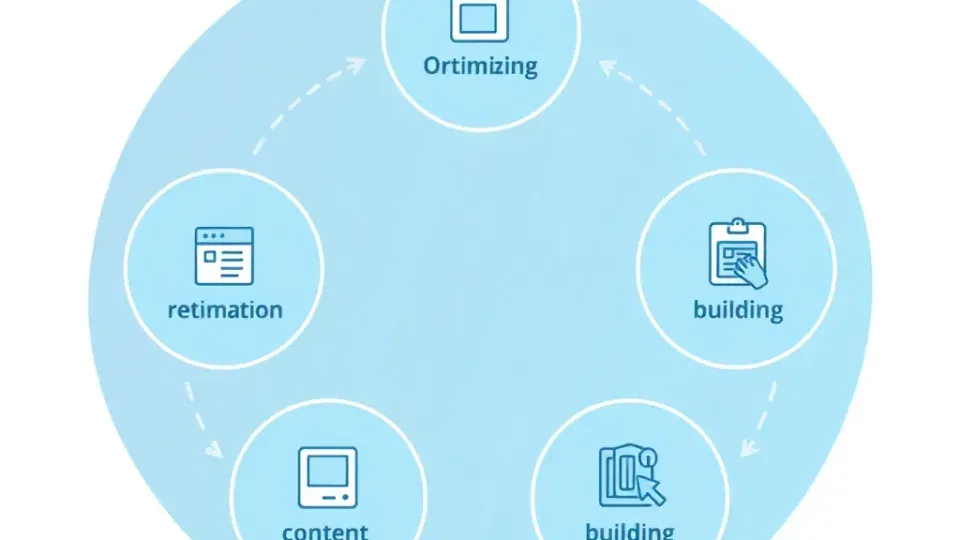
Search Engine Optimization (SEO) is the practice of optimizing your website to improve its visibility in organic search results on search engines like Google. It's about understanding what your target audience is searching for, creating content that answers their questions, and making sure search engines can find, understand, and rank that content appropriately.
In 2026, SEO for beginners matters more than ever—but the landscape has shifted dramatically. Here's why you should care: organic traffic (visitors arriving through unpaid search results) remains the most cost-effective channel for most websites. Unlike paid advertising, organic traffic doesn't stop flowing once you stop paying. A well-optimized website compounds over time, delivering value for months or years after you publish. In my experience working with small business websites, organic traffic typically generates 3–5 times the return on investment compared to paid search campaigns over a 12-month period.
But SEO fundamentals in 2026 aren't what they were in 2015 or even 2023. The rise of AI-driven search, algorithm updates favoring experience and expertise, and evolving user behavior mean beginners need to understand both the classical fundamentals and the emerging landscape. Google's integration of AI Overviews (generative results that appear at the top of search pages) has fundamentally changed how content gets discovered and displayed—but this doesn't eliminate SEO; it transforms it.
How Search Engines Work: The Three-Stage Process
Search engines operate in three distinct stages: crawling, indexing, and ranking. Understanding this process is essential for anyone learning SEO basics for beginners.
Crawling is when search engine bots (called spiders or crawlers) discover your web pages by following links across the internet. They start with known pages and follow outbound and internal links to find new content. If your site isn't linked to anywhere, or if your internal linking is poor, search engines may struggle to discover all your pages. This is why having an XML sitemap matters—it directly tells Google which pages to crawl.
Indexing happens next. Search engines store information about every page they crawl in a massive database called an index. They analyze your content, images, videos, metadata, and page structure to understand what your page is about. This is where factors like page speed, mobile-friendliness, proper HTML structure, and schema markup matter—they signal to search engines that your site is high-quality and easy to interpret. Pages that are poorly optimized technically often don't get indexed at all, which means they won't rank regardless of content quality.
Ranking is the final stage. When a user types a search query, Google's algorithm retrieves relevant pages from its index and ranks them based on hundreds of factors. In 2026, these factors include traditional signals (keywords, backlinks, content quality, user engagement metrics) as well as new considerations like how well your content integrates with AI systems and whether your content demonstrates genuine expertise and first-hand experience. Google's 2024 updates specifically penalize content that appears AI-generated without human oversight, while rewarding content that clearly comes from someone with lived experience in the topic.
Is SEO Dead in 2026? Addressing the Most Common Beginner Question
SEO is evolving, not dead. This is probably the most common question I hear from beginners, and the answer is unambiguous: search engine optimization remains essential because billions of people search every day.
However, how they search and how Google delivers results has changed. In 2026, search increasingly integrates AI Overviews (previously called AI Snapshots)—where Google uses AI to synthesize an answer directly in the search results, pulling from multiple sources. This doesn't eliminate organic SEO; it actually makes understanding topical depth and content structure more critical.
The core principles—relevance, authority, and user experience—remain non-negotiable. But beginners must now account for:
-
Clear, structured answers – AI systems extract snippets and summaries from your content. If your most important information is buried in prose, AI systems may miss it or misrepresent it. Structure your content with obvious answer blocks, step-by-step sections, and FAQ formats.
-
Structured data and schema markup – Helps AI systems understand your content. Adding schema for FAQs, HowTo guides, Articles, and Products makes it easier for search systems to extract, index, and properly display your content.
-
Topical depth and comprehensiveness – Google's algorithms reward content that covers a topic thoroughly from multiple angles. A 500-word overview performs worse than a 3,000-word guide that answers related questions and provides context.
-
First-hand experience and demonstrable expertise – This is the biggest shift in 2026. Google's Quality Rater Guidelines emphasize E-E-A-T (Experience, Expertise, Authoritativeness, Trustworthiness). Content from real experts with lived experience ranks better than generic, template-driven content. If you're writing about fitness for beginners, mentioning your 10 years of coaching experience or your personal transformation story matters more than it did five years ago.
The bottom line: SEO isn't dead, but it's changing. Beginners who adapt to AI-driven search, focus on creating comprehensive and authoritative content, and demonstrate genuine expertise will thrive in 2026 and beyond.
SEO Fundamentals: Understanding Keywords and Search Intent

Keywords are search terms or phrases that users type into search engines to find information, products, or services. They're the bridge between what you offer and what people are searching for. When you understand keywords, you understand your audience.
Keyword research is the most important first step in learning SEO fundamentals. Without understanding what your audience is searching for, you'll waste time creating content that no one is looking for. In my experience reviewing hundreds of small business websites, the difference between those that generate consistent organic traffic and those that struggle almost always comes down to whether they started with keyword research or simply guessed what topics to write about.
How to Find Keywords Your Audience Is Actually Searching For
Begin by brainstorming topics related to your business. If you run a fitness coaching business, your topics might include "beginner workout programs," "how to lose weight," "best exercises for home," "nutrition for beginners," or "how to build a routine." Write down 10–15 broad topics without worrying about exact keywords yet.
Next, use free tools to expand these into actual keywords that real people are searching for:
- Google Keyword Planner (free with a Google Ads account) shows search volume and competition levels for keywords you input.
- Ubersuggest offers a free tier that shows keyword difficulty, search volume, and related keywords.
- Google Search Console (if you already have a website) shows the actual keywords people are using to find you—this real data is often more valuable than any other tool.
- Answer the Public reveals question-based keywords people are asking ("How to lose weight fast?", "What's the best diet for beginners?", "Can you lose weight without exercise?").
- Google's auto-complete feature – Start typing a query in Google and observe what completions appear. These are popular searches.
For each keyword you discover, evaluate three critical metrics:
-
Search volume – How many people search for this term monthly? Beginners often target keywords with 100–1,000 monthly searches (easier to rank for) rather than ultra-competitive terms with 100,000+ searches. A keyword with 500 monthly searches and no traffic is useless; a keyword with 500 monthly searches and you capture 30% of that traffic gives you 150 new visitors monthly.
-
Keyword difficulty – How hard is it to rank for this keyword? Tools rate this on a scale (usually 0–100). Beginners should target keywords with difficulty scores under 40 initially. As your site gains authority over months, you can target progressively harder keywords.
-
User intent – What is the person searching for trying to accomplish? Are they looking for information (informational intent like "how to start SEO")? Are they trying to buy something (commercial intent like "best SEO tools")? Are they looking for a specific website (navigational intent like "Google Search Console login")? Create content that matches the intent. A beginner's guide (informational content) won't satisfy someone searching to buy SEO software (commercial intent).
A common mistake I see repeatedly is beginners targeting highly competitive keywords from day one. This is how you guarantee failure. Start with "long-tail keywords"—longer, more specific phrases with lower search volume but higher conversion potential and lower competition. "SEO for beginners guide" (your potential target) has 50x lower competition than "SEO," and searchers are more qualified because they've specifically indicated they're beginners looking for guidance, not experienced professionals seeking advanced tactics.
Once you've identified 15–20 target keywords, organize them into topic clusters. Group related keywords around a main pillar topic. For example, "beginner SEO guide," "how to start SEO as a beginner," "SEO basics for beginners," and "SEO fundamentals" are all variations of the same core topic. Create one comprehensive piece of content (a pillar page) around the main topic, then supporting articles around related keywords. This topic cluster approach helps search engines understand your content depth and improves your chances of ranking for multiple related keywords.
Understanding Commercial vs. Informational Keywords
Informational keywords express a desire to learn ("how to start SEO," "SEO fundamentals," "what is SEO"). These typically have lower commercial value but are easier for beginners to rank for. They're essential for building topical authority.
Commercial keywords express a desire to purchase or hire ("best SEO tools for beginners," "SEO agency near me," "cheapest SEO software"). These have higher commercial value but are more competitive. Start with informational keywords, then gradually work toward commercial keywords as your site gains authority.
On-Page SEO: Optimizing Your Content and HTML Structure

On-page SEO refers to optimizations you make directly on your website—your content, HTML tags, internal links, and page structure. This is where most of your control and effort happens as a beginner learning SEO basics for beginners.
Title Tags, Meta Descriptions, and Headers: The Essential Elements
Your title tag is the clickable headline that appears in search results. It's one of the most important on-page SEO elements because it affects both rankings and click-through rates. Here's how to optimize it:
- Include your target keyword naturally (not forced or awkwardly placed).
- Keep it under 60 characters so it doesn't get truncated in search results (Google displays approximately 50–60 characters on desktop, fewer on mobile).
- Make it compelling—use power words or numbers if appropriate ("5 Tips," "Complete Guide," "2026 Update," "Beginner's Framework").
- Put the most important keywords near the beginning of the title.
Example: Instead of "SEO Guide," try "SEO for Beginners: The Complete 2026 Guide to Ranking Higher in Google." This includes the primary keyword upfront, signals relevance to beginners, and indicates freshness with the year. It's compelling and informative.
Your meta description is the 140–160 character summary displayed under your title in search results. While it doesn't directly impact rankings, it significantly affects click-through rates—a compelling meta description can increase your CTR by 20–30%. A boring meta description (even if your content is excellent) loses clicks to competitors with better descriptions.
Example meta description: "Learn SEO fundamentals as a beginner. Master keyword research, on-page optimization, link building, and technical SEO to rank higher in Google. Start your journey in 2026."
Your header tags (H1, H2, H3) structure your content for both readers and search engines. Use them strategically:
- H1: Use only one H1 per page—this should be your main topic or title. It typically matches or closely resembles your title tag.
- H2: Main section headings. These are crucial for SEO for beginners because they signal topic hierarchy. Include secondary keywords where natural, but prioritize clarity.
- H3: Subsection headings that break up dense information and improve scannability.
Never skip heading levels (don't jump from H1 to H3). Search engines use heading hierarchy to understand your content structure and topical relationships.
Content Optimization: Writing for Humans and Search Engines
Write content that comprehensively answers user questions. If someone searches "how to start SEO as a beginner," your content should walk them through exact steps, provide context, address common mistakes, and give them actionable next steps. Use short paragraphs (2–4 sentences), bullet points, and bolded key terms for scannability. After 2,000 words of continuous prose, most readers stop engaging—break up content with formatting.
Keyword optimization matters, but it's not about keyword stuffing (repeatedly inserting keywords unnaturally). Include your target keyword:
- In the title and first 100 words (this signals topical relevance immediately).
- In at least 2 H2 headings (typically in H2 #2 and H2 #4 or similar).
- Naturally throughout the body (aim for 1–2% keyword density overall—on a 2,000-word article, that's roughly 20–40 mentions total).
- In image alt text (this helps search engines understand images and improves accessibility).
But always prioritize user experience. Content that reads naturally, flows well, and answers questions completely ranks better than content that's been mechanically forced to include keywords. Search engines are increasingly sophisticated at detecting unnatural keyword patterns.
Internal linking is connecting pages within your own website. It serves two critical purposes: it helps search engines understand your site structure and discover content, and it distributes ranking authority (PageRank) across your pages. When you mention a related topic, link to your relevant article.
Example: In a post about "on-page SEO," you might link to your "keyword research guide" article with anchor text like "learn more about targeting long-tail keywords" rather than generic terms like "click here."
Beginner SEO mistake: Many beginners create pages with minimal internal linking. Search engines might not find all your content, and you're missing opportunities to establish topical clusters and distribute authority strategically.
Technical SEO Fundamentals: What Beginners Must Know

Technical SEO is optimizing the behind-the-scenes technical aspects of your website so search engines can crawl, index, and rank it effectively. You don't need to be a developer, but you should understand these fundamentals because technical problems can prevent your great content from ranking.
Mobile-Friendliness and Page Speed
Mobile-friendliness is non-negotiable in 2026. Over 60% of web traffic comes from mobile devices, and Google prioritizes mobile-friendly sites in its rankings. In fact, Google uses "mobile-first indexing," meaning it primarily evaluates your site's mobile version when determining rankings. Test your site using Google Mobile-Friendly Test. If it's not responsive to different screen sizes, fix it—either through your website platform or by hiring a developer.
Page speed directly impacts SEO and user experience. Google's Core Web Vitals measure three critical aspects:
- Largest Contentful Paint (LCP) – How quickly does the main content load? Target under 2.5 seconds.
- First Input Delay (FID) or Interaction to Next Paint (INP) – How responsive is the page to user clicks? Target under 100 milliseconds.
- Cumulative Layout Shift (CLS) – Does the page layout unexpectedly shift as it loads? Target under 0.1.
Check your speed using Google PageSpeed Insights. Aim for "green" scores in all three metrics. Common fixes include compressing images (using WebP format), enabling browser caching, removing render-blocking JavaScript, and using a Content Delivery Network (CDN). A common mistake is ignoring page speed because it seems technical—but speed is a ranking factor, and slow pages lose users. A one-second delay in page load can reduce conversions by 7%.
Security, Sitemaps, and Crawlability
SSL certificate (HTTPS) ensures your site is secure. If your site URL starts with "http://" instead of "https://," install an SSL certificate immediately. Most hosting providers offer free SSL through Let's Encrypt. Google began penalizing non-HTTPS sites in 2014 and continues to prioritize security.
XML sitemap and robots.txt help search engines navigate your site efficiently. An XML sitemap is a file that lists all your pages in a structured format, making it easier for Google to find and crawl them. A robots.txt file tells search engines which pages to crawl and which to skip (typically, you want to exclude things like login pages or internal search results). Most modern website platforms (WordPress, Webflow, Wix) generate these automatically—you just need to verify they're in place and submit your sitemap to Google Search Console.
Structured data (schema markup) helps search engines understand your content better. In 2026, with AI Overviews becoming more prominent, schema markup is increasingly important because it helps AI systems extract and properly interpret your content. Common schema types for beginners include:
- FAQPage – For pages with frequently asked questions.
- HowTo – For step-by-step guides or tutorials (excellent for teaching beginners).
- Article – For blog posts and news articles.
- LocalBusiness – If you have a physical location.
- BreadcrumbList – For site navigation structure.
You don't need to hand-code schema. Tools like Schema.org, WordPress plugins (Yoast SEO, RankMath), or services like Writora can generate proper schema for you. Adding schema is one of the highest-ROI technical tasks for beginners because it requires little technical skill but improves search visibility significantly.
Fixing Crawl Errors and Site Health
Use Google Search Console (free) to monitor your site's health. This tool shows crawl errors (pages Google can't access), mobile usability issues, security problems, and which keywords you're ranking for. Log in, connect your site, and check the "Coverage" report for any issues. Common problems include:
- 404 errors (pages that no longer exist) – Fix by either restoring the page or redirecting it to a relevant existing page.
- Soft 404 errors – Pages that return a 200 status code but have little/no content.
- Redirect chains – Too many redirects from one page to another, which slows crawling.
- Mobile usability issues – Text too small to read, clickable elements too close together, viewport not configured.
Link Building and Authority Building for Beginners

Backlinks (or inbound links) are hyperlinks from external websites that point to your site. They signal authority, trust, and relevance to search engines—think of them as "votes of confidence" from other websites. In 2026, high-quality backlinks remain one of the strongest ranking factors, but quantity no longer matters.
Why Backlinks Matter and How to Get Them
Why backlinks matter: A website with 50 high-quality backlinks from authoritative, relevant sites will outrank a website with 1,000 low-quality backlinks from spam directories or low-authority pages. Google's algorithms have become sophisticated enough to evaluate link quality, not just quantity. One link from a major industry publication (like Forbes, TechCrunch, or your industry's leading journal) is worth more than dozens of links from low-authority blog networks.
How to build backlinks as a beginner:
-
Create genuinely linkable assets – Write content so valuable and original that other people naturally want to link to it. A common beginner mistake is creating generic content that looks like 50 other articles on the topic. Instead, create:
- Original research or surveys (e.g., "I surveyed 500 small business owners about their SEO challenges")
- Comprehensive guides that go deeper than competitors
- Infographics or visualizations that make data accessible
- Interactive tools (calculators, assessment tools, etc.)
- Case studies with specific, verifiable results
-
Reach out to relevant sites – Identify websites in your industry that might link to you. Look at what your competitors are linked from (using tools like Ahrefs or SEMrush free trials), then create something better. Reach out to the site owner or editor with a personalized pitch explaining why linking to your content benefits their readers. Generic outreach gets ignored; personalized, specific pitches get responses.
-
Guest posting – Write an article for another website's blog. In exchange, you get a backlink and exposure to their audience. Write high-quality, original content that provides real value to their readers, and include a brief author bio with a link back to your most relevant page (usually your homepage initially, then to specific articles as you build content).
-
Broken link building – Find broken links on relevant websites (using tools like Ahrefs or even manual checking), then contact the site owner suggesting your content as a replacement. This works because site owners appreciate learning about broken links on their site, and you're providing a solution.
-
Claim unlinked mentions – Sometimes other sites mention your brand by name but don't link to you. Use Google Search Console or Google Alerts to find unlinked mentions, then ask for a link. This is lower-effort than building new links because the relationship already exists.
-
Industry partnerships and directories – Join relevant industry associations, directories, and local business listings. Many provide backlinks as part of membership.
A critical beginner mistake is pursuing low-quality links from "link farms" (networks of sites created primarily to sell links) or automatic directories. These don't help and can actually harm your site. Google can penalize sites with suspicious link profiles. Focus on quality over quantity. Five links from reputable sites in your industry are better than 100 links from irrelevant, low-quality sites.
Measuring SEO Success: Tracking Metrics That Matter
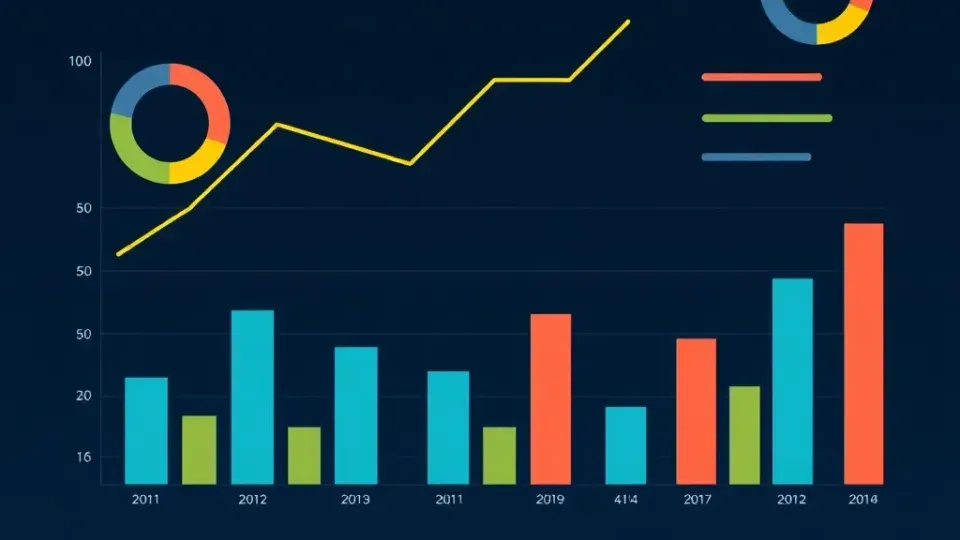
You can't improve what you don't measure. Tracking the right metrics tells you whether your SEO efforts are working, which strategies generate the highest return, and where to focus next. Too many beginners track vanity metrics (rankings for random keywords) instead of metrics that actually indicate business success.
Key Metrics to Track and What They Mean
| Metric | What It Measures | Why It Matters | Target/Benchmark | |--------|------------------|---|---| | Organic Traffic | Visitors from search engines | Revenue source and engagement | Increase 10–20% monthly initially | | Keyword Rankings | Positions for target keywords | Progress on priority keywords | Top 10 for primary keywords; top 20 for secondary | | Click-Through Rate (CTR) | % of searchers who click your result | Title/description quality and position | 2–5% average (position 1 = 25–35%, position 5 = 10–15%) | | Backlinks | Number and quality of inbound links | Domain authority and trust | 5–10 new high-quality links monthly | | Conversion Rate | % of visitors who take desired action | Whether SEO drives revenue | Varies by industry; 1–5% is typical | | Bounce Rate | % of visitors who leave without action | Content relevance and engagement | Under 50% is good (under 40% is excellent) | | Pages per Session | Average pages viewed per visitor | Content relevance and internal linking | 1.5–2.5 pages (higher is better) | | Average Session Duration | How long visitors stay | Content quality and engagement | 2–5 minutes |
How to Set Up Tracking
-
Install Google Analytics 4 on your website (free). This fundamental tool tracks all visitor behavior, traffic sources, and user engagement. Go to analytics.google.com, create a property for your site, and follow the installation instructions.
-
Connect Google Search Console (free) to see which keywords you're ranking for, impressions, CTR, and crawl errors. This is your direct line to Google's perspective on your site.
-
Set up goals/conversions in Analytics to track meaningful actions: email signups, purchase completions, form submissions, content downloads, etc.
-
Create a tracking spreadsheet (or use tools like Writora or Data Studio) to record rankings for your top 10 target keywords monthly. Track date, keyword, position, URL ranking, and search volume. This shows progress over time.
-
Use a tool like Google Data Studio (free) to create automated dashboards that pull data from Google Search Console and Analytics, so you can see your progress without manually checking multiple tools.
Realistic Timeline for SEO Results
SEO results typically take 3–6 months to become visible in search rankings, depending on competition level, keyword difficulty, and your site's existing authority. However, you may see improvements in impressions and CTR sooner if you optimize effectively. Even within the first month, you should see Google Search Console data showing which keywords your site appears for (even if on page 5 or beyond).
A realistic progression:
- Weeks 1–4: Site crawled, pages indexed, appearing in Google Search Console for various keywords. CTR and ranking data visible.
- Months 1–3: Gradual improvement in keyword positions and organic traffic. Internal linking and content optimization showing results.
- Months 3–6: Meaningful traffic increases visible. Early backlinks and authority building showing measurable impact.
- Months 6–12: Compounding effect becomes visible. As your site gains authority, newer content ranks faster. Early keywords moving into top 10.
Don't expect overnight results—SEO is a long-term play. But with consistent effort, you should see measurable progress within 3 months.
Advanced SEO for Beginners: Moving Beyond the Basics

Once you've mastered the fundamentals of SEO for beginners, you're ready to explore more advanced tactics. These aren't required to get started, but they accelerate your progress.
Building Topic Authority and Topic Clusters
Instead of creating random articles on different topics, create topic clusters around areas where you want to become known as an expert. A topic cluster consists of:
- Pillar page: A comprehensive guide covering the broad topic (e.g., "Complete Guide to SEO for Beginners")
- Cluster articles: Detailed articles on specific subtopics (e.g., "Keyword Research for Beginners," "Technical SEO Basics," "Link Building Guide")
- Internal linking: Pillar page links to cluster articles; cluster articles link back to pillar page and to each other where relevant
This structure signals to Google that your site has deep expertise in this topic. Sites with strong topic authority rank better for all keywords within that topic because they're demonstrating breadth and depth.
User Experience Signals and Dwell Time
In 2026, how users interact with your content affects rankings. Google tracks:
- Dwell time: How long someone spends on your page after clicking from search results (longer is better).
- Scroll depth: How far down the page users scroll (higher percentage is better).
- Return rate: Whether users return to search results to try another site (bouncing back hurts your rankings).
- Click-through rate: Whether people click your result from the search results page.
To improve these signals:
- Write compelling titles and meta descriptions that set proper expectations.
- Answer the question immediately—don't make users scroll past ads or unrelated content.
- Use clear formatting, short paragraphs, and scannable structure.
- Include visuals to break up text-heavy content.
- Link to related content to encourage users to explore more pages on your site.
Schema Markup and Featured Snippet Optimization
Featured snippets (the answer box that appears at the top of Google search results) drive significant traffic. To optimize for featured snippets:
- Structure content with clear question-and-answer format
- Provide concise, direct answers (40–60 words is ideal for paragraph snippets)
- Use lists (ordered or unordered) for comparison or step-by-step content
- Include relevant tables for data
- Add proper schema markup (FAQPage, HowTo, etc.)
Featured snippet optimization is one of the highest-ROI tactics for beginners because it's achievable without massive authority and can drive 10–30% traffic increases for target keywords.
Common SEO for Beginners Mistakes to Avoid

Learning what not to do is as important as learning what to do. Here are mistakes I see beginners make repeatedly:
Targeting the wrong keywords – Selecting highly competitive keywords you can't realistically rank for. Start with long-tail, lower-competition keywords where you can win faster and build momentum.
Neglecting mobile optimization – Over 60% of searches happen on mobile. If your site isn't mobile-friendly, you'll lose traffic and rankings. This isn't optional.
Thin, low-quality content – Pages with minimal, generic content (under 500 words, no original research, doesn't answer the question) don't rank. Create comprehensive, original content that answers questions better than competitors.
Ignoring search intent – Creating a "best running shoes to buy" guide when people searching "running shoe reviews" want detailed comparisons and recommendations, not a sales pitch. Match your content to what searchers actually want.
Not updating old content – Your 2023 article on "SEO tips" isn't as relevant in 2026 as an updated version referencing 2026 changes, AI Overviews, and current best practices. Regularly audit and refresh your best-performing content. Set a calendar reminder to update articles quarterly.
Buying low-quality backlinks – This violates Google's guidelines and can result in manual penalties. Links from private blog networks, automated directory submissions, and link farms are visible to Google's algorithms and can harm your site. Build links naturally through outreach, content quality, and relationships.
Forgetting internal linking – Your new, well-optimized content won't get traffic if it's not linked from other pages. Strategic internal linking distributes authority and helps search engines discover content. Every page should have at least 2–3 internal links from relevant articles.
Inconsistency – Expecting results after publishing one article. SEO compounds over time. Websites that win consistently are those that publish quality content regularly (at least weekly, ideally 2–4 times weekly) and stay on top of technical performance.
DIY SEO vs. Hiring a Professional: Which Path Is Right for You?

As a beginner, you might wonder: can I do SEO myself, or do I need to hire a professional? The answer depends on your time, budget, and goals.
When DIY SEO Makes Sense
You can absolutely do SEO yourself. Many beginners successfully implement SEO for beginners strategies without hiring anyone. The fundamentals—keyword research, content optimization, technical fixes—are learnable through guides, courses, and free tools.
DIY SEO makes sense when:
- You have 5–10 hours per week to dedicate to SEO learning and implementation.
- Your business operates in a low-to-moderate competition niche (fewer than 10 established competitors with strong authority).
- You're comfortable learning technical concepts or can hire a developer for specific tasks.
- Your budget is limited and you're willing to invest time instead of money.
- You have a long time horizon (18+ months) for results.
- Your success doesn't depend on immediate traffic (you're not in crisis mode).
Time estimate for DIY: 40–80 hours to get a solid foundation, then 5–10 hours weekly ongoing.
When Hiring an SEO Professional Makes Sense
Professional SEO makes sense when:
- You operate in a highly competitive industry (established, well-funded competitors).
- You need results quickly (you want meaningful traffic within 6 months, not 12–18 months).
- You lack time to manage SEO yourself (you're too busy running the business).
- You need someone to handle complex technical audits, large-scale link building, or custom strategy development.
- Your business depends on organic traffic (e.g., e-commerce, SaaS).
- You want an expert to develop a custom strategy tailored to your market.
Cost range: $1,000–$5,000 monthly for quality agency services; $500–$1,500 monthly for freelancers.
The Hybrid Approach: Recommended for Most Beginners
The increasingly popular hybrid approach: Learn SEO basics yourself, then hire a professional for specific tasks. This gives you:
- Control over foundational work (keyword research, content creation, basic optimization).
- Expert help where it matters most (link building strategy, technical audits, competitive analysis).
- Cost efficiency (you're not paying for work you can reasonably learn to do yourself).
- Better communication with any professionals you hire (you understand the terminology and strategy).
Typical hybrid budget: $200–$1,000 monthly for targeted freelance help (link building, technical audits) while you handle content and basic optimization.
If you do choose to hire, vet professionals carefully:
- Ask for case studies with specific results (traffic increases, keyword rankings, revenue impact).
- Request references from businesses similar to yours.
- Ask to hear their detailed strategy before they pitch you a price.
- Avoid agencies promising guaranteed #1 rankings in 30 days—that's a red flag (no one can guarantee rankings).
- Look for professionals who emphasize learning and transparency over jargon.
Free Resources for Learning SEO Basics for Beginners