SEO in Digital Marketing: Complete Guide to Strategy, Benefits & Implementation
What Is SEO in Digital Marketing? (Quick Answer) SEO (Search Engine Optimization) is the practice of optimizing your website and content to rank higher i...

What Is SEO in Digital Marketing? (Quick Answer)
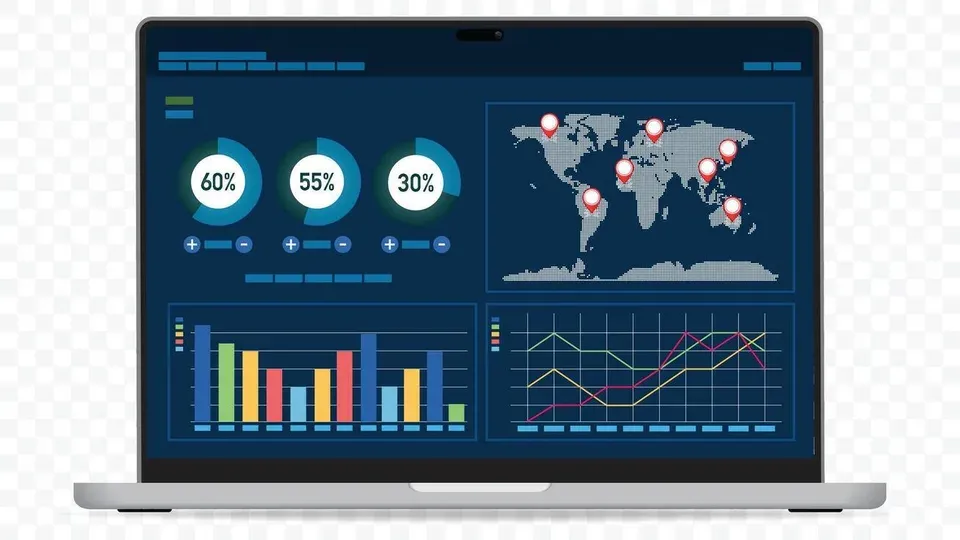
SEO (Search Engine Optimization) is the practice of optimizing your website and content to rank higher in organic (unpaid) search engine results, driving more visibility and traffic to your business without paying per click. Unlike paid advertising, SEO in digital marketing earns you visibility through content quality, technical excellence, and authority-building — making it one of the most sustainable and cost-effective channels available.
Here's a scenario most business owners recognize: a potential customer searches for exactly what you offer, but your website is buried on page three of Google. That customer clicks a competitor's link instead. SEO is how you change that outcome.
In this guide, you'll learn exactly what SEO is and why it matters, explore the three core types of SEO in digital marketing (on-page, off-page, and technical), see real-world implementation examples with before-and-after results, and walk away with a step-by-step checklist you can apply to your own site today. Whether you're a complete beginner or a marketer looking to sharpen your strategy, this guide takes you from concept to execution.
Why SEO Matters in Digital Marketing
Organic search is the single largest source of website traffic for most businesses. According to BrightEdge research, organic search drives approximately 53% of all trackable web traffic, dwarfing paid search, social media, and email combined. When you invest in SEO, you're investing in the channel that consistently delivers the highest volume of visitors over time.
But volume isn't the only reason SEO matters. Organic search traffic tends to convert well because users are actively searching for solutions — they have intent. Someone typing "best project management software for small teams" is far closer to a purchasing decision than someone passively scrolling through a social media feed.
In my experience working with businesses across multiple industries, the companies that treat SEO as a core pillar of their digital marketing strategy — rather than an afterthought — consistently outperform competitors in both traffic acquisition and customer acquisition cost.
How Search Engines Work
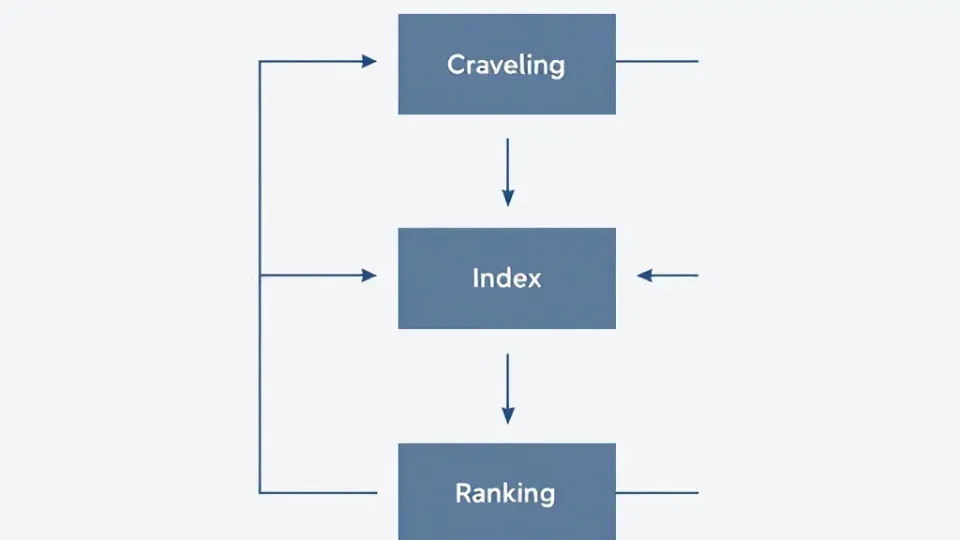
Before you can optimize for search engines, you need to understand how they operate. Google and other search engines use a three-step process:
- Crawling: Automated programs called "crawlers" or "spiders" discover web pages by following links across the internet. Google's primary crawler is called Googlebot.
- Indexing: Once a page is crawled, the search engine analyzes its content — text, images, videos, metadata — and stores it in a massive database called the index. Not every crawled page gets indexed; pages with thin content, duplicate content, or crawl errors may be excluded.
- Ranking: When a user submits a query, the search engine's algorithm evaluates hundreds of factors to determine which indexed pages are most relevant and authoritative. These factors include content relevance, backlinks (links from other websites pointing to yours), page speed, mobile-friendliness, user experience signals, and keyword usage.
A Search Engine Results Page (SERP) is what users see after submitting a query. It typically displays a mix of organic results (earned through SEO), paid ads (purchased through platforms like Google Ads), and special features like featured snippets, knowledge panels, and "People Also Ask" boxes.
The goal of SEO is to position your pages as high as possible in the organic portion of SERPs — because according to Backlinko's analysis of over 4 million Google search results, the top organic result receives approximately 27.6% of all clicks, while results on page two receive less than 1%.
The Role of SEO in Digital Marketing Ecosystems
A common point of confusion is the relationship between SEO and other digital marketing channels. Understanding the role of SEO in digital marketing helps you see how it amplifies everything else you do. Here's how the major channels compare:
| Channel | Cost Model | Speed of Results | Longevity | Traffic Quality | |---------|-----------|-----------------|-----------|----------------| | SEO | Time/resource investment; no per-click cost | 3–12 months | Long-lasting; compounds over time | High intent | | SEM (Paid Search/PPC) | Pay-per-click | Immediate | Stops when budget stops | High intent | | Social Media Marketing | Organic (free) or paid | Variable | Short-lived per post | Lower intent | | Email Marketing | Platform subscription | Immediate to list | Dependent on list growth | Warm audience |
SEO and SEM are complementary, not competing. SEM (Search Engine Marketing) refers specifically to paid search advertising — you bid on keywords and pay each time someone clicks your ad. SEO targets the same search results page, but through organic rankings. The key difference: when you stop paying for SEM, your visibility disappears instantly. SEO traffic, once established, continues flowing even if you pause active optimization efforts.
The role of SEO in digital marketing is foundational. It supports every other channel — your social media posts drive traffic to SEO-optimized landing pages, your email campaigns link to blog content that ranks organically, and your paid campaigns become more efficient when organic results already establish your brand's presence on the SERP.
Types of SEO in Digital Marketing

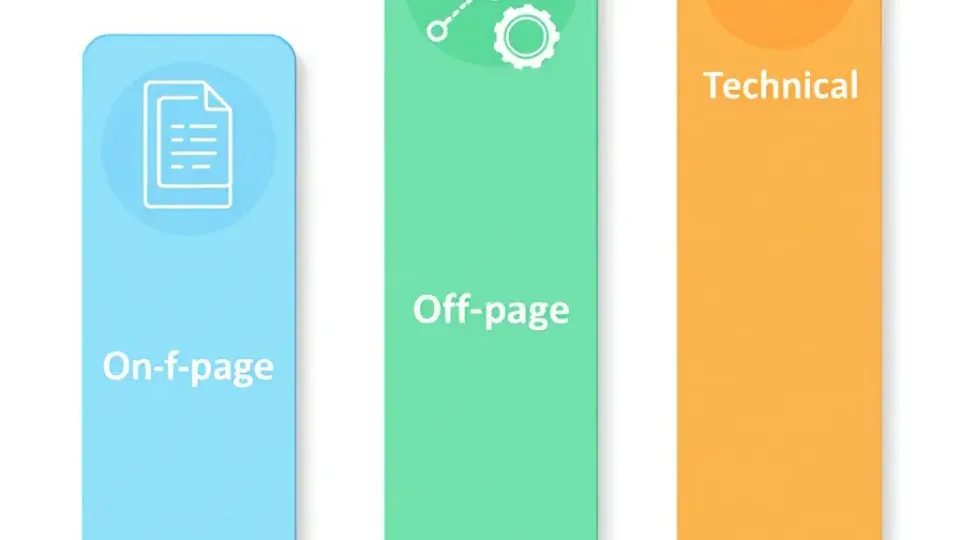
Understanding the types of SEO in digital marketing is essential for building a complete strategy. Think of these three types as pillars: on-page, off-page, and technical SEO. Each addresses a different dimension of how search engines evaluate your website, and neglecting any one of them creates a weakness in your overall approach.
On-Page SEO: Optimizing Your Website Content
On-page SEO encompasses everything you can control directly on your web pages to help search engines understand your content and rank it appropriately. This is where most beginners should start because it provides the most immediate and controllable improvements.
The core elements of on-page SEO include:
- Title tags: The clickable headline that appears in search results. Google's SEO Starter Guide recommends creating unique, descriptive titles for every page. Each title should include your target keyword — the word or phrase users type into search engines to find information — naturally within the first 60 characters.
- Meta descriptions: The short summary beneath the title tag in search results. While not a direct ranking factor, a compelling meta description improves click-through rates. Keep it under 160 characters and include your primary keyword.
- Header tags (H1, H2, H3): These structure your content hierarchically. Your H1 should contain your primary keyword and clearly describe the page's topic. Use H2s and H3s to organize subtopics logically.
- Content quality and depth: Google's Helpful Content system prioritizes content that demonstrates genuine expertise and provides real value to users. Thin, surface-level content rarely ranks well against comprehensive alternatives.
- Internal linking: Linking between related pages on your own site helps search engines understand your site structure and distributes authority across pages.
- Image optimization: Use descriptive file names and alt text (alternative text that describes images for accessibility and search engines) for every image.
- URL structure: Clean, descriptive URLs (e.g.,
/seo-implementation-checklist) outperform messy, parameter-heavy URLs.
A strong keyword research strategy is the foundation of effective on-page SEO. Before you write a single word of content, you need to understand what your target audience is actually searching for, how much search volume those terms have, and how competitive they are.
Pro tip from experience: A common mistake I see is businesses optimizing every page for the same keyword. Each page should target a distinct primary keyword to avoid keyword cannibalization — where multiple pages on your site compete against each other for the same search query.
Off-Page SEO: Building Authority and Links
Off-page SEO refers to actions taken outside your own website to improve your search rankings, primarily through building backlinks — hyperlinks from other websites to yours. Each quality backlink acts as a vote of confidence, signaling to search engines that your content is trustworthy and authoritative.
Google has publicly confirmed that backlinks are among its most important ranking signals. A study by Ahrefs found that the top-ranking result in Google has an average of 3.8 times more backlinks than results in positions 2 through 10.
Key off-page SEO tactics include:
- Earning editorial backlinks: Creating content so valuable that other websites naturally link to it. This includes original research, comprehensive guides, infographics, and data-driven analysis.
- Guest posting: Writing articles for reputable websites in your industry, with a link back to your site. Focus on quality publications — a single link from a high-authority domain is worth more than dozens from low-quality sites.
- Digital PR: Getting your brand mentioned in news outlets, industry publications, and authoritative blogs through newsworthy stories, expert commentary, or original data.
- Brand mentions and citations: Even unlinked mentions of your brand can contribute to your perceived authority, particularly for local SEO.
- Social signals: While social media shares aren't a direct ranking factor, content that gains social traction tends to attract more backlinks organically.
For a deeper dive into ethical strategies, explore our guide on link building best practices.
A word of caution: Avoid shortcuts like buying links, participating in link schemes, or using private blog networks (PBNs). Google's SpamBrain algorithm has become increasingly sophisticated at detecting manipulative link-building, and penalties can devastate your rankings overnight. After years of working with SEO recovery projects, I can confirm that cleaning up a link penalty takes far longer than building links properly in the first place.
Technical SEO: Ensuring Search Engine Crawlability
Technical SEO focuses on optimizing your website's infrastructure so search engines can efficiently crawl, index, and render your pages. Without a solid technical foundation, even the best content and strongest backlinks won't perform to their potential.
The essential elements of technical SEO include:
- Site speed and Core Web Vitals: Google officially uses Core Web Vitals — Largest Contentful Paint (LCP), Interaction to Next Paint (INP), and Cumulative Layout Shift (CLS) — as ranking signals. According to Google's guidelines, LCP should occur within 2.5 seconds, INP should be under 200 milliseconds, and CLS should be below 0.1.
- Mobile-friendliness: Google uses mobile-first indexing, meaning it primarily uses the mobile version of your site for ranking and indexing. If your site isn't responsive and functional on mobile devices, your rankings will suffer.
- XML sitemaps: A file that lists all the important pages on your site, making it easier for search engines to discover and crawl them. Submit your sitemap through Google Search Console.
- Robots.txt: A file that tells search engine crawlers which pages they should and shouldn't access. Misconfigured robots.txt files are one of the most common technical SEO issues — I've seen entire subfolders accidentally blocked from indexing.
- HTTPS security: Google has confirmed HTTPS as a ranking signal. Ensure your site uses SSL/TLS encryption.
- Structured data (Schema markup): Code that helps search engines understand your content's context. Implementing FAQ schema, How-To schema, or Article schema can earn you rich results (enhanced search listings) that increase click-through rates.
- Canonical tags: These tell search engines which version of a page is the "primary" one, preventing duplicate content issues.
- Crawl error management: Regularly check Google Search Console for 404 errors, redirect chains, and server errors that prevent proper indexing.
Running a regular technical SEO audit is critical for identifying and fixing issues before they impact your rankings. In my experience, most websites have at least a dozen technical issues that are silently suppressing their organic performance.
SEO Examples: Real-World Implementation
Theory is essential, but seeing SEO in action makes the concepts concrete. Here are practical examples showing how businesses apply on-page, off-page, and technical SEO tactics to achieve measurable results.
Example 1: On-Page SEO for a Local Bakery
Before: A Portland bakery's product page had a generic title tag ("Our Bread"), no meta description, unoptimized images with file names like "IMG_4032.jpg," and only 50 words of body text.
After implementing on-page SEO:
- Title tag updated to: "Artisan Sourdough Bread in Portland | [Bakery Name]"
- Meta description added: "Hand-crafted artisan sourdough bread baked daily in Portland, OR. Made with organic flour and a 100-year-old starter. Order online or visit our downtown bakery."
- Images renamed to "artisan-sourdough-bread-portland.jpg" with alt text: "Freshly baked artisan sourdough loaf from [Bakery Name] in Portland"
- Body content expanded to 800 words covering ingredients, baking process, ordering options, and customer testimonials
- Internal links added to related pages (bread types, ordering, about the bakery)
Result: The page went from not ranking in the top 100 for "artisan sourdough bread Portland" to appearing in positions 3–5 within four months, driving a 340% increase in organic page views.
Example 2: Off-Page SEO for a SaaS Company
Before: A project management software company had strong content but only 15 referring domains, and no links from authoritative industry publications.
After implementing off-page SEO:
- Published an original industry survey on remote work productivity, generating coverage from three major business publications
- Contributed expert guest posts to two respected SaaS review sites
- Created an embeddable infographic summarizing their survey data, which 12 blogs linked to organically
- Built relationships with industry bloggers through genuine community participation
Result: Referring domains grew from 15 to 87 over eight months. Their primary product page moved from position 14 to position 4 for their target keyword, and organic sign-ups increased by 210%.
Example 3: Technical SEO Fix with Immediate Impact
Before: An e-commerce site with 5,000 product pages had an average page load time of 7.2 seconds (mobile), a broken XML sitemap that excluded 40% of product pages, and 300+ 404 errors from deleted products without redirects.
After implementing technical SEO:
- Compressed images and implemented lazy loading, reducing LCP from 7.2 to 2.1 seconds
- Regenerated the XML sitemap to include all active product pages and submitted it to Google Search Console
- Implemented 301 redirects from deleted product URLs to relevant category pages
- Added structured data (Product schema) to all product pages
Result: Google indexed 2,100 previously missing product pages within six weeks. Organic traffic increased by 65% over three months, and the site earned rich product snippets for 30% of its indexed pages.
These examples illustrate how content optimization for SEO works across different business contexts. The principles remain the same regardless of industry: understand what your audience searches for, create and optimize content to match that intent, build authority, and ensure your technical infrastructure supports it all.
How to Do SEO: Your Implementation Checklist

Ready to learn how to do SEO on your own site? Use this step-by-step checklist to move from concept to execution. I've organized it in priority order — start at the top and work your way down.
Phase 1: Foundation (Week 1–2)
- [ ] Set up Google Search Console — verify your site ownership and submit your XML sitemap
- [ ] Set up Google Analytics — configure goal tracking for conversions (form submissions, purchases, sign-ups)
- [ ] Run a baseline technical audit — use tools like Screaming Frog (free for up to 500 URLs) or Sitebulb to identify crawl errors, broken links, missing meta tags, and slow pages
- [ ] Check mobile-friendliness — test your site using Google's Mobile-Friendly Test tool
- [ ] Ensure HTTPS — confirm your SSL certificate is active and all pages load securely
Phase 2: Keyword Research (Week 2–3)
- [ ] Identify 10–20 primary keywords — use Google Keyword Planner, Ahrefs, or Semrush to find keywords relevant to your business with sufficient search volume and manageable competition
- [ ] Map keywords to pages — assign one primary keyword per page; create a spreadsheet tracking target keyword, URL, and current ranking position
- [ ] Analyze search intent — for each keyword, search it in Google and note whether the top results are informational articles, product pages, or local listings. Match your content format accordingly.
- [ ] Identify content gaps — find keywords your competitors rank for that you don't, and plan new content to fill those gaps
Tool tip: If you're managing keyword research, content creation, and publishing across multiple pages, a platform like Writora can streamline the process with its keyword clustering and AI-assisted content generation — particularly useful if you're an independent publisher handling everything yourself.
Phase 3: On-Page Optimization (Week 3–5)
- [ ] Optimize title tags — include your primary keyword within the first 60 characters; make it compelling enough to click
- [ ] Write unique meta descriptions — 150–160 characters summarizing the page value; include the primary keyword
- [ ] Structure content with header tags — use one H1 per page (containing the primary keyword), then H2s and H3s for subtopics
- [ ] Improve content depth — expand thin pages to at least 800–1,200 words with genuinely useful information
- [ ] Add internal links — link to 3–5 relevant pages from each piece of content using descriptive anchor text
- [ ] Optimize images — compress files, use descriptive file names, and add alt text to every image
Phase 4: Technical Optimization (Week 5–7)
- [ ] Fix critical crawl errors — resolve 404 errors, redirect chains, and server errors identified in your audit
- [ ] Improve page speed — compress images, enable browser caching, minimize JavaScript, and consider a CDN
- [ ] Implement structured data — add relevant Schema markup (Article, FAQ, Product, LocalBusiness) using Google's Structured Data Markup Helper
- [ ] Review robots.txt — ensure you're not accidentally blocking important pages
- [ ] Check canonical tags — verify that duplicate or similar pages have proper canonical tags pointing to the preferred version
Phase 5: Off-Page Authority Building (Ongoing)
- [ ] Create link-worthy content — publish original research, comprehensive guides, or tools that others want to reference
- [ ] Begin outreach — identify relevant websites and bloggers in your industry; propose guest posts or collaborative content
- [ ] Monitor your backlink profile — use Google Search Console or Ahrefs to track new and lost backlinks monthly
- [ ] Pursue local citations (if applicable) — list your business on Google Business Profile, Yelp, and industry-specific directories with consistent NAP (Name, Address, Phone) information
Phase 6: Measure and Iterate (Monthly)
- [ ] Track keyword rankings — monitor position changes for your target keywords weekly or biweekly
- [ ] Analyze organic traffic trends — review Google Analytics for month-over-month organic traffic growth
- [ ] Review Search Console data — check for new crawl errors, indexing issues, and search query performance
- [ ] Update and refresh content — revisit your top-performing pages quarterly to ensure information is current and competitive
- [ ] Expand your keyword targets — as you gain traction, identify new keyword opportunities and create fresh content
Frequently Asked Questions About SEO in Digital Marketing

What does SEO stand for and why is it important?
SEO stands for Search Engine Optimization. It's important because organic search is the primary way people discover websites, products, and services online. With organic search driving over 53% of all web traffic (per BrightEdge), businesses that don't invest in SEO are essentially invisible to the majority of potential customers who use search engines to find what they need.
How long does SEO take to show results?
SEO is a long-term strategy. Most websites see noticeable improvements within 3–6 months, but significant ranking gains and traffic growth typically require 6–12 months of consistent optimization. The timeline depends on several factors: your industry's competitiveness, your website's current authority, the quality of your content, and how effectively you address technical issues. Highly competitive keywords (like "insurance" or "credit cards") can take years, while long-tail, lower-competition terms might show results within weeks.
Is SEO free compared to paid advertising?
SEO has no direct per-click costs — you don't pay Google every time someone clicks your organic listing. However, SEO is not truly "free." It requires investment in time (researching, writing, optimizing), tools (keyword research platforms, technical audit software, analytics), and potentially professional help (agencies or consultants). The advantage is that the traffic SEO generates compounds over time. A well-optimized page can drive traffic for years, whereas paid ads stop delivering the moment your budget runs out.
What is the difference between SEO and SEM?
SEO focuses on earning organic (unpaid) rankings through content quality, technical optimization, and authority-building. SEM (Search Engine Marketing) typically refers to paid search advertising — bidding on keywords through platforms like Google Ads to appear in the sponsored section of search results. The key differences: SEO takes longer to produce results but delivers sustainable, compounding traffic. SEM delivers immediate visibility but requires continuous spending. Most effective SEO marketing strategy approaches use both channels together.
Can beginners do SEO, or do I need to hire an agency?
Beginners can absolutely do SEO. Google's own SEO Starter Guide is written for non-technical website owners and covers the fundamentals clearly. Start with the basics — keyword research, on-page optimization, and fixing obvious technical issues — using free tools like Google Search Console, Google Analytics, and Google's PageSpeed Insights. As your site grows and your needs become more complex (enterprise-level technical SEO, competitive link-building campaigns), you may benefit from professional support. But for most small businesses and independent publishers, following a structured approach like the checklist in this guide will produce meaningful results.
Conclusion: Start Your SEO Journey Today
SEO in digital marketing isn't a one-time project — it's an ongoing discipline built on three pillars: on-page optimization, off-page authority building, and technical excellence. The businesses that succeed with SEO are the ones that commit to consistent improvement over months and years, not quick fixes.
Here are the key takeaways from this guide:
- Organic search drives the majority of web traffic, making SEO the highest-leverage digital marketing channel for long-term growth.
- The three types of SEO in digital marketing — on-page, off-page, and technical — work together as a system. Weakness in any one pillar limits the performance of the other two.
- SEO compounds over time. Unlike paid advertising, the content and authority you build today continues generating traffic months and years into the future.
- You don't need to do everything at once. Follow the phased implementation checklist: start with your foundation, move into keyword research, then systematically optimize on-page elements, technical infrastructure, and off-page authority.
- Measurement is non-negotiable. Set up Google Search Console and Analytics from day one so every optimization decision is backed by data, not guesswork.
Here's how to move forward right now:
- Start with the implementation checklist above. Focus on Phase 1 (Foundation) and Phase 2 (Keyword Research) first — they establish the groundwork everything else builds on.
- Pick your highest-impact pages. You don't need to optimize your entire site at once. Identify your 5–10 most important pages and apply on-page SEO best practices to those first.
- Track your progress. Key metrics to watch: organic traffic, keyword rankings, click-through rates, and indexed page count.
- Stay current. SEO best practices evolve as search engines update their algorithms. Bookmark this guide and revisit it periodically as you advance your strategy.
If you're an independent publisher or content creator looking to streamline the process — from keyword clustering to content creation to publishing — Writora offers a free trial that lets you test its AI-powered workflow. It's particularly useful for managing your SEO marketing strategy across multiple pieces of content without juggling a dozen separate tools.
The most important step is the first one. Every website that dominates organic search today started exactly where you are now — with a willingness to learn, a structured plan, and the discipline to execute. Use what you've learned in this guide about SEO in digital marketing, apply it to your site, measure the results, and iterate. The organic traffic will follow.