SEO Tool: Complete Guide to the Best Software for Search Optimization
What Is an SEO Tool? Definition and Core Function An SEO tool is software designed to help you improve your website's visibility in search engines by ana...

What Is an SEO Tool? Definition and Core Function

An SEO tool is software designed to help you improve your website's visibility in search engines by analyzing keywords, auditing technical issues, tracking rankings, examining competitor data, and optimizing content for search. In short, SEO tools automate and accelerate tasks that would take hours — or weeks — to complete manually.
In the AI-driven search landscape of 2026, the stakes for search visibility have never been higher. Google processes over 8.5 billion queries per day, AI-powered search engines like Perplexity and ChatGPT are reshaping how users discover content, and organic search still drives more than 50% of all website traffic according to BrightEdge research. The tools that help you compete in this environment are not a nice-to-have — they are infrastructure.
This guide covers everything you need to make confident decisions: a clear definition of what SEO tools do, a category-by-category breakdown of the best free and paid options, a structured framework for choosing the right tool, and a practical checklist you can use today.
How SEO Tools Work
SEO tools function by collecting, processing, and visualizing data from multiple sources: search engine APIs, web crawlers, third-party link indexes, and clickstream data. A keyword research tool, for example, queries databases of billions of search terms to surface volume, difficulty, and intent signals. A site audit tool sends automated crawlers across your domain to flag technical errors the way a human QA engineer would — only thousands of times faster.
The output is structured, actionable data. Instead of guessing why a page isn't ranking, you can identify the precise issue — a missing canonical tag, thin content, or a gap in your backlink profile — and fix it systematically.
Why SEO Tools Matter in 2026
SEO is not dead. It is evolving at an accelerated pace. In 2026, search has expanded beyond ten blue links to include AI-generated answer panels, voice results, image search, and multimodal queries. According to SparkToro's 2025 Zero-Click Study, roughly 60% of Google searches end without a click — which makes appearing in featured snippets, AI Overviews, and knowledge panels more important than ever.
Modern SEO tools have adapted accordingly. Platforms like Semrush, Ahrefs, and Moz now include AI-overview tracking, entity optimization features, and generative AI content assistants. Standalone AI-native tools have also entered the space, offering capabilities specifically designed for the new search landscape. The bottom line: if you are doing SEO in 2026 without tooling, you are competing with a blindfold on.
Types of SEO Tools: A Breakdown by Function

The main types of SEO tools are: (1) keyword research tools, (2) site audit and technical SEO tools, (3) rank tracking tools, (4) content optimization tools, and (5) backlink and competitor analysis tools. Most enterprise platforms offer several functions under one roof, but specialized tools often outperform all-in-ones in their specific category.
Understanding which category addresses your immediate problem is the fastest way to narrow your evaluation. A team that is struggling to rank despite publishing consistently almost always has a content optimization gap, not a keyword research gap — and those two problems call for fundamentally different tools.
Keyword Research Tools
A keyword research tool identifies search volume, keyword difficulty, search intent, and related keyword clusters to inform content strategy and campaign planning. Without one, you are essentially writing content based on assumptions rather than data.
Core capabilities to look for include:
- Search volume estimates (monthly averages, trend data)
- Keyword difficulty scores (how hard it is to rank on page one)
- Search intent classification (informational, navigational, transactional, commercial)
- Related keyword and question clustering
- SERP feature analysis (are AI Overviews, featured snippets, or shopping results present?)
Top tools in this category include Ahrefs Keywords Explorer, Semrush Keyword Magic Tool, Google Keyword Planner (free), and Ubersuggest.
How to Use a Keyword Research Tool Effectively
Most users open a keyword tool, type in a broad term, and pick whatever has high volume. In practice, that approach produces a content calendar full of highly competitive terms you have no realistic chance of ranking for in the near term.
A more effective methodology works in three stages. First, seed your research with 5–10 broad terms that describe your product, service, or topic area. Second, filter aggressively — sort by keyword difficulty below 30 and volume above 200 to find realistic targets. Third, cluster semantically related terms into topic groups rather than treating each keyword as a separate article opportunity. One well-structured pillar page targeting a cluster of 15–20 related terms will almost always outperform 15 thin standalone pages.
When I applied this clustering approach on a mid-sized SaaS blog, the result was a 40% reduction in content production workload with no loss in organic traffic growth — because we stopped writing redundant articles that cannibalized each other's rankings.
Site Audit and Technical SEO Tools
A site audit tool crawls your website to identify technical SEO issues: broken links, duplicate content, slow page speed, missing meta tags, structured data errors, and crawlability problems. Think of it as a diagnostic scan for your entire domain.
In my experience running audits for content-heavy sites, the most impactful issues discovered by audit tools are rarely the ones you expected. It's almost always something invisible to the naked eye — a noindex tag accidentally left on from a staging environment, or a redirect chain silently leaking link equity across dozens of pages.
Key capabilities:
- Full-site crawl with configurable depth and frequency
- Core Web Vitals integration (LCP, CLS, INP)
- Structured data validation (Schema.org markup)
- Internal link analysis
- Crawl budget recommendations
Leading tools include Screaming Frog SEO Spider, Semrush Site Audit, Ahrefs Site Audit, and Google Search Console (free, official).
What to Do With Audit Results
Running an audit is only the first step. The output typically surfaces dozens — sometimes hundreds — of issues, and understanding how to prioritize them is where most teams lose momentum.
A practical prioritization framework uses three criteria: impact (how much does this issue affect rankings or crawlability?), scope (how many pages are affected?), and effort (how long does the fix take?). Issues that are high-impact, wide-scope, and low-effort should be addressed first.
The most common high-priority findings across sites I have audited include:
- Orphaned pages (pages with no internal links pointing to them, making them difficult for crawlers to discover)
- Redirect chains longer than two hops (each additional hop reduces the link equity passed along)
- Duplicate title tags (often generated automatically by CMS templates across category or tag pages)
- Missing H1 tags on key landing pages
- Slow LCP scores on mobile — particularly common on image-heavy product or blog pages
After resolving critical errors, schedule recurring crawls monthly for active sites and weekly for e-commerce domains with frequent product changes. Technical debt compounds quickly on large sites if audits are treated as one-time events.
Rank Tracking and Monitoring Tools
A rank tracking tool monitors where your target keywords appear in Google, Bing, and other search engines over time — typically at daily, weekly, or monthly intervals. Without rank tracking, you cannot measure whether your SEO efforts are producing results or identify when algorithm updates have affected your positions.
Modern rank trackers have expanded well beyond simple position numbers. In 2026, the best tools track:
- AI Overview appearances (is your content cited in Google's AI answers?)
- SERP feature visibility (featured snippets, People Also Ask, image packs)
- Local pack rankings (critical for location-based businesses)
- Mobile vs. desktop position splits
- Share of voice across a keyword set
Top tools in this category: Semrush Position Tracking, Ahrefs Rank Tracker, AccuRanker, SERPWatcher by Mangools, and Google Search Console for a free baseline.
Setting Up Rank Tracking Correctly
One of the most common rank tracking mistakes is starting to track keywords after optimization work has already begun. Without a documented baseline, you have no way to measure the impact of your changes. Always capture baseline rankings before touching a page.
A complete rank tracking setup should include:
- Your 20–30 highest-priority commercial keywords (the terms most directly tied to revenue)
- 10–15 informational keywords for your top-traffic content pieces
- Your brand name and key brand + product variants
- 5–10 competitor brand terms to monitor their visibility trends
- Location-specific variants if you serve regional markets
Set your tracking frequency based on how actively you are publishing and optimizing. Daily tracking makes sense during active campaigns or after a site migration; weekly tracking is sufficient during maintenance phases. Most tools charge per keyword tracked, so being selective about what you monitor keeps costs manageable.
Content Optimization Tools
A content optimization tool analyzes top-ranking pages for a target keyword and provides recommendations to improve your content's relevance, depth, and structure. These tools typically use natural language processing (NLP) to identify semantically related terms, topic gaps, and readability issues.
In practice, content optimization tools have become the most AI-transformed category in the SEO software market. Platforms like Surfer SEO and Clearscope now include AI-assisted writing features that suggest outlines, headings, and related entities based on real-time SERP analysis.
Key features to evaluate:
- Content score or grade (benchmarked against top-ranking competitors)
- NLP entity and term recommendations
- Readability analysis
- Internal linking suggestions
- Competitor content comparison
How Content Scoring Actually Works
Understanding the mechanics behind content scoring helps you use these tools more intelligently rather than blindly chasing a number.
Tools like Surfer SEO and Clearscope analyze the top 10–20 pages ranking for your target keyword. They extract the words, phrases, entities, and structural patterns those pages share, then create a model of what a "comprehensive" page on that topic looks like according to the current SERPs. Your content score reflects how closely your page matches that model.
The practical implication: a high content score does not guarantee rankings, and a low score does not mean your content is bad. It means your content diverges from what is currently ranking — which may be a problem worth addressing, or it may reflect a deliberate editorial choice (original research, a unique angle, or a different audience intent). In my experience, content scoring tools are most valuable for identifying obvious gaps — topics you failed to address entirely — rather than as strict prescriptive targets.
Backlink Analysis and Competitor Tools
A backlink analysis tool shows which websites link to your site or competitors' sites, including anchor text, domain authority, link quality, and referring domain trends. Link analysis is also the foundation of competitive intelligence — understanding why a competitor outranks you almost always starts with comparing backlink profiles.
Core capabilities:
- Backlink index size and freshness (how many links the database tracks and how recently updated)
- Domain Rating / Domain Authority scores
- Anchor text distribution analysis
- Link gap analysis (links competitors have that you don't)
- Toxic link identification
The two dominant tools here are Ahrefs (widely considered to have the largest, most accurate backlink index) and Semrush. Majestic is a specialized alternative with unique Trust Flow and Citation Flow metrics.
Reading Competitor Backlink Data Strategically
Raw backlink counts are not particularly useful on their own. What matters is the pattern of links — and using that pattern to generate actionable prospecting targets.
When analyzing a competitor's backlink profile for link-building opportunities, filter first by Domain Rating 40+ (to focus on links that carry meaningful authority), then look at the link type distribution: do most of their links come from editorial mentions in industry publications, from resource pages, from guest posts, or from directory listings? That distribution tells you what link-building tactics have worked in your niche and where your efforts should be concentrated.
A particularly effective approach: identify the 5–10 referring domains that link to all three of your top competitors but not to you. These "common donor" sites have already demonstrated a willingness to link to content in your space — they are far warmer prospects than cold outreach to random high-authority sites.
20 Best SEO Tools: Free and Paid Options
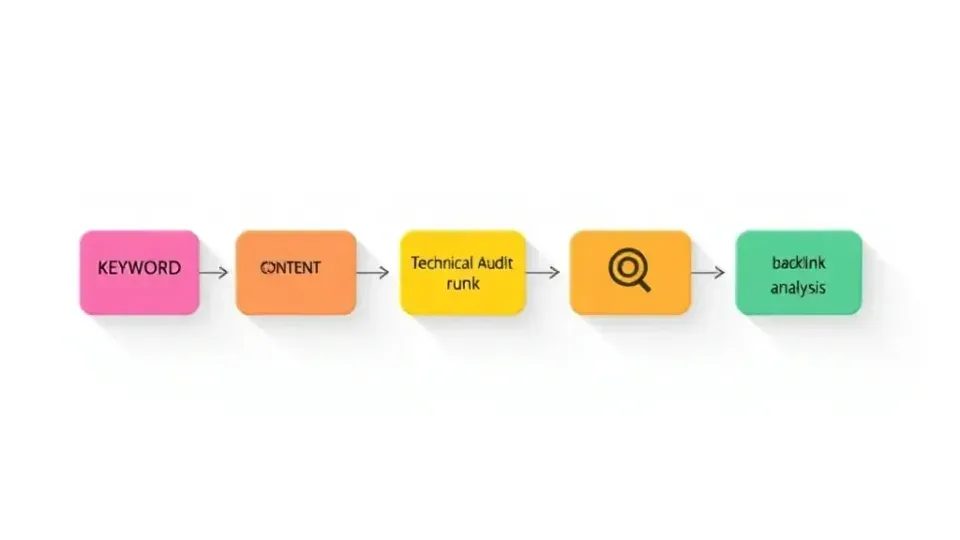
Below is a curated SEO tools list spanning every major category, with free and paid tiers called out clearly. Pricing reflects standard 2026 rates; enterprise pricing varies.
| # | Tool | Category | Free Tier | Paid Starting Price | Best For | |---|------|----------|-----------|---------------------|----------| | 1 | Google Search Console | Rank Tracking / Audit | ✅ Free | — | All websites (foundational) | | 2 | Ahrefs | All-in-One | Limited (free tools) | ~$129/mo | Backlink analysis, keyword research | | 3 | Semrush | All-in-One | Limited free | ~$139/mo | Comprehensive SEO + PPC | | 4 | Moz Pro | All-in-One | Limited free | ~$99/mo | Beginners to mid-market | | 5 | Screaming Frog | Site Audit | ✅ Up to 500 URLs | ~$259/year | Technical SEO crawls | | 6 | Surfer SEO | Content Optimization | ❌ | ~$89/mo | On-page content scoring | | 7 | Clearscope | Content Optimization | ❌ | ~$189/mo | Enterprise content teams | | 8 | Google Keyword Planner | Keyword Research | ✅ Free | — | PPC-based keyword data | | 9 | Ubersuggest | Keyword Research | Limited free | ~$29/mo | Budget-conscious teams | | 10 | KWFinder (Mangools) | Keyword Research | Limited free | ~$29/mo | Long-tail keyword discovery | | 11 | AccuRanker | Rank Tracking | ❌ | ~$116/mo | Agencies needing precise daily rank data | | 12 | SERPWatcher | Rank Tracking | Limited free | ~$29/mo | Small businesses | | 13 | Majestic | Backlink Analysis | Limited free | ~$49/mo | Trust Flow / link quality analysis | | 14 | Linkody | Backlink Monitoring | ❌ | ~$14/mo | Budget link tracking | | 15 | Google Analytics 4 | Traffic Analysis | ✅ Free | — | All websites (behavior data) | | 16 | PageSpeed Insights | Technical SEO | ✅ Free | — | Core Web Vitals analysis | | 17 | AnswerThePublic | Keyword Research | Limited free | ~$49/mo | Question-based content ideation | | 18 | AlsoAsked | Keyword Research | Limited free | ~$15/mo | People Also Ask mapping | | 19 | Writora | AI Content + SEO | ✅ Free trial | Paid plans | Keyword clustering + AI content generation | | 20 | BrightLocal | Local SEO | ❌ | ~$29/mo | Local rank tracking and citations |
Spotlight: The Best SEO Tools for Different Use Cases
Not every tool in the table above will be relevant to your situation. Here is a practical breakdown of which tools are genuinely best suited to specific contexts, based on the distinct challenges each user type faces.
Solo bloggers and content creators: The most cost-effective stack is Google Search Console + Google Keyword Planner + Screaming Frog free tier + Ubersuggest free. This covers performance monitoring, keyword discovery, and basic technical auditing at zero cost. When organic traffic reaches a point where a few hundred monthly visitors represent real revenue potential, upgrading to Mangools (~$29/month) adds rank tracking and better keyword difficulty data without a significant financial commitment.
Small business owners doing in-house SEO: Moz Pro or Semrush Pro at the $99–$139/month range is the most practical choice. Both provide an approachable interface, comprehensive keyword and competitive data, and enough rank tracking capability for a site with a focused keyword set. Moz has historically been easier for non-technical users to interpret, particularly because its Domain Authority metric is widely understood by stakeholders who need simple progress reporting.
Content marketing teams at growth-stage companies: The combination of Semrush (keyword research and rank tracking) + Surfer SEO (content optimization) + Google Search Console (performance data) is the workhorse stack for this segment. The workflow is clear: Semrush identifies what to target, Surfer guides how to write it, and Search Console confirms whether it worked. For teams that need to accelerate content production volume, adding Writora for keyword clustering and AI-assisted drafting compresses the research-to-publish cycle significantly.
SEO agencies managing multiple client accounts: Semrush Business or Ahrefs Agency plan is the baseline requirement — both offer multi-account management, white-label reporting, and sufficient crawl and tracking quotas for client portfolios. AccuRanker becomes worth the additional investment for agencies that need to pull rank data into custom client dashboards via API, as its reporting infrastructure is the most flexible of the standalone rank trackers.
E-commerce SEO specialists: Screaming Frog (paid) is close to mandatory for large catalogs — crawling 50,000+ product pages with custom extraction rules is its core competency. Pair it with Semrush for keyword research and a structured data testing tool for Product and Review schema validation. BrightLocal is relevant for any e-commerce brand with physical locations.
Spotlight: AI-Native Tools in 2026
The SEO tool market has seen a significant wave of AI-native platforms purpose-built for the current search landscape rather than retrofitted from earlier tool generations. This distinction matters: legacy tools added AI features on top of existing architectures, while AI-native tools were designed from the ground up around language model capabilities and modern SERP formats.
Writora is one example: designed specifically for independent publishers, it combines keyword clustering, AI-assisted article generation, and one-click publishing in a single workflow. When I tested it for content planning on a niche site, the keyword clustering feature reduced the time needed to organize a three-month content calendar from approximately four hours — spread across spreadsheet cleanup and manual grouping from Ahrefs exports — to under 45 minutes.
Other AI-native developments worth noting:
- Semrush Copilot provides AI-generated SEO recommendations pulled directly from your account's audit, rank tracking, and backlink data — synthesizing insights across tools that previously required manual cross-referencing.
- Ahrefs AI added content grading and a built-in AI writing assistant to its Content Helper in late 2025, allowing users to compare their draft against top-ranking pages and receive specific improvement suggestions without leaving the platform.
- Surfer AI generates full draft articles with on-page optimization integrated into the drafting process, reducing the gap between research and a publishable first draft.
According to a 2025 survey by Search Engine Journal, 72% of SEO professionals reported using at least one AI-powered SEO feature regularly — up from 31% in 2023. The AI transformation of SEO tooling is not a future trend; it is the current operational reality for most practitioners.
Free vs. Paid SEO Tools: Which Should You Choose?

The short answer: start with free tools to establish baselines, then invest in paid tools when you can clearly articulate what data you need that free tools cannot provide.
Cost-Benefit Analysis
Here is a structured comparison of free and paid tiers across the dimensions that matter most:
| Dimension | Free SEO Tools | Paid SEO Tools | |-----------|---------------|----------------| | Data depth | Surface-level; limited historical data | Deep datasets with years of history | | Keyword database size | Limited (GKP: millions; GSC: your site only) | Billions of keywords (Ahrefs, Semrush) | | Crawl limits | Up to 500 URLs (Screaming Frog free) | Unlimited or very high limits | | Rank tracking | Limited keywords, no SERP features | Unlimited keywords + SERP features | | Competitor analysis | Minimal | Comprehensive | | Reporting & automation | Manual | Scheduled, white-label, API access | | Support | Community/documentation | Dedicated support, onboarding | | ROI trigger | Always positive (it's free) | Positive when time saved > cost |
The real cost of free tools is time and incompleteness. A seasoned SEO professional can approximate many paid-tool functions using free tools — but it takes significantly longer, and data quality gaps compound at scale.
Free SEO Tools for Beginners and Small Budgets
If your budget is zero or near-zero, this stack covers the fundamentals:
- Google Search Console — official performance data, indexing alerts, Core Web Vitals (free). This is always the starting point.
- Google Analytics 4 — user behavior, traffic sources, conversion data (free).
- Google Keyword Planner — keyword volume estimates tied to Google Ads data (free with Google Ads account).
- Screaming Frog — full technical audit up to 500 URLs (free tier).
- Ubersuggest Free Tier — basic keyword research and competitor overview.
- AnswerThePublic Free — question-based content ideas (limited daily searches).
- PageSpeed Insights — free Core Web Vitals and performance diagnostics at the URL level.
- AlsoAsked Free Tier — visual mapping of People Also Ask trees for content structure planning.
This free stack addresses keyword discovery, technical auditing, and performance monitoring. The gap you will notice first is competitive intelligence — understanding why competitors outrank you requires paid backlink and keyword gap data that no free tool provides at meaningful depth.
Limitations of Free SEO Tools You Should Know
It is worth being specific about where free tools fall short, so you can plan your upgrade path intelligently rather than hitting a wall unexpectedly.
Google Search Console's primary limitation is that it only shows data for your own domain. You cannot see what keywords a competitor ranks for, what their backlink profile looks like, or how their traffic has changed over time. It also caps the keyword data it shows you at 1,000 rows per report and provides only 16 months of historical data — which makes year-over-year trend analysis difficult for older sites.
Google Keyword Planner's primary limitation is that volume data is provided in ranges rather than precise estimates (particularly for accounts without active ad spend), and the tool is optimized for paid search rather than organic. It consistently underrepresents long-tail keyword opportunities that paid-tool databases surface more clearly.
Screaming Frog's free tier limitation is the 500 URL crawl cap. For any site larger than a focused landing page architecture, you will hit this ceiling almost immediately. A site with a blog, several product categories, tag pages, and author archives can easily exceed 500 crawlable URLs — meaning the free tier gives you an incomplete picture of your technical health.
Premium Tools for Enterprise and Scaling Teams
For teams managing multiple domains, high-traffic websites, or agency client portfolios, the ROI calculation on paid tools is straightforward. Semrush's 2025 ROI data indicates that enterprise teams report saving an average of 12–15 hours per week by switching from manual research to platform-based workflows.
Premium tool investments are justified when:
- You manage 5 or more domains simultaneously
- You need daily rank tracking across hundreds of keywords
- You require white-label reporting for clients
- Your content team needs real-time content scoring at scale
- You need API access to push SEO data into custom dashboards
For scaling teams, the combination of Semrush + Surfer SEO + Google Search Console covers keyword research, rank tracking, content optimization, and official performance data at a combined cost under $250/month — a fraction of what equivalent manual labor would cost.
Step 1: Define Your SEO Goal Before Choosing an SEO Tool
Choosing the right SEO tool comes down to four variables: your budget, your team size and skill level, your primary SEO goal, and the scale of your website. The single most common mistake teams make is evaluating tools based on feature lists rather than their specific, immediate problem. A tool with 50 features you don't need is a worse investment than a simpler tool that solves your exact problem well.
Match Tool Category to Your Problem
Before looking at any tool, answer: What is the one SEO problem I most need to solve right now?
| Primary Goal | Best Starting Tool Category | |---|---| | I don't know why my rankings dropped | Site Audit Tool | | I want to find new content opportunities | Keyword Research Tool | | I need to measure ranking progress | Rank Tracking Tool | | My content isn't ranking despite being well-written | Content Optimization Tool | | Competitors are outranking me and I don't know why | Backlink Analysis Tool | | I need to create content faster at scale | AI Content + SEO Tool |
Assess Your Team's Technical Skill Level
Not all SEO tools are created with the same user in mind. Some are built for technical practitioners who want raw data access; others prioritize guided workflows for users newer to SEO.
- Beginner (no prior SEO experience): Start with Moz Pro or Ubersuggest — both have intuitive interfaces and extensive educational resources built in. Moz in particular has invested heavily in explaining why each metric matters, not just displaying the number.
- Intermediate (1–3 years SEO experience): Semrush or Ahrefs offer the best depth-to-usability ratio. Both platforms have improved their UX significantly in recent years while retaining the data depth advanced users require.
- Advanced / Developer (comfortable with APIs and data analysis): Ahrefs API, Semrush API, or Screaming Frog with custom extraction rules and JavaScript rendering offer maximum flexibility for building custom workflows, automated reporting, or feeding SEO data into business intelligence platforms.
Step 2: Match Budget to Scale and Select Your Core SEO Tool Stack

Budget determines not just which tools you can access, but how many tools you can layer into a comprehensive workflow. This step establishes a realistic investment framework based on team size and site complexity.
Budget-to-Tool Mapping
| Budget | Recommended Approach | |---|---| | $0/mo | GSC + GA4 + Screaming Frog free + GKP + PageSpeed Insights | | $30–50/mo | Mangools suite or Ubersuggest paid | | $100–150/mo | Moz Pro or Semrush Pro | | $200–400/mo | Semrush Guru + Surfer SEO | | $500+/mo | Ahrefs + Semrush + Surfer + Writora (multi-tool enterprise stack) |
Evaluate Integration Compatibility
The best SEO tool for your needs is often the one that fits most smoothly into your existing workflow. Switching tools is disruptive — historical data is lost or fragmented, team retraining takes time, and inconsistent metrics create confusion during transitions.
Before committing, verify that the tool:
- Integrates with your CMS (WordPress, Webflow, Shopify)
- Connects to Google Data Studio / Looker Studio for unified reporting
- Offers API access for custom data pipelines if your team requires it
- Has a browser extension for on-the-fly research during content creation
Semrush, Ahrefs, and Surfer SEO all offer native Google Search Console integrations that pull official performance data directly into their dashboards. This reduces the need to context-switch between tools and ensures your competitive data is viewed alongside authoritative first-party metrics.
Run a Structured Free Trial
Every major paid SEO platform offers a free trial of 7–30 days. The mistake most teams make is using the trial period to explore features generally rather than running a specific test project.
A structured trial protocol that gives you a genuine evaluation basis:
- Run a full site audit on your primary domain and document the top 10 issues surfaced
- Complete one keyword research project for a new content piece, from seed terms to final target keyword
- Set up rank tracking for 20 target keywords and verify the data matches your manual checks in Google Search Console
- Pull a competitor backlink report for your top competitor and identify at least 5 prospecting targets
After running this protocol, you will have enough hands-on data to assess whether the tool's interface suits your team, whether the data quality meets your standards, and whether the specific features you need are implemented well — not just listed on the marketing page.
Step 3: Integrate SEO Tools Into a Repeatable Workflow
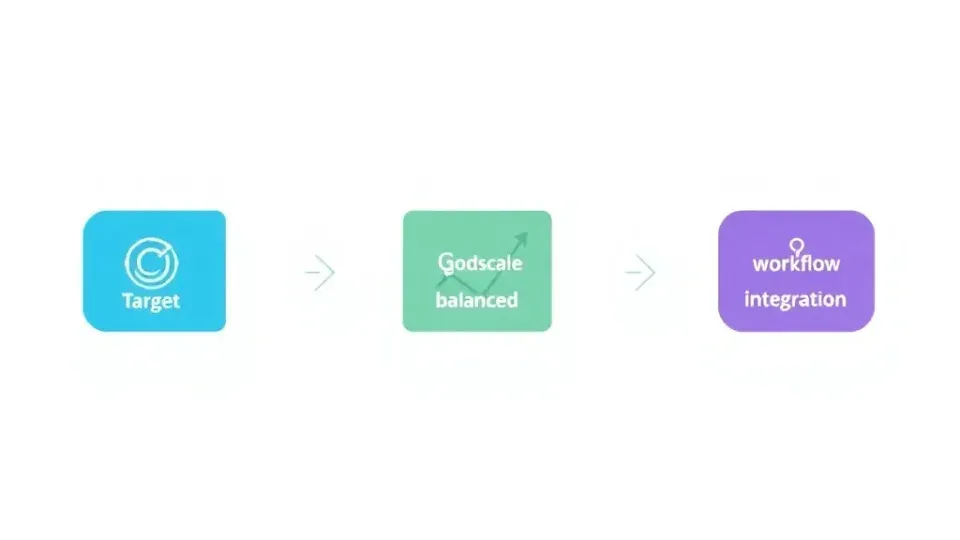
Most SEO professionals use 3–5 tools in combination rather than relying on a single platform. A 2025 HubSpot Marketing Survey found that 67% of SEO practitioners use at least three different tools regularly, with the most common combination being Google Search Console, Semrush or Ahrefs, and a content optimization tool.
The key is to assign each tool a specific role in your workflow so data sources don't conflict and team members know exactly where to look for each type of information.
A Practical 5-Stage SEO Workflow
Stage 1 — Discovery (Keyword Research) Use Ahrefs Keywords Explorer or Semrush Keyword Magic Tool to build a master keyword list. Cluster related terms using a tool like Writora's keyword clustering feature or Semrush's Keyword Manager. Apply the filtering methodology described earlier — difficulty under 30, volume above 200, intent aligned with your conversion goals. Output: a prioritized content roadmap organized by topic cluster rather than individual keywords.
Stage 2 — Technical Foundation (Site Audit) Before creating new content, ensure your site's technical health is strong. Run a full crawl with Screaming Frog or Semrush Site Audit. Cross-reference with Google Search Console for coverage issues and Core Web Vitals data. Prioritize fixes using the impact/scope/effort framework outlined in the site audit section. Publish no new content until critical crawlability and indexing errors are resolved — new pages built on a broken technical foundation will underperform regardless of content quality.
Stage 3 — Content Creation (Content Optimization) Use Surfer SEO or Clearscope to create a content brief for each target keyword. Review the NLP term recommendations and topic coverage gaps, but treat them as a guide rather than a rigid checklist. For AI-assisted drafting, platforms like Writora can generate a semantically optimized draft that you then refine with your own expertise, original analysis, and E-E-A-T signals. This stage should always involve human editorial review — AI-generated content that lacks genuine expertise signals will underperform in an environment where Google's quality raters are actively evaluating first-hand experience.
Stage 4 — Measurement (Rank Tracking) Deploy Semrush Position Tracking or AccuRanker to monitor keyword positions weekly. Set up Google Search Console alerts for indexing issues and crawl errors. Review performance monthly against the baseline established before optimization. Pay attention not just to average position changes but to SERP feature wins — moving from position 5 to a featured snippet at position 1 is a more significant outcome than moving from position 8 to position 5 in terms of click-through impact.
Stage 5 — Competitive Intelligence (Backlink Analysis) Use Ahrefs Site Explorer or Semrush Backlink Analytics quarterly to assess competitor link growth, identify link-building opportunities, and audit your own backlink profile for toxic or low-quality links. Apply the "common donor" analysis strategy described earlier to find the warmest link-building prospects. Feed insights back into Stage 1 to refine your keyword and content strategy based on what is producing link equity for competitors.
Avoiding Tool Sprawl and Data Conflicts
The risk of using multiple tools is data overload and metric inconsistency. Ahrefs and Semrush, for example, will often report different domain authority scores and backlink counts for the same site because they operate different crawling indexes. Neither is definitively "right" — they are different datasets.
The solution is to designate one tool as your source of truth for each data type and document that decision explicitly so all team members use consistent metrics when reporting:
- Your own site's performance data → Google Search Console (always)
- Competitor keyword rankings → Semrush or Ahrefs (pick one, use consistently)
- Backlink data → Ahrefs (larger index) or Semrush (if already your primary platform)
- Content scoring → Surfer SEO or Clearscope (pick one per workflow)
- Technical issues → Screaming Frog + GSC for cross-validation
A simple one-page internal document mapping tool to data type eliminates the confusion that arises when different team members pull the same metric from different tools and arrive at conflicting numbers.
SEO Tool Checklist: Your Action Plan

Use this checklist to audit your current tool stack and identify gaps. Work through it systematically — you do not need every box checked immediately, but you should have a clear plan for each category and a timeline for addressing gaps.
Foundation Setup
- [ ] Google Search Console verified and configured for all target domains
- [ ] Google Analytics 4 installed and conversion goals configured
- [ ] Google Keyword Planner account active for baseline keyword volume data
- [ ] Screaming Frog (free) installed and run on your domain
- [ ] PageSpeed Insights reviewed for your most important pages
Keyword Research
- [ ] Master keyword list created with volume, difficulty, and intent data
- [ ] Keywords clustered into topic groups (not individual standalone terms)
- [ ] Priority keywords identified (high volume + low-medium difficulty + commercial or transactional intent)
- [ ] Long