SEO Tooling: The Complete Guide to Tools, Software & Implementation
SEO tooling refers to the integrated set of software platforms and tools used to research, implement, monitor, and optimize search engine optimization ef...
SEO tooling refers to the integrated set of software platforms and tools used to research, implement, monitor, and optimize search engine optimization efforts. If you've landed here expecting another "top 10 tools" listicle, you're in the right place—but for different reasons. This guide goes deeper. It defines SEO tooling as a category, explains why it's evolving alongside search itself, and gives you a practical decision framework for assembling a stack that matches your goals, budget, and team size.
The search landscape has shifted dramatically. Google remains dominant, but AI search engines like ChatGPT, Perplexity, and Claude now generate millions of answers daily. SEO tooling must account for all of these surfaces. Whether you're a solo blogger, an agency managing dozens of clients, or an in-house marketer at an enterprise company, understanding what SEO tooling is—and isn't—will determine how efficiently you compete for visibility.
In this guide, you'll learn the core categories of SEO tools, how to evaluate free versus paid options with specific feature comparisons, and how to build a tooling stack step by step. I'll also address the question that keeps surfacing: is SEO dead, or is it simply evolving? Spoiler—it's evolving, and your tooling needs to evolve with it.
What Is SEO Tooling? Definition and Scope

SEO tooling is an integrated set of software platforms and tools used to conduct keyword research, track rankings, audit technical site issues, optimize content, analyze competitors, and monitor search performance across Google, Bing, and AI search engines. It is not a single product. It is a system—a deliberately assembled collection of capabilities that work together to power an SEO strategy.
Think of it this way: a hammer is a tool. A workshop equipped with a table saw, drill press, clamps, measuring instruments, and safety gear is a tooling system. SEO tooling works the same way. Individual tools solve individual problems. A tooling stack solves the entire problem of organic visibility.
How SEO Tooling Differs from Individual SEO Tools
The distinction matters because it changes how you make purchasing decisions, how you allocate budget, and how you structure workflows.
An individual SEO tool performs a specific function. Google Search Console shows you which queries drive impressions and clicks. Screaming Frog crawls your site to find broken links. AnswerThePublic visualizes question-based queries. Each is valuable in isolation, but none of them alone constitutes a strategy.
SEO tooling, by contrast, is the deliberate combination of tools across categories—keyword research, rank tracking, technical audits, content optimization, and link analysis—integrated into a workflow. When I work with teams that struggle with SEO, the problem is almost never "we don't have any tools." It's that their tools don't talk to each other, cover overlapping functions while leaving gaps in others, or were chosen impulsively rather than strategically.
A common mistake I see is teams subscribing to three platforms that all do keyword research but none that handle technical audits. That's buying three hammers and no screwdriver.
Why SEO Tooling Matters in 2026
Search has expanded beyond traditional link-based results. Here's what's changed and why tooling must keep pace:
- AI-generated answers are consuming clicks. ChatGPT, Perplexity, and Google's own AI Overviews now provide direct answers that reduce click-through rates for many informational queries. SEO tooling must track whether your content is being cited in these AI responses.
- Multi-engine visibility is the new baseline. Monitoring Google alone is no longer sufficient. Brands need to understand their presence across Bing (which powers Copilot), DuckDuckGo, and AI-first interfaces.
- Semantic search has matured. Search engines understand entities, relationships, and intent far better than they did even two years ago. Tooling that only tracks exact-match keywords misses the full picture.
- Content velocity has increased. AI writing assistants have lowered the barrier to content creation, which means competition for rankings has intensified. Without tooling to identify gaps, monitor performance, and optimize iteratively, you're publishing blind.
Major SEO platforms have responded. Semrush introduced tracking for ChatGPT citations, allowing users to see whether their content appears in AI-generated answers. Morningscore added AI search visibility features. These aren't gimmicks—they reflect a genuine shift in where search happens and where tooling must follow.
Core Categories of SEO Tooling
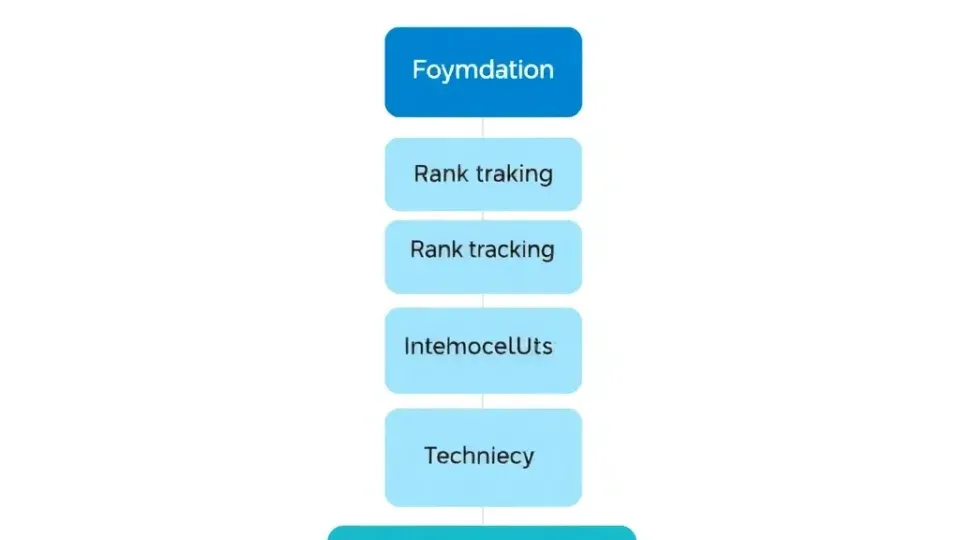
Every SEO tools list you encounter will organize products differently, but after working with dozens of tools across hundreds of projects, I've found that five core categories cover the essential functions. Understanding these categories is the foundation for building a coherent stack.
| Category | What It Does | Example Tools | |---|---|---| | Keyword Research & Planning | Identifies search opportunities, volume, difficulty, and intent | Ahrefs Keywords Explorer, Semrush Keyword Magic Tool, Google Keyword Planner | | Rank Tracking & Monitoring | Tracks keyword positions over time across search engines | Semrush Position Tracking, Ahrefs Rank Tracker, AccuRanker | | Technical SEO & Site Audits | Crawls sites to find indexing, performance, and structural issues | Screaming Frog, Semrush Site Audit, Ahrefs Site Audit | | Content Optimization | Analyzes top-ranking content and recommends improvements | Surfer SEO, Clearscope, Frase | | Backlink & Competitive Analysis | Evaluates link profiles, discovers opportunities, monitors competitors | Ahrefs Site Explorer, Semrush Backlink Analytics, Majestic |
Keyword Research and Planning Tools
Keyword research tools are software that identifies search queries, search volume, competition level, and user intent to inform content strategy and targeting. This is typically where SEO begins, and it's where tooling has arguably advanced the most.
Modern keyword research tools go well beyond providing a search volume number next to a keyword. The best options now cluster keywords by intent (informational, transactional, navigational), identify content gaps where competitors rank but you don't, and estimate traffic potential based on click-through rate models rather than raw volume.
Practical example: If you're targeting "best project management software," Ahrefs Keywords Explorer will show you the parent topic (the broader query that drives the most traffic), the keyword difficulty score (based on backlink profiles of ranking pages), and the SERP feature presence (featured snippets, People Also Ask, video carousels). This data tells you not just what to target, but how to structure your content.
Google Keyword Planner remains a free option, though it's designed primarily for Google Ads and rounds search volume into ranges rather than providing exact figures. For beginners, it's a reasonable starting point—but it lacks the competitive analysis depth you get from paid tools.
Writora takes a different approach by combining keyword clustering with AI-powered content generation, which means the research phase flows directly into the writing phase without switching platforms. For independent publishers who need to move quickly from research to published content, this eliminates friction that multi-tool stacks create.
Rank Tracking and Monitoring
Rank tracking is the automated monitoring of a website's search engine positions for target keywords over time, often across multiple search engines and geographies. Without it, you're making decisions based on gut feeling rather than data.
The evolution here is significant. Traditional rank trackers monitored Google positions daily or weekly. Modern rank tracking tools now monitor:
- Multiple search engines (Google, Bing, Yahoo, YouTube)
- AI search visibility (whether your content is cited in ChatGPT or Perplexity responses)
- Local pack positions (for businesses targeting geographic queries)
- SERP feature presence (featured snippets, image packs, video carousels)
- Device-specific rankings (mobile vs. desktop, which can differ substantially)
In my experience, the most actionable rank tracking setup monitors 50-200 core keywords daily and a broader set of 500+ keywords weekly. This gives you early warning signals when rankings shift—whether from algorithm updates, competitor movements, or technical issues on your site.
Key consideration: Rank tracking data is only useful if you connect it to action. A drop from position 3 to position 8 should trigger an investigation: Did a competitor publish stronger content? Did your page lose backlinks? Did a technical issue prevent crawling? The tool surfaces the signal; your analysis determines the response.
Technical SEO and Site Audit Tools
A technical SEO audit is an automated or manual review of a website's technical structure, performance, and search engine crawlability to identify issues that impact indexing and ranking. This is the category most teams underinvest in, and it's often where the highest-impact fixes live.
Common issues that technical SEO audit tools surface include:
- Crawl errors (broken internal links, redirect chains, 404 pages)
- Indexation problems (pages blocked by robots.txt, noindex tags applied incorrectly)
- Page speed issues (render-blocking resources, uncompressed images, slow server response)
- Structured data errors (invalid schema markup that prevents rich results)
- Duplicate content (multiple URLs serving the same content without canonical tags)
- Core Web Vitals failures (poor LCP, CLS, or INP scores)
Screaming Frog is the industry standard for deep technical crawls—it's free for up to 500 URLs and exceptionally powerful for its price point. For larger sites, Semrush Site Audit and Ahrefs Site Audit provide cloud-based crawling with scheduled monitoring and historical comparison.
Real-world impact: After running a Semrush Site Audit on a client's e-commerce site, I discovered 1,200+ pages with duplicate title tags and 340 pages with missing canonical tags. Fixing these issues alone led to a measurable improvement in crawl efficiency and a 12% increase in indexed pages within six weeks. No content was created. No links were built. Pure technical optimization.
Content Optimization and AI Writing Tools
Content optimization tools analyze top-ranking content for target keywords and provide recommendations on structure, keywords, and writing style to improve ranking potential. This category has been transformed by AI.
Tools like Surfer SEO and Clearscope analyze the top 10-20 results for your target keyword and generate a content brief that includes recommended word count, heading structure, semantically related terms to include, and questions to answer. This isn't about stuffing keywords—it's about ensuring your content comprehensively covers the topic.
Content optimization with AI has moved beyond analysis into generation. Platforms now draft sections, suggest internal links, and even predict content performance before publication. The best tools in this category combine AI generation with data-driven optimization so the output isn't just fluent—it's strategically targeted.
Important caveat: AI-generated content without human oversight and genuine expertise tends to produce mediocre, undifferentiated pages. The tools accelerate the process; they don't replace subject matter knowledge. In my experience, the most effective workflow uses AI to generate first drafts and outlines, then layers in expert insights, proprietary data, and first-hand experience that no AI can replicate.
Backlink and Competitive Analysis Tools
Backlinks remain one of the strongest ranking signals. Backlink analysis tools evaluate the quality and quantity of links pointing to your site (and your competitors' sites), identify link-building opportunities, and monitor for toxic or spammy links that could trigger penalties.
Ahrefs has the largest backlink index, making it the go-to for link analysis. Semrush's Backlink Analytics offers similar functionality with strong competitive comparison features. Majestic provides unique metrics like Trust Flow and Citation Flow that help assess link quality beyond simple domain authority.
Competitive use case: Before creating content for a competitive keyword, I pull the backlink profiles of the top 5 ranking pages. If they each have 50+ referring domains from high-authority sites, I know that even perfect content won't rank without a deliberate link acquisition strategy. This informs whether to pursue that keyword at all or redirect resources elsewhere.
Free vs. Paid SEO Tooling: Which Should You Choose?

This is where most SEO tools lists fall short. They mention that free options exist, but they rarely compare them systematically against paid alternatives. Here's a framework based on actual feature differences, not vague generalities.
The Case for Free SEO Tools
The best free SEO tools are genuinely powerful—not watered-down versions of paid products, but distinct tools that provide unique value:
Google Search Console (GSC) is arguably the single most important SEO tool, free or paid. It provides first-party data directly from Google that no third-party tool can replicate:
- Actual search queries that trigger impressions and clicks (not estimates)
- Click-through rates by query and page
- Indexing coverage reports showing which pages Google has indexed and why others were excluded
- Core Web Vitals data based on real user measurements
- Manual action notifications if your site has penalties
According to Google's official documentation, Search Console data represents actual Google Search performance, making it the only source of ground-truth click and impression data. Third-party tools estimate these metrics; GSC reports them.
Other strong free options include:
| Free Tool | Primary Function | Key Limitation | |---|---|---| | Google Search Console | Search performance, indexing, technical health | No competitor data, limited historical retention | | Google Analytics 4 | Traffic analysis, user behavior, conversions | Not an SEO tool per se; requires configuration | | Google Keyword Planner | Keyword research (volume ranges, CPC data) | Volume shown in ranges, designed for Ads | | Bing Webmaster Tools | Search performance on Bing, site diagnostics | Bing-only data | | Screaming Frog (free tier) | Technical site crawling | Limited to 500 URLs | | Ubersuggest (free tier) | Basic keyword research, site audit | 3 searches per day, limited data | | AnswerThePublic (free tier) | Question-based query visualization | Limited daily searches, no competitive data |
The Case for Paid SEO Software Tools
Paid SEO software tools unlock capabilities that free options simply cannot provide:
- Historical data: Ahrefs and Semrush store years of ranking, backlink, and traffic data. Free tools typically offer 16 months or less.
- Scale: Paid tools track thousands of keywords across multiple locations and devices simultaneously. Free tools limit you to a handful.
- Competitive intelligence: Understanding what your competitors rank for, what content drives their traffic, and where they acquire backlinks is exclusively a paid-tool function.
- API access: If you need to pipe SEO data into dashboards, reports, or automated workflows, you need paid-tier API access.
- Integrated workflows: Paid platforms combine multiple categories (research + tracking + audits + content) into a single interface, reducing context-switching.
A Practical Decision Framework
Rather than asking "free or paid?" ask "what am I trying to accomplish?"
- I'm just getting started with SEO: Begin with Google Search Console + Google Analytics 4 + Screaming Frog (free tier). This gives you performance data, user behavior insights, and technical crawl capability at zero cost.
- I'm a solo blogger or independent publisher: A mid-tier paid tool (Semrush or Ahrefs, $99-129/month) combined with GSC covers 90% of needs. Alternatively, Writora offers keyword clustering and AI-assisted publishing specifically designed for independent publishers, with a free trial available.
- I'm an agency or in-house team: You likely need a comprehensive platform (Semrush Business or Ahrefs Advanced, $200-450/month) plus specialized tools for specific functions (Screaming Frog for deep crawls, Surfer SEO for content optimization).
- I'm at an enterprise company: Budget for platforms like Semrush Enterprise, Conductor, or BrightEdge that offer multi-user access, custom reporting, and dedicated support.
How to Build Your SEO Tooling Stack: A Step-by-Step Roadmap

Building an effective SEO tooling stack isn't about buying every tool that looks useful. It's about making deliberate choices that match your specific situation. Here's a roadmap I've refined after years of working with teams at every scale.
Defining Your Goals and Budget
Start with three questions:
- What is your primary SEO objective? (Increase organic traffic, improve local visibility, launch a new site, compete in a specific niche)
- What is your monthly tooling budget? (Zero, under $100, $100-500, $500+)
- How many people will use the tools? (Solo, small team, large team with role-based access needs)
Your answers determine which categories to prioritize. A new site needs technical auditing and keyword research first. An established site with traffic needs rank tracking and content optimization. A local business needs local SEO tools and review management.
Selecting Tools by Use Case
Once you've identified your priority categories, evaluate 2-3 tools in each category using these criteria:
- Data accuracy: Does the tool's data align with Google Search Console where you can verify?
- Update frequency: How often does the tool refresh its data? (Daily rank tracking matters more for competitive niches)
- Usability: Can your team actually use the tool, or will it sit unused because the interface is too complex?
- Integration capability: Does the tool connect to your other platforms via API, Zapier, or native integrations?
- Scalability: Will the tool grow with you, or will you hit plan limits within 6 months?
Pro tip: Most paid SEO tools offer 7-14 day free trials. Don't just sign up and browse. Come in with a specific task—run a site audit, track 50 keywords, analyze a competitor's backlink profile—and evaluate how well the tool handles your actual use case.
Integration and Workflow Automation
The difference between "having tools" and "having tooling" is integration. Here's what effective integration looks like:
- Data pipeline: Google Search Console data feeds into a dashboard (Looker Studio, Databox) alongside rank tracking data from your primary platform. You see performance and rankings in one view.
- Alert system: Your rank tracker notifies you via Slack or email when a priority keyword drops more than 3 positions. Your site audit tool alerts you when new critical errors are detected.
- Content workflow: Keyword research identifies opportunities → a content brief is generated → content is written and optimized → the published URL is added to rank tracking → performance is monitored.
When SEO tools are connected to CRM, email marketing, or content management platforms, campaign efficiency improves measurably. Teams that integrate Semrush data with project management tools like Asana or Monday.com report spending less time on manual reporting and more time on strategic work. While formal case studies on this are limited, the principle is well-established in marketing operations: reducing manual data transfer between systems reduces errors and accelerates decision-making.
Checklist for building your SEO tooling stack:
- [ ] Define your top 3 SEO objectives
- [ ] Set a monthly tooling budget
- [ ] Identify which of the 5 core categories you need first
- [ ] Shortlist 2-3 tools per priority category
- [ ] Run free trials with real tasks (not just browsing features)
- [ ] Verify data accuracy against Google Search Console
- [ ] Set up integrations between tools (API, Zapier, native)
- [ ] Create alert rules for ranking drops and technical errors
- [ ] Document your workflow: research → create → publish → track → optimize
- [ ] Schedule monthly reviews to assess tool ROI and adjust
Popular SEO Tooling Platforms Explained

Let's move from categories to specific platforms. Rather than ranking these in arbitrary order, I'll organize them by scope and use case.
Enterprise and Comprehensive Platforms (Semrush, Ahrefs)
Semrush is the broadest SEO platform available, with 55+ tools spanning keyword research, rank tracking, site audits, content marketing, social media, and PPC research. Its feature set includes:
- Keyword Magic Tool (25 billion+ keywords in its database)
- Position Tracking with daily updates across Google, Bing, and Baidu
- Site Audit with 140+ automated checks
- Content Marketing Platform with SEO-driven content briefs
- Backlink Analytics and Link Building Tool
- AI search tracking (ChatGPT citation monitoring)
- Pricing: Pro ($139.95/month), Guru ($249.95/month), Business ($499.95/month)
Ahrefs is Semrush's closest competitor, with particular strength in backlink analysis and keyword research. Key capabilities:
- Site Explorer (the industry's largest backlink index)
- Keywords Explorer with click-stream data for CTR estimates
- Content Explorer for finding high-performing content by topic
- Rank Tracker with SERP feature monitoring
- Site Audit with crawl scheduling
- Pricing: Lite ($129/month), Standard ($249/month), Advanced ($449/month)
Head-to-head: In my experience, Semrush offers more breadth (more tools for content, social, PPC), while Ahrefs offers slightly better depth in link analysis and a more intuitive UI for keyword research. Either platform can serve as the backbone of a professional SEO tooling stack. The choice often comes down to interface preference and which secondary features (PPC research, social tracking, content tools) matter to your workflow.
Specialized and Lightweight Tools
Not every situation calls for a comprehensive platform. Specialized SEO tools excel in their niche:
- Screaming Frog SEO Spider: The gold standard for technical crawling. Desktop-based, extremely fast, with detailed reporting on redirects, canonicals, structured data, and page depth. Free for up to 500 URLs; paid license is £259/year.
- Surfer SEO: Content optimization focused. Analyzes SERP data and generates content scores, NLP-driven keyword recommendations, and structure suggestions. Starts at $99/month.
- Clearscope: Similar to Surfer but with a cleaner interface and strong integration with Google Docs and WordPress. Starts at $189/month.
- AccuRanker: Pure rank tracking with some of the fastest data refresh rates in the industry (on-demand updates). Starts at $129/month for 1,000 keywords.
- Writora: Designed specifically for independent publishers, Writora combines keyword clustering, AI article generation, and one-click publishing into a single workflow. Where comprehensive platforms require you to move between modules, Writora streamlines the path from research to published content. It's particularly well-suited for solo creators and small teams who need efficiency without the learning curve of enterprise platforms. You can start a free trial at Writora.
Google's Native SEO Tools
Google provides several free tools that form the foundation of any SEO tooling stack:
- Google Search Console: First-party performance data, indexing reports, Core Web Vitals, and manual action alerts. Non-negotiable for any site.
- Google Analytics 4: User behavior, traffic sources, conversion tracking. Essential for understanding what happens after organic clicks.
- Google PageSpeed Insights: Performance analysis with Lighthouse scores and field data from the Chrome User Experience Report.
- Google Rich Results Test: Validates structured data markup and shows how your pages may appear in search results.
- Google Trends: Identifies seasonal patterns, trending topics, and geographic interest for keyword timing.
These tools are free because Google wants webmasters to build better sites for its search engine. The data they provide is uniquely valuable—no third-party tool can replicate the accuracy of first-party Google data for your specific site.
SEO Tooling for Digital Marketing Strategy
SEO doesn't operate in isolation, and neither should your tooling. One of the biggest gaps in how teams approach SEO is treating it as a siloed function rather than integrating it into broader SEO strategy for digital marketing.
How SEO Tooling Connects to Other Marketing Channels
Content marketing: Keyword research tools identify what your audience is searching for. This informs blog topics, video scripts, podcast episodes, and social media content. When your content team uses SEO data to guide editorial calendars, you produce content that attracts organic traffic and performs across other channels.
Paid search: SEO and PPC data should inform each other. If a keyword converts well in Google Ads (data from Google Ads and Analytics), it's worth investing in organic content for that term. Conversely, if you rank #1 organically for a keyword, you might reduce PPC spend on that term and reallocate budget. Semrush makes this analysis straightforward by combining organic and paid data in one platform.
Email marketing: Organic traffic that converts into email subscribers becomes a long-term asset. SEO tooling helps you identify which pages drive the most engaged traffic (low bounce rate, high time on page), so you can optimize those pages with email capture mechanisms.
Social media: Content that performs well organically often performs well on social platforms. Tools like Ahrefs Content Explorer let you find content that has both high organic traffic and high social shares, revealing topics that resonate across channels.
SEO Tooling and the AI Search Evolution
The question I hear most often from marketing leaders is: "Is SEO dead?" The answer, firmly, is no—but it has evolved in ways that make tooling more important, not less.
SEO is evolving, not dying. Search has expanded beyond Google to include AI-powered answers, multi-engine tracking, and semantic search. AI search engines like ChatGPT and Perplexity provide direct answers with source citations, changing the nature of organic visibility. SEO tooling must now track whether your content is cited in these AI-generated responses, making advanced tooling more critical than ever.
Here's what's actually happening:
- Organic search still drives the majority of website traffic. Even with AI Overviews, users still click through to sites for detailed information, product pages, and transactional content.
- AI search creates new citation opportunities. When Perplexity cites your content in an answer, that's a new form of organic visibility that didn't exist two years ago.
- The bar for content quality has risen. AI can generate mediocre content at scale, which means search engines are prioritizing content that demonstrates genuine expertise, original research, and first-hand experience—the E-E-A-T signals that tooling helps you measure and optimize.
The teams that will struggle are those still treating SEO as "keyword stuffing + backlinks." The teams that will thrive are those using modern SEO tooling to understand intent, optimize for multiple search surfaces, and create genuinely valuable content.
Learning Resources and Onboarding Paths
For those new to SEO tooling, the learning curve can feel overwhelming. Here's a practical onboarding path:
- Start with Google's free courses: Google offers free certifications through Skillshop that cover Search Console, Analytics, and search advertising fundamentals.
- Use platform-specific academies: Both Semrush Academy and Ahrefs Academy offer free courses with certifications. These are biased toward their own tools but provide excellent foundational knowledge.
- YouTube channels for visual learners: Channels like Ahrefs' YouTube (400K+ subscribers), Semrush's YouTube, and independent creators like Matt Diggity and Jess Joyce provide tactical tutorials on specific tools. If you've searched for "SEO tools YouTube," these are the most consistently valuable channels.
- Practice on your own site: There's no substitute for hands-on experience. Set up Search Console, run a Screaming Frog crawl, and track 10 keywords for a month. You'll learn more from doing than from watching.
Frequently Asked Questions

What is an example of an SEO tool?
Google Search Console is a foundational free example: it shows which keywords drive traffic to your site, identifies crawl errors, and submits sitemaps to Google. It provides first-party data that no third-party tool can replicate, including actual click-through rates, impression counts, and indexing status. Semrush and Ahrefs are comprehensive paid examples that cover keyword research, rank tracking, technical audits, and competitive analysis in one platform.
Is SEO dead or evolving in 2026, and how does tooling relate to that?
SEO is definitively evolving, not dying. Search traffic still represents the largest source of website visits for most businesses. What's changed is the landscape: AI-powered search engines (ChatGPT, Perplexity, Google AI Overviews) now provide direct answers, which changes how visibility works. SEO tooling has adapted by adding AI search tracking, multi-engine monitoring, and content quality scoring that aligns with E-E-A-T signals. In short, the need for SEO tooling has increased, not decreased.
What are the best free SEO tools for beginners?
For beginners, I recommend starting with this free stack:
- Google Search Console for search performance data
- Google Analytics 4 for traffic and user behavior analysis
- Screaming Frog (free tier) for basic technical audits (up to 500 URLs)
- Google Keyword Planner for initial keyword research
- AnswerThePublic (free tier) for discovering question-based queries
This combination covers four of the five core categories at zero cost and gives you genuine, actionable data to work with before investing in paid tools.
How do I know which SEO tools to invest in?
Start by identifying your biggest SEO bottleneck. If you don't know what keywords to target, invest in keyword research (Ahrefs or Semrush). If you have content but don't know how it's performing, invest in rank tracking. If your site has technical issues you can't diagnose, invest in a site auditing tool. Use the checklist in this guide to map your objectives to categories, then trial 2-3 tools before committing. A good rule of thumb: your first paid tool should address the category where free tools leave the biggest gap for your specific situation.
Can I do SEO without specialized tooling?
Technically, yes. You can manually check rankings by searching Google, read page source code to find meta tags, and use free Google tools for basic performance data. But in practice, doing SEO without tooling is like doing accounting without a spreadsheet—possible, but painfully slow and prone to error. Even minimal tooling (Google Search Console + one free crawling tool) dramatically improves your ability to identify issues and measure progress. As your site grows, the manual approach becomes unsustainable.
How does SEO tooling integrate with AI and modern search?
Modern SEO tooling integrates with AI in two directions. First, tools use AI to generate content briefs, predict keyword difficulty, and automate reporting. Second, tools track AI search engines to show whether your content is being cited in AI-generated answers from ChatGPT, Perplexity, and similar platforms. This dual integration means SEO tooling is both AI-powered and AI-aware—using artificial intelligence to improve your SEO while monitoring your visibility within AI-driven search experiences.
Building Your SEO Tooling Stack: Final Checklist

Here's a concise, actionable checklist to guide your SEO tooling decisions:
Foundation (Week 1):
- [ ] Set up Google Search Console and verify your property
- [ ] Install Google Analytics 4 with proper event tracking
- [ ] Run a Screaming Frog crawl on your site (free for up to 500 URLs)
- [ ] Identify your top 10 priority keywords using Google Keyword Planner or a free trial
Evaluation (Weeks 2-3):
- [ ] Start free trials of 2 comprehensive platforms (Semrush and Ahrefs recommended)
- [ ] Run the same tasks on both: keyword research for 5 terms, a site audit, a competitor analysis
- [ ] Compare data accuracy against your Search Console data
- [ ] Evaluate the UI, reporting, and features most relevant to your goals
Stack Assembly (Week 4):
- [ ] Commit to one primary platform or combination of tools
- [ ] Fill gaps with specialized tools (content optimization, technical crawling)
- [ ] Set up integrations: connect tools to your dashboard, Slack, or project management system
- [ ] Create automated alerts for ranking drops and critical site errors
Ongoing Optimization (Monthly):
- [ ] Review tool usage—are you using all the features you're paying for?
- [ ] Check for new features or tool updates (AI search tracking, new integrations)
- [ ] Reassess your stack quarterly as your SEO goals evolve
Final Thoughts

Three principles should guide your approach to SEO tooling:
First, SEO tooling is a category that evolves as search evolves. The tools you need today are different from what you needed three years ago, and they'll be different again in three years. AI search tracking, multi-engine monitoring, and content quality scoring aren't optional upgrades—they're becoming baseline requirements.
Second, no single tool does everything. Even the most comprehensive platforms like Semrush and Ahrefs have gaps that specialized tools fill better. Strategic stack-building—choosing tools deliberately based on your goals, budget, and workflow—will always outperform impulse purchases.
Third, free tools can be powerful starting points, but comprehensive SEO tooling typically requires paid investment. Google Search Console provides irreplaceable first-party data. Screaming Frog's free tier handles basic crawls. But scaling beyond a small site requires the competitive intelligence, historical data, and automation that only paid SEO software tools deliver.
Your action step: Pick one category from the five core areas—keyword research, rank tracking, technical audits, content optimization, or link analysis—and start with one tool within the next 7 days. If you're an independent publisher looking for an efficient research-to-publish workflow, try Writora's free trial to see how keyword clustering and AI-assisted content generation work in a single platform.
The future of SEO is multi-surface, AI-integrated, and data-driven. Your tooling should be, too.