SEO Tools: The Complete Guide to Free and Paid Options
SEO tools are software applications that help marketers optimize websites, research keywords, track rankings, and analyze competitors. Whether you're a s...

SEO tools are software applications that help marketers optimize websites, research keywords, track rankings, and analyze competitors. Whether you're a solo blogger trying to rank your first article or an enterprise team managing thousands of pages, the right seo-tools can mean the difference between guessing and growing.
In my experience working with dozens of publishers and marketing teams, the seo-tools landscape has shifted dramatically. AI integration has transformed how these tools work, competitive pressure has intensified across nearly every niche, and search complexity — from featured snippets to AI overviews — demands more sophisticated analysis than ever before. The challenge isn't a lack of options; it's choosing from an overwhelming SEO tools list that grows longer every quarter.
This guide cuts through the noise. You'll find a clear breakdown of what seo-tools do, how AI is reshaping the category, an honest comparison of free SEO tools versus paid platforms, a structured pricing matrix to help you decide, and a practical implementation checklist you can use immediately. Let's get into it.
What Are seo-tools and Why Do They Matter?
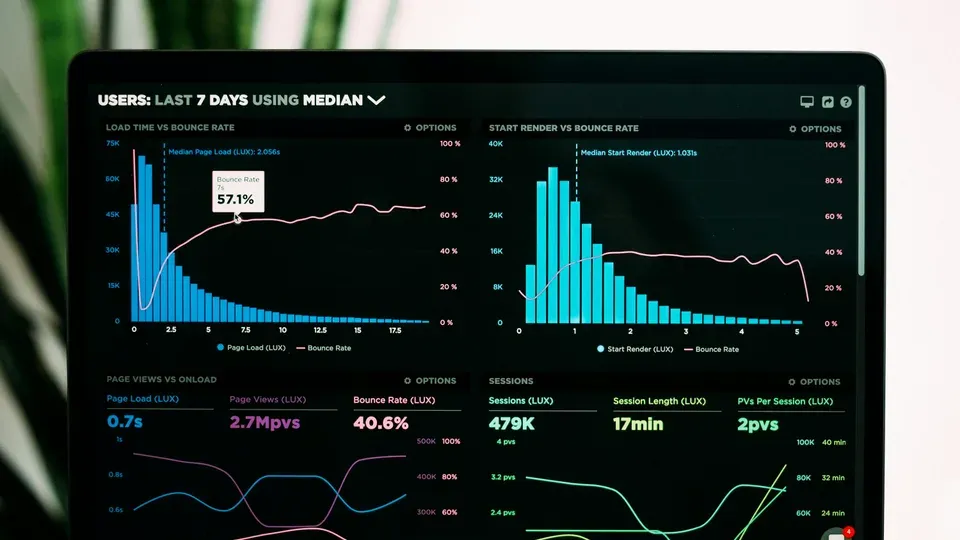
An SEO tool is any software application designed to help you improve a website's visibility in search engine results. At its core, seo-tools collect data from search engines, your website, and competitor sites, then present that data in ways that help you make better optimization decisions.
To understand the category, you need to understand the five foundational tool types:
- Keyword Research Tool — Software that identifies search terms users enter into search engines, shows search volume and competition data, and helps marketers find high-opportunity keywords for content. This is the starting point for virtually every SEO campaign.
- Rank Tracker — A tool that monitors where a website ranks on search engines for target keywords over time, tracking movement up or down and competitor positions. It's essential for measuring SEO ROI and spotting ranking trends before they become problems.
- Site Audit Tool — Software that crawls a website to identify technical SEO issues such as broken links, duplicate content, crawl errors, and page speed problems, then provides prioritized recommendations for fixes.
- Backlink Analysis — The process of examining links pointing to a website from external sources, using tools to assess link quality, anchor text distribution, and competitor link strategies. This is often the biggest differentiator between free and paid seo-tools.
- AI-Powered SEO — Tools that use machine learning and natural language processing to automate optimization tasks, predict search trends, and generate content recommendations. This is the fastest-growing category in the seo-tools space.
Most modern platforms combine several of these functions into all-in-one suites. For example, Semrush is a leading SEO tool that provides keyword research, site audits, rank tracking, and competitor analysis in a single platform, serving teams of all sizes. But single-purpose seo-tools still have their place, especially when you need depth in a specific area.
Why seo-tools Are Essential in 2026
Search has never been more complex. Google's algorithms process hundreds of ranking signals, AI-generated search overviews are reshaping click-through behavior, and competition for organic visibility has intensified across virtually every vertical.
The Data You Can't Get Manually
A common mistake I see is marketers trying to do SEO "by feel" — publishing content they think will rank without checking search volume, keyword difficulty, or competitive gaps. Seo-tools eliminate this guesswork by providing:
- Search volume and trend data for thousands of keywords simultaneously
- Competitor visibility analysis showing which sites rank for your target terms and why
- Technical health scores that flag issues you'd never catch manually
- Backlink profiles revealing link-building opportunities and toxic links to disavow
After years of working with publishers who initially resisted investing in tools, I can tell you the pattern is consistent: those who adopt even basic seo-tools see measurable improvements in organic traffic within 3-6 months, primarily because they stop wasting effort on low-opportunity keywords and start fixing technical issues they didn't know existed.
The Scale Problem
Consider this: even a modest niche website might target 200-500 keywords. Manually checking search volume, analyzing the top 10 results, evaluating competitor backlink profiles, and monitoring ranking changes for that many terms would consume dozens of hours every week. Seo-tools compress that work into minutes. When I first started managing sites without dedicated tooling, I spent roughly 15 hours a week on tasks that now take under two hours with the right platform configured properly.
The AI Factor
The integration of AI into search — from Google's AI Overviews to Bing's Copilot — means that optimizing for traditional blue links is no longer sufficient. Modern seo-tools now help you understand how your content appears in AI-generated answers, which queries trigger rich features, and how to structure content for extraction by large language models. This shift alone makes today's seo-tools indispensable for any serious publisher.
AI-Powered seo-tools: Automation and Efficiency
AI-powered SEO represents the most significant evolution in the seo-tools category in recent years. These tools use machine learning to analyze search patterns, suggest optimizations, and automate repetitive tasks that previously consumed hours of manual effort.
The key areas where seo-tools AI capabilities deliver the most value include:
- Content optimization — AI analyzes top-ranking content for a target keyword and recommends structure, word count, topics to cover, and semantic terms to include
- Keyword clustering — Machine learning groups thousands of keywords by search intent, helping you plan content hubs rather than isolated pages
- Automated auditing — AI prioritizes technical issues by projected impact, so you fix what matters most first
- Predictive analytics — Some seo-tools now forecast ranking changes based on algorithm patterns and competitor movements
- Content generation — AI drafts or outlines articles based on SERP analysis, reducing initial content creation time significantly
According to a Semrush study published in their 2025 State of Content Marketing report, teams using AI-assisted content optimization tools reported producing optimized content up to 40% faster than teams relying on manual processes alone. While efficiency gains vary by team size and workflow, the direction is clear: AI reduces the friction between analysis and action.
For a deeper look at how artificial intelligence is transforming search optimization strategy, see our AI in SEO guide.
Examples of AI-Powered seo-tools
Here are the most notable AI-powered seo-tools, categorized by primary function:
Content Optimization & Generation:
- Surfer SEO — Uses AI to analyze the top-ranking pages for any keyword and provides a real-time content editor with NLP-based recommendations. Its SERP Analyzer breaks down word count, heading structure, keyword usage, and entity coverage. Pricing starts at $99/month.
- Clearscope — An enterprise-grade AI content optimization tool that integrates with Google Docs and WordPress. It scores content against top-performing pages and suggests semantic terms. Plans start at $170/month.
- Writora — An all-in-one SEO platform built for independent publishers that combines keyword clustering, AI article generation, and one-click publishing. It's particularly strong for solo creators and small teams who want to go from keyword research to published content without switching between multiple seo-tools. You can start a free trial at Writora.
Workflow Automation:
- Gumloop — Focuses on SEO automation and workflow orchestration, allowing teams to connect data sources, trigger actions based on ranking changes, and automate reporting. It uses AI to identify patterns across large datasets.
- Zapier + ChatGPT integrations — While not a dedicated SEO tool, combining Zapier's automation with ChatGPT's API enables custom workflows for keyword ideation, meta description generation, and content brief creation.
AI-Enhanced All-in-One Suites:
- Semrush Copilot — Semrush's AI layer that provides personalized recommendations based on your site data, highlights priority tasks, and explains technical issues in plain language.
- Ahrefs AI features — Ahrefs has integrated AI into its Content Explorer and keyword difficulty scoring, using machine learning to predict ranking potential more accurately.
ChatGPT and LLM Integrations:
- Custom GPTs built on top of SEO data are increasingly popular for keyword ideation, content outlining, and even SERP analysis. Several seo-tools now offer direct ChatGPT integrations that pull live ranking data into conversational AI interfaces.
How to Evaluate AI Features in seo-tools
The distinction between "AI SEO tools" and "traditional seo-tools with AI features" is blurring. In my experience, the most practical approach is to evaluate AI capabilities as a feature layer rather than a separate category. Here's what to look for:
- Does the AI output save measurable time? If an AI feature generates a content brief in 2 minutes that would have taken you 30 minutes to research and write manually, that's a tangible win. If it produces generic suggestions you'd arrive at on your own, it's not adding value.
- Is the AI trained on actual SERP data? The best SEO tools with AI features pull from real-time ranking data, not just general language models. Ask whether recommendations are based on what's currently ranking or on generalized writing advice.
- Can you customize or override AI suggestions? Tools that let you adjust AI parameters — target audience, content angle, tone — tend to produce more useful outputs than those offering one-size-fits-all recommendations.
- Does it integrate into your existing workflow? An AI feature that requires you to copy-paste data between platforms adds friction. Look for seo-tools where AI is embedded directly into the workflow you already use.
Free vs Paid seo-tools: What You Actually Get

One of the most common questions I encounter is whether free tools are "good enough." The honest answer: it depends on your goals, your scale, and what specific capabilities you need.
Free SEO tools typically offer limited data access — fewer keyword lookups per day, smaller crawl limits, less historical data, and restricted competitor analysis. They're excellent starting points, but they have hard ceilings.
Paid seo-tools unlock depth. After testing both categories extensively, the biggest gaps I consistently see in free tools are:
- Backlink analysis depth — Free tools show a fraction of the backlink data that paid tools reveal. Ahrefs' free backlink checker, for example, shows the top 100 backlinks to a domain; their paid tool shows millions.
- Historical data — Free tools rarely provide ranking or traffic trend data beyond a few months. Paid seo-tools often offer 2+ years of historical data, critical for identifying seasonal patterns and long-term trends.
- Competitor intelligence — Free tools let you check your own site; paid tools let you analyze any competitor's keyword portfolio, content gaps, and link strategies in detail.
- Crawl limits — Free site audit tools typically cap crawls at 500-1,000 pages. Paid seo-tools crawl tens of thousands or more.
- API access and data exports — Most free SEO tools restrict bulk data exports and API calls, which limits your ability to build custom dashboards or automate reporting workflows.
Best Free SEO Tools
If you're starting out or operating on a tight budget, these free SEO tools provide genuine value:
-
Google Search Console — The most important free SEO tool, period. It shows which queries drive impressions and clicks to your site, flags indexing issues, and provides core web vitals data directly from Google. Every SEO practitioner should have this set up. In my experience, Google Search Console is also the single most underused tool — many site owners set it up and never return to it. Make checking it a weekly habit.
-
Google Keyword Planner — Originally built for Google Ads, it provides search volume ranges and competition data for keywords. The data is grouped into ranges rather than exact numbers (unless you're running ads), but it's still useful for identifying keyword opportunities at no cost. One limitation to note: the competition metric reflects ad competition, not organic difficulty, which can be misleading if you're focused purely on organic search.
-
Google Analytics (GA4) — Tracks user behavior on your site, helping you understand which pages drive engagement, where users drop off, and how organic traffic converts. Not an SEO tool in the traditional sense, but essential for measuring SEO impact.
-
Ahrefs Free Tools — Ahrefs offers a free webmaster tools package that includes site audit (limited to your verified sites), backlink overview, and a keyword generator. The site audit alone is worth setting up. It identifies issues like orphan pages, slow-loading resources, and missing meta descriptions that directly affect rankings.
-
Moz Free Tools — Moz offers a free Domain Analysis tool, a Link Explorer with limited queries, and their MozBar Chrome extension, which shows page authority and domain authority metrics directly in search results.
-
Ubersuggest (Free Tier) — Neil Patel's tool offers 3 free searches per day with keyword suggestions, content ideas, and basic site audit data. Limited, but useful for quick checks when you need a fast answer on search volume or keyword difficulty.
-
AnswerThePublic (Limited Free) — Visualizes questions and phrases people search for around a seed keyword. Great for content ideation and understanding search intent, especially for informational content strategies.
-
Small SEO Tools — A collection of browser-based tools for checking plagiarism, keyword density, backlinks, and more. The tools are basic but cover many common tasks without requiring a login.
For more context on how to use keyword data effectively once you have it, check out our keyword research strategies guide.
When Free seo-tools Are Enough (and When They're Not)
Here's a practical framework based on what I've seen work:
Free seo-tools are sufficient when:
- You manage a single website with fewer than 500 pages
- You're targeting fewer than 50 keywords
- You don't need to analyze competitors in depth
- Your primary goal is learning SEO fundamentals
You need paid seo-tools when:
- You manage multiple websites or client accounts
- You compete in established niches with strong incumbent sites
- You need historical trend data to inform content and strategy decisions
- Your content output exceeds 4-8 articles per month and you need efficiency gains from AI features
- You're building backlinks systematically and need to assess link quality at scale
Premium seo-tools Worth the Investment
When you're ready to scale, these paid platforms offer the depth and breadth that free tools can't match:
Ahrefs — Widely considered the strongest backlink analysis tool on the market, with an index of over 35 trillion known links. Its Site Explorer, Content Explorer, and Keyword Explorer tools are industry benchmarks. According to G2 reviews, Ahrefs holds a 4.5/5 rating with over 500 reviews, with users consistently praising its backlink data accuracy and content gap analysis. Plans start at $129/month (Lite). In my experience, Ahrefs' "Content Gap" feature — which shows keywords your competitors rank for but you don't — is one of the single highest-ROI features in any SEO tool for identifying new content opportunities.
Semrush — The most feature-rich all-in-one platform, covering keyword research, site audits, rank tracking, competitive analysis, content marketing, social media, and PPC. It holds a 4.5/5 rating on G2 with over 1,800 reviews, making it the most-reviewed SEO tool on the platform. Plans start at $139.95/month (Pro). For guidance on rank tracking best practices, Semrush's position tracking tool is one of the most cited in the industry.
Moz Pro — Known for pioneering Domain Authority and Page Authority metrics, Moz Pro offers keyword research, rank tracking, site audits, and on-page optimization recommendations. It's often praised for its user-friendly interface, making it a strong choice for teams new to SEO. Plans start at $49/month (Starter). One caveat: Moz's keyword database is smaller than Ahrefs' or Semrush's, so if you operate in a niche with long-tail keyword demand, you may find gaps.
Surfer SEO — Focused specifically on content optimization, Surfer analyzes SERP data to provide actionable content recommendations. Its Grow Flow feature delivers weekly AI-powered SEO tasks. Plans start at $99/month. Surfer is best used alongside an all-in-one tool rather than as a standalone platform, since it doesn't offer keyword research or backlink analysis at the same depth.
Screaming Frog — A desktop-based site crawler that is the gold standard for technical SEO audits. The free version crawls up to 500 URLs; the paid version ($259/year) removes limits and adds advanced features like JavaScript rendering and custom crawl configurations. If you work with large ecommerce sites or complex site architectures, Screaming Frog is essentially non-negotiable.
Majestic — Specializes in backlink analysis with its proprietary Trust Flow and Citation Flow metrics. It's particularly valued for link-building campaigns and competitive backlink research. Plans start at $49.99/month.
Writora — Bridges the gap between keyword research and content publication for independent publishers. Its keyword clustering engine groups semantically related terms, its AI generates draft content aligned with SERP data, and its one-click publishing feature eliminates the export-import workflow that slows many solo creators down. If your bottleneck is going from "I found a keyword" to "I published an optimized article," Writora is worth evaluating. Try it free.
seo-tools Comparison Matrix
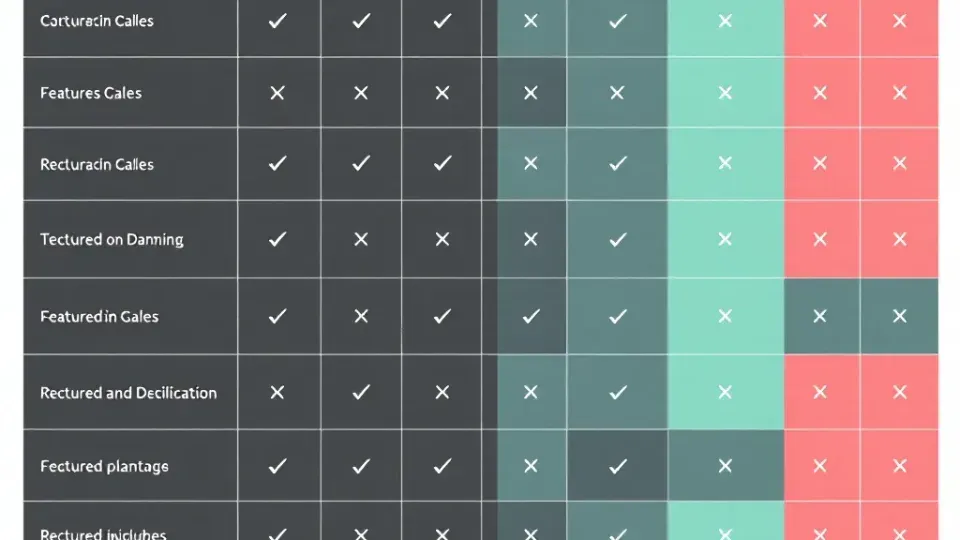
This matrix provides a side-by-side view of the most popular seo-tools, comparing pricing, key features, best-fit use cases, and limitations. Use it to narrow down your options before committing.
| Tool | Price (Monthly) | Free Tier | Keyword Research | Site Audit | Backlink Analysis | Rank Tracking | AI Features | Best For | |---|---|---|---|---|---|---|---|---| | Google Search Console | Free | Full | Limited | Basic | No | Basic | No | Everyone (essential baseline) | | Google Keyword Planner | Free | Full | Yes (ranges) | No | No | No | No | Keyword discovery on a budget | | Ahrefs | $129–$449 | Limited tools | Excellent | Excellent | Industry-leading | Yes | Yes | Backlink analysis, competitive research | | Semrush | $139.95–$499.95 | Limited trial | Excellent | Excellent | Excellent | Yes | Yes (Copilot) | All-in-one teams, agencies | | Moz Pro | $49–$299 | Limited tools | Good | Good | Good | Yes | Limited | Beginners, small teams | | Surfer SEO | $99–$239 | No | Limited | No | No | No | Excellent | Content optimization | | Screaming Frog | Free / $259/yr | 500 URL crawl | No | Excellent | No | No | No | Technical SEO audits | | Majestic | $49.99–$399.99 | Limited | No | No | Excellent | No | No | Link-building specialists | | Ubersuggest | $29–$99 | 3 searches/day | Good | Basic | Basic | Yes | Limited | Budget-conscious marketers | | Writora | Free trial available | Yes | Yes (clustering) | No | No | No | Yes (generation) | Independent publishers, content-first SEO |
Key takeaways from this seo-tools comparison:
- No single tool does everything well. Even Semrush and Ahrefs, the two most comprehensive platforms, have areas where specialized tools outperform them (Screaming Frog for deep technical crawls, Surfer for content optimization).
- Free tools cover the basics. Google Search Console + Google Analytics + a free tier from Ahrefs or Moz gives you a functional SEO stack at zero cost.
- Budget $100-$300/month for serious SEO. This range gets you one major platform plus a specialized tool or two.
- Pricing tiers matter. The entry-level plan often restricts the number of tracked keywords, projects, or daily reports. Before choosing a plan, map out your actual usage requirements — how many keywords you need to track, how many sites you manage, and how many users need access.
How to Choose the Best seo-tools for Your Needs
Choosing from the best SEO tools available isn't about finding the "objectively best" option — it's about finding the right fit for your specific situation. After helping numerous teams through this decision, I've identified five criteria that matter most.
1. Define Your Primary Use Case
Start by identifying your biggest SEO bottleneck:
- "I don't know what keywords to target" → Prioritize keyword research tools (Ahrefs, Semrush, or even Google Keyword Planner to start)
- "My site has technical problems I can't identify" → Prioritize site audit seo-tools (Screaming Frog, Ahrefs, Semrush)
- "I need to build more backlinks" → Prioritize backlink analysis tools (Ahrefs, Majestic). For a deeper dive, see our backlink analysis guide.
- "My content doesn't rank despite targeting the right keywords" → Prioritize content optimization seo-tools (Surfer, Clearscope)
- "I need to publish optimized content faster" → Prioritize AI-powered content tools (Writora, Surfer, or ChatGPT integrations)
2. Consider Your Budget Realistically
Here's a practical budget framework based on common team sizes and needs:
- $0/month — Google Search Console + Google Analytics + Ahrefs/Moz free tools + AnswerThePublic. This covers the basics for personal blogs and early-stage sites.
- $50–$100/month — Add Moz Pro Starter or Ubersuggest for more keyword data and rank tracking. Sufficient for small businesses with a single website.
- $130–$250/month — Add Ahrefs Lite or Semrush Pro for comprehensive research, auditing, and competitive analysis. The sweet spot for most growing businesses and freelance SEO professionals.
- $300+/month — Multiple seo-tools for different functions (e.g., Semrush for research + Surfer for content + Screaming Frog for technical audits). Typical for agencies and large in-house teams managing multiple properties.
3. Evaluate Team Size and Collaboration Needs
Solo practitioners can work with almost any tool. Teams need to consider:
- User seats — Most paid seo-tools charge per user or limit the number of projects. Semrush Pro allows one user; adding seats costs extra. Ahrefs Lite similarly restricts to one user with limited project slots.
- Reporting and sharing — Does the tool offer white-label reports, shared dashboards, or client access? Agencies should prioritize this. Semrush's agency toolkit and Ahrefs' project sharing are worth comparing directly.
- Integrations — Does the tool connect with your existing stack (Google Analytics, CMS, project management tools)? Seamless data flow between seo-tools reduces manual work and reporting errors.
4. Test Before You Commit
Nearly every paid SEO tool offers a free trial or a limited free tier. In my experience, the best approach is:
- Start with 2-3 free trials simultaneously
- Run the same tasks in each tool (e.g., research 10 keywords, audit your homepage, analyze 3 competitors)
- Compare the data quality, interface usability, and time-to-insight
- Choose the tool where you actually completed the tasks — not the one with the longest feature list
A common mistake I see is teams choosing seo-tools based on feature comparison charts rather than hands-on testing. A tool with 50 features you never use is less valuable than one with 15 features you use daily.
5. Don't Overlook Learning Curve
The most powerful tool is useless if your team doesn't adopt it. Moz Pro and Ubersuggest are notably beginner-friendly. Ahrefs and Semrush have steeper learning curves but offer extensive training academies — Semrush Academy includes free certification courses, and Ahrefs publishes detailed video tutorials for every major feature. Screaming Frog requires technical SEO knowledge to interpret results effectively, so factor in training time if your team is less technical.
seo-tools Implementation Checklist

Once you've selected your seo-tools, use this checklist to ensure you're set up for success. This is the process I follow with every new tool implementation:
Week 1: Foundation Setup
- [ ] Verify site ownership in Google Search Console — This is non-negotiable. Submit your sitemap, check for manual actions, and review any existing index coverage issues.
- [ ] Connect Google Analytics (GA4) — Ensure proper tracking code installation, set up conversion events for your key goals (form submissions, purchases, email signups).
- [ ] Set up your primary SEO tool account — Configure your main project/site, import or set target keywords, and connect Google Search Console and GA4 integrations if available.
- [ ] Run your first site audit — Use your chosen tool (or Screaming Frog) to crawl your site. Export the results and categorize issues by priority: critical (broken pages, indexing blocks), high (missing meta tags, slow pages), medium (redirect chains, missing alt text).
Week 2: Keyword and Competitor Baseline
- [ ] Build your target keyword list — Use your keyword research tool to identify 50-100 primary and secondary keywords. Group them by topic cluster and search intent (informational, commercial, transactional).
- [ ] Set up rank tracking — Add your target keywords to your rank tracker. Set weekly tracking frequency at minimum; daily if your tool allows.
- [ ] Run competitor analysis — Identify 3-5 direct competitors. Analyze their top-ranking keywords, content gaps, and backlink profiles. Document opportunities where they rank and you don't.
- [ ] Create a backlink baseline — Export your current backlink profile. Note your domain's total referring domains, top linking pages, and anchor text distribution. This baseline is essential for measuring link-building progress later.
Week 3: Content and Optimization
- [ ] Identify quick wins — Look for keywords where you rank positions 5-20. These pages need optimization, not creation. Seo-tools are particularly effective at surfacing these opportunities — updating meta titles, improving content depth, and adding internal links can move these pages up with relatively little effort.
- [ ] Optimize 5-10 existing pages — Use content optimization recommendations from Surfer, Clearscope, or your tool's on-page analysis. Focus on adding missing subtopics, improving heading structure, and meeting content length benchmarks.
- [ ] Plan new content — Based on keyword gaps and competitor analysis, create a content calendar for the next 30-60 days. Prioritize topics where you have topical authority and the keyword difficulty is within your site's competitive range.
- [ ] Set up content workflows — If you're using AI-powered seo-tools like Writora, configure your publishing workflow now. Establish templates, tone guidelines, and review steps so that AI-generated drafts align with your brand voice before publication.
Week 4: Reporting and Iteration
- [ ] Create a reporting dashboard — Set up weekly or monthly automated reports that track: organic traffic, keyword rankings, site health score, and new/lost backlinks. Most seo-tools offer built-in reporting; configure it to email stakeholders automatically.
- [ ] Schedule recurring audits — Set your site audit to run automatically on a weekly or bi-weekly schedule. Catching new technical issues early prevents them from compounding.
- [ ] Document your workflow — Write down which tools you use for which tasks, and how data flows between them. This prevents tool overlap and ensures nothing falls through the cracks. I keep a simple spreadsheet: Task → Tool → Frequency → Owner.
- [ ] Review and adjust — At the end of the first month, assess which seo-tools are delivering value and which are collecting dust. Cancel or downgrade anything you're not actively using.
For a detailed on-page optimization process to complement your tool setup, refer to our on-page SEO checklist.
Common Mistakes When Using seo-tools
Even with the best SEO tools in place, I see teams make the same mistakes repeatedly. Avoiding these will help you extract more value from whatever platform you choose.
Collecting Data Without Acting on It
The most common pattern I observe: teams run site audits, generate keyword reports, and export competitor analyses — then file them away. Seo-tools only produce results when you act on the insights they surface. Set a rule for your team: every report must generate at least three specific action items with deadlines and owners.
Chasing Vanity Metrics
Domain Authority, keyword difficulty scores, and estimated traffic numbers are useful directional indicators, but they're estimates, not ground truth. I've seen teams reject perfectly viable keywords because a tool rated the difficulty as "hard," only to discover that the top-ranking pages were thin content that could be outperformed with a well-researched article. Always validate tool data against actual SERP inspection.
Tool Hopping Instead of Mastering One Platform
Switching seo-tools every few months because a competitor launched a new feature means you never build deep familiarity with any platform. In my experience, teams that spend six months mastering one all-in-one tool outperform teams that cycle through three tools in the same period. Pick a primary platform, learn it thoroughly, and only add supplementary tools for specific gaps.
Ignoring Search Intent Data
Many seo-tools now classify keywords by intent (informational, navigational, commercial, transactional). Ignoring this classification leads to content-strategy mismatches — for example, writing a product comparison page for a keyword where Google consistently ranks how-to guides. Always check the SERP landscape your SEO tool reveals before committing to a content format.
Frequently Asked Questions About seo-tools

What are the AI tools for SEO?
AI SEO tools include Surfer SEO (AI content optimization and SERP analysis), Gumloop (automation and workflow orchestration), Writora (keyword clustering and AI article generation), and ChatGPT integrations for keyword ideation and content generation. Major platforms like Semrush and Ahrefs have also integrated AI features, including Semrush's Copilot which provides personalized optimization recommendations. These seo-tools AI features use machine learning to analyze search patterns, suggest optimizations, and automate repetitive tasks like meta description writing, content brief creation, and keyword grouping.
What is an example of an SEO tool?
Semrush is a leading example of an SEO tool. It provides keyword research (with a database of over 26 billion keywords), site audits, rank tracking, competitor analysis, and content optimization features in a single platform. According to G2, it holds a 4.5/5 rating with over 1,800 verified reviews. Other well-known examples include Ahrefs (strongest for backlink analysis), Moz Pro (known for Domain Authority metrics), and Google Search Console (the essential free tool from Google itself).
Are free seo-tools as good as paid tools?
Free SEO tools are excellent for foundational tasks — monitoring your own site's performance (Google Search Console), checking basic keyword data (Google Keyword Planner), and running limited site audits (Ahrefs Webmaster Tools). However, they fall short in three key areas: backlink analysis depth (free tools show only a fraction of available link data), competitive intelligence (most free tools limit you to analyzing your own site), and historical data (free tools rarely offer trend data beyond a few months). For personal blogs and early-stage sites, free seo-tools are sufficient. For businesses competing in established niches, paid tools provide a significant analytical advantage.
Which SEO tool is best for beginners?
Moz Pro and Ubersuggest are the most beginner-friendly paid seo-tools, with intuitive interfaces and clear explanations of metrics. However, I always recommend beginners start with Google Search Console — it's free, it uses actual Google data (not estimated data), and learning to interpret its reports builds a strong foundation for using any advanced tool later. Writora is also worth considering for beginners focused primarily on content creation, as it simplifies the keyword-to-published-article workflow without requiring deep technical SEO knowledge.
Can seo-tools replace human SEO strategy?
No. Seo-tools provide data, automation, and recommendations, but they cannot replace human strategic thinking. Tools can tell you that a keyword has 10,000 monthly searches and medium difficulty — but they can't tell you whether that keyword aligns with your business goals, whether your team has the expertise to create authoritative content on that topic, or whether the investment will yield positive ROI given your specific competitive position.
In my experience, the most effective approach is to use seo-tools for data collection and pattern identification, then apply human judgment for prioritization, strategy development, and creative differentiation. The teams that treat tools as decision-support systems rather than decision-making systems consistently outperform those looking for fully automated solutions.
Final Thoughts on Choosing the Right seo-tools
Choosing the right seo-tools comes down to four key factors: your budget, your primary use case, your team size, and the specific features you need most. There is no single "best" tool for everyone — the best SEO tools are the ones that fit your workflow and help you act on data rather than just collect it.
Here's a practical decision framework to walk away with:
- Start with the free essentials. Google Search Console and Google Analytics cost nothing and provide data no paid tool can replicate. Set them up first, and check them weekly.
- Add one paid all-in-one platform when ready. Ahrefs or Semrush cover 80% of what most teams need. Moz Pro is a solid, more affordable alternative for smaller operations.
- Layer in specialized seo-tools for specific needs. Surfer or Writora for content optimization and publishing, Screaming Frog for deep technical audits, Majestic for link-building research.
- Evaluate AI capabilities as a feature, not a category. AI-powered features within seo-tools are most valuable when they're integrated into platforms you already use, not when they exist as standalone novelties