Tools in SEO: Complete Guide to 20+ Essential SEO Tools Tested
SEO tools are software platforms that help marketers research keywords, track rankings, audit sites, analyze competitors, and optimize content for search...
SEO tools are software platforms that help marketers research keywords, track rankings, audit sites, analyze competitors, and optimize content for search engines. If you've ever wondered which tools in SEO actually deserve your time and budget, you're in the right place. This guide goes far beyond a simple listicle. It's a practical, experience-driven breakdown of 20+ tools I've personally tested, organized by category, with transparent pricing and honest assessments of where each tool shines and where it falls short.
In 2026, SEO is not dying — it's evolving with AI integration. The right tools are more critical than ever. Google's AI Overviews, the rise of conversational search engines like ChatGPT and Perplexity, and increasingly sophisticated algorithm updates mean that guessing your way through optimization is no longer viable. The marketers who win are the ones who pair solid strategy with the right technology stack.
In this guide, you'll learn what each SEO tool category does, how to choose between competing platforms, and when to invest in paid solutions versus leveraging free alternatives. You'll also discover how AI is reshaping the entire landscape. I've included something most competing guides lack: a transparent pricing and use-case matrix comparing key tools side by side. Whether you're a solo blogger, an agency professional, or an in-house marketer at a growing company, this guide will help you make confident, informed decisions.
What Are Tools in SEO and Why Do They Matter?

An SEO tool is any software that automates the tasks involved in search engine optimization — tasks that would take hours or even days to complete manually. These tools find the search terms your audience uses, monitor where your pages rank, and diagnose technical problems on your site. They also analyze what competitors are doing and help you create content that search algorithms reward.
Here's what SEO tools do in practical terms:
- Keyword research: Identify high-value search terms with data on search volume, competition, and intent
- Rank tracking: Monitor your positions in search engine results pages (SERPs) over time
- Technical auditing: Crawl your site to find broken links, duplicate content, slow pages, and crawl errors
- Backlink analysis: Map your link profile and discover link-building opportunities
- Content optimization: Score your content against top-ranking pages and suggest improvements
Without these tools, you're essentially navigating SEO blindfolded. In my experience working with clients ranging from small e-commerce stores to enterprise SaaS companies, the teams that invest in the right SEO software tools consistently outperform those relying on intuition alone. That performance gap is often dramatic — a factor of 3–5x in organic traffic growth over 12 months.
Is SEO Dead or Evolving in 2026?
SEO is evolving, not dying. This question surfaces every year, and the answer in 2026 is more nuanced than ever — but it's unequivocally clear. The fundamentals still work. The tactics just look different.
Here's what's actually happening in the search landscape:
- Google's AI Overviews now appear in roughly 30–40% of informational queries (according to BrightEdge research). Traditional "10 blue links" are sharing real estate with AI-generated summaries, which changes how visibility works.
- Conversational search engines like ChatGPT, Perplexity, and Google's AI Mode are creating entirely new surfaces where your content can appear. But only if it's structured and authoritative enough to be cited.
- Traditional SEO signals — relevance, authority, and technical health — still matter enormously. Google's core algorithm hasn't abandoned these fundamentals. It's layered AI capabilities on top of them.
- SEO tools are adapting rapidly. Semrush introduced AI-powered keyword clustering and content recommendations. Ahrefs expanded its competitive intelligence with AI-driven insights. Newer platforms are tracking visibility across AI search engines, not just Google.
The bottom line is straightforward. The SEO professionals who adapt their tools and workflows to account for AI search behavior are the ones thriving. Those who ignore these shifts risk becoming invisible — not because SEO is dead, but because the game changed and they didn't update their playbook.
This is precisely why tool selection matters so much right now. The right platform doesn't just save you time. It gives you a competitive edge in a landscape that's shifting faster than any individual can track manually.
Categories of Tools in SEO Explained
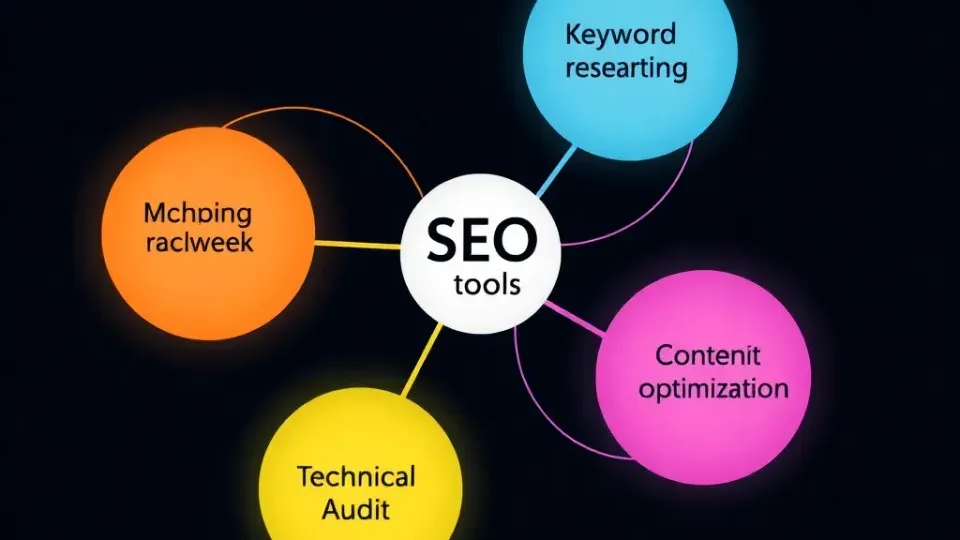
The five main categories of SEO tools are: (1) Keyword Research, (2) Rank Tracking, (3) Technical SEO & Site Audits, (4) Backlink Analysis, and (5) Content Optimization. Each serves a different part of the SEO workflow, and understanding these categories is essential before you evaluate any specific product.
Think of these categories as the departments in an SEO operation. Some tools specialize in one area, while others like Semrush and Ahrefs span multiple categories as all-in-one suites. Let's break each one down in detail.
Keyword Research Tools
A keyword research tool identifies search terms your audience uses, along with monthly search volume, difficulty scores, and competitor rankings for those keywords. It's the foundation of any SEO strategy, because if you're targeting the wrong keywords, nothing else you do will matter.
In my experience, keyword research is where most SEO campaigns either succeed or fail. The best SEO tools for keyword research don't just show volume numbers. They help you understand search intent, group related terms into clusters, and identify gaps your competitors haven't covered. This deeper intelligence is what separates a random list of keywords from a strategic content plan.
For a deeper dive into the strategic side, see our keyword research strategy guide, which covers the "why" before the "how" of tool selection.
Key tools in this category:
| Tool | Starting Price | Best For | Standout Feature | |------|---------------|----------|-----------------| | Ahrefs Keywords Explorer | $129/mo | Comprehensive research | Largest keyword database (25B+ keywords) | | Semrush Keyword Magic Tool | $139.95/mo | Competitive keyword gaps | Intent classification for every keyword | | Google Keyword Planner | Free (with Ads account) | PPC-focused research | Direct Google data (but ranges, not exact) | | KeySearch | $17/mo | Budget-conscious marketers | Affordable with solid difficulty scoring | | Writora | Free trial available | Independent publishers | AI-powered keyword clustering + content generation | | Ubersuggest | $29/mo | Beginners | Simple UI with essential metrics |
What to look for in a keyword research tool:
- Database size — Larger databases surface more long-tail keyword opportunities, which are often easier to rank for and more closely aligned with specific user intent.
- Search intent data — Understanding whether a query is informational, commercial, or transactional is critical in 2026. Both Semrush and Ahrefs now tag every keyword with intent classifications.
- Keyword clustering — Grouping semantically related terms saves hours of manual organization. This feature has become especially important as Google increasingly treats topic clusters rather than individual pages as ranking units.
- SERP analysis — Seeing who currently ranks and why helps you assess realistic difficulty. Look for tools that show backlink counts, domain ratings, and content formats for top-ranking results.
- Trend data — Seasonal or rising keywords can reveal timing opportunities. Google Keyword Planner shows trend lines, but Semrush and Ahrefs provide more granular data on search volume fluctuations.
A common mistake I see is marketers picking a keyword tool based solely on who has the biggest name. In reality, a $17/month tool like KeySearch can serve a solo blogger perfectly well. An agency managing 50+ clients genuinely needs the depth of Ahrefs or Semrush. Match the tool to your actual workflow and current needs, not your aspirations.
Rank Tracking and Position Monitoring
A rank tracking tool monitors your website's search engine rankings for target keywords over time, alerting you to position changes and competitive shifts. Without rank tracking, you're flying blind. You might think your SEO is working when you're actually losing ground to competitors who are quietly overtaking you.
Rank tracking has gotten significantly more complex in 2026. It's no longer sufficient to check your Google position once a week. You now need to consider multiple dimensions of visibility:
- AI Overview visibility — Does your content appear in Google's AI-generated summaries? This is a new ranking surface that many older tools don't track at all.
- Featured snippet tracking — Are you winning or losing Position 0? Snippet ownership can mean the difference between 2% and 15% click-through rates.
- Local vs. national rankings — Your position varies dramatically by geography. A tool that only shows national averages gives you an incomplete picture.
- Multi-engine tracking — Visibility in Bing, DuckDuckGo, and increasingly, AI search engines like Perplexity matters more than ever as search traffic fragments across platforms.
Key tools in this category:
| Tool | Starting Price | Keywords Tracked | Update Frequency | AI Search Tracking | |------|---------------|-----------------|-----------------|-------------------| | SE Ranking | $65/mo | 750 | Daily | Yes (limited) | | Semrush Position Tracking | $139.95/mo (suite) | 500 (Starter) | Daily | Yes | | Ahrefs Rank Tracker | $129/mo (suite) | 750 | Weekly | Partial | | AccuRanker | $129/mo | 1,000 | On-demand | Yes | | SERPWatcher (Mangools) | $29.90/mo | 200 | Daily | No | | Google Search Console | Free | Unlimited (own site) | 2–3 day delay | No |
After working with rank trackers for over eight years, here's my practical advice. Google Search Console should be your baseline. It's free, it's accurate since it's Google's own data, and it should be every marketer's starting point. Layer a paid rank tracker on top when you need daily updates, competitor tracking, or monitoring across multiple search engines.
One thing that's changed dramatically is that, in 2026, several tools now track whether your content appears in AI Overviews and AI search engine results. If your strategy includes visibility in ChatGPT or Google's AI Mode, make sure your rank tracker supports this capability. AccuRanker and SE Ranking are ahead of the curve here, offering dedicated AI search visibility reports.
Real-world example of rank tracking in action: An agency client was tracking 500 keywords in Semrush and noticed a sudden cluster of 30+ keywords dropping from page one to page two within 48 hours. Because they had daily tracking enabled, they caught this within a day rather than waiting for a weekly report. Investigation revealed a staging site had accidentally been de-noindexed, creating duplicate content issues. They fixed the problem within hours and recovered all 30+ positions within a week. Without daily rank tracking, they might not have noticed the drop for weeks, by which point competitors could have solidified those positions.
Technical SEO and Site Audit Tools
A site audit tool crawls your website to identify technical SEO issues like broken links, duplicate content, slow page speed, missing meta tags, and crawl errors. Think of it as a health check for your website — one that catches problems before they tank your rankings and cost you traffic.
Technical SEO is the unsexy but mission-critical part of optimization. I've seen sites lose 40% of their organic traffic because of a single misconfigured robots.txt file that accidentally blocked their most important pages from crawling. The right audit tool catches these issues before they become disasters, and it does so systematically rather than relying on manual spot-checks.
For a complete list of what to look for during a technical audit, check our technical SEO checklist.
Key tools in this category:
| Tool | Starting Price | Max Pages/Crawl | Best For | Unique Strength | |------|---------------|----------------|----------|----------------| | Screaming Frog | Free (500 URLs) / £259/yr | Unlimited (paid) | Technical SEO specialists | Deepest crawl customization | | Semrush Site Audit | $139.95/mo (suite) | 100K pages | All-in-one users | Automated issue prioritization | | Ahrefs Site Audit | $129/mo (suite) | Varies by plan | Link-focused audits | Combines crawl data with backlink analysis | | Sitebulb | $13.75/mo | Unlimited | Visual audit reports | Best data visualization for client reporting | | Google Search Console | Free | Your indexed pages | Everyone | Core Web Vitals + indexing issues | | Lumar (formerly DeepCrawl) | Custom pricing | Enterprise scale | Large sites (100K+ pages) | JavaScript rendering audit |
What technical issues do these tools find?
These audit tools scan for a wide range of problems that directly impact your search visibility. The most common and critical issues include:
- Broken internal and external links (404 errors) that waste crawl budget and frustrate users
- Duplicate title tags and meta descriptions that confuse search engines about which page to rank
- Missing alt text on images, which hurts accessibility and image search visibility
- Pages blocked from indexing unintentionally through noindex tags or robots.txt rules
- Core Web Vitals failures (LCP, INP, CLS) that affect user experience and ranking signals
- Redirect chains and loops that slow page loading and dilute link equity
- Orphan pages with no internal links, making them invisible to crawlers
- Hreflang errors for international sites that cause the wrong language version to appear
- Thin content pages that offer little value and may trigger quality filters
Choosing the Right Audit Tool for Your Site Size
If you're running a site under 500 URLs, Screaming Frog's free version combined with Google Search Console covers most of your needs effectively. For larger sites or teams that need scheduled, automated crawls with historical tracking, Semrush and Sitebulb are excellent investments. Sitebulb deserves special mention for its visual reports, which make it much easier to communicate technical issues to non-technical stakeholders and clients.
For enterprise-scale sites with hundreds of thousands of pages, Lumar (formerly DeepCrawl) is purpose-built for the challenge. It handles JavaScript rendering at scale, which is increasingly important as more sites rely on client-side rendering frameworks like React and Next.js. When I tested Lumar on a client's 200,000-page e-commerce site, it identified rendering issues that Screaming Frog missed because of memory constraints on my local machine. The custom pricing reflects enterprise positioning, but for sites of that scale, the cost is justified by the depth of the crawl.
A practical tip from years of running audits: schedule automated crawls monthly and set up alerts for critical issues. Both Semrush and Sitebulb allow you to configure recurring crawls. This transforms technical SEO from a sporadic manual task into a continuous monitoring system. Issues get caught when they're small, not after they've cascaded into major traffic losses.
Backlink Analysis and Competitive Intelligence
A backlink analyzer shows all external websites linking to your site, ranks those links by authority, and identifies link-building opportunities by analyzing competitors' backlinks. Backlinks remain one of Google's strongest ranking signals, even in 2026, and understanding your link profile along with your competitors' is essential for any serious SEO campaign.
This is the category where the gap between free SEO tools and paid platforms is most dramatic. Google Search Console shows your own backlinks, but it doesn't score them by authority, reveal competitors' links, or help you find outreach opportunities. For competitive link intelligence, you need a paid tool.
Key tools in this category:
| Tool | Starting Price | Index Size | Best For | Unique Capability | |------|---------------|-----------|----------|------------------| | Ahrefs | $129/mo | 35T+ known links | Link building | Largest backlink index, best link intersect tool | | Semrush | $139.95/mo | 43T+ known links | Competitive intelligence | Backlink gap analysis + authority scoring | | Moz Link Explorer | $49/mo | 44T+ known links | Quick authority checks | Domain Authority (DA) metric, industry standard | | Majestic | $49.99/mo | Dedicated link index | Link-focused teams | Trust Flow + Citation Flow metrics | | Google Search Console | Free | Your own links only | Baseline monitoring | Direct from Google's index |
When I'm evaluating a client's backlink profile, I typically cross-reference at least two tools because no single index captures every link. Ahrefs and Semrush have the most comprehensive databases, but even they diverge on specific link counts by 15–30%. This isn't a flaw in the tools. It's the reality of crawling the entire web, where different crawlers discover different links on different schedules.
Practical backlink analysis workflow:
Here's the step-by-step process I follow when auditing backlinks for a new client or project. This workflow combines free and paid tools to build a complete picture:
- Audit your own profile in Google Search Console first. This is free, authoritative data straight from Google's own index.
- Deep-dive with Ahrefs or Semrush to score link quality and identify potentially toxic links. Look at referring domain diversity, anchor text distribution, and link velocity trends.
- Analyze your top 3 competitors to identify links they have that you don't. Both Ahrefs and Semrush offer dedicated competitor backlink comparison features that make this straightforward.
- Use the link intersect tool to find sites linking to multiple competitors but not you. These are your highest-probability outreach targets because the site has already demonstrated willingness to link to content in your niche.
- Monitor new and lost links on a monthly basis to catch negative SEO attempts or lost opportunities. Set up automated alerts in your chosen tool so you don't have to remember to check manually.
Why this workflow matters in practice: After running this exact process for a fintech client, we discovered that three industry resource pages linked to all four of their main competitors but not to them. We reached out with a better resource, and within six weeks, two of the three sites added our client's link. Those two links alone moved their primary keyword from position 11 to position 6 because they came from high-authority, topically relevant domains.
The premium pricing of tools like Ahrefs and Semrush is largely justified by their backlink data. This is the competitive intelligence that smaller, cheaper tools simply can't replicate because building and maintaining a web-scale link index requires enormous infrastructure investment.
Content Optimization and AI-Powered Writing Tools
An AI-powered SEO tool uses machine learning to automate recommendations, predict ranking outcomes, optimize content, and integrate AI search engine tracking. This category has exploded in 2026, and it's where the most innovation is happening across the entire SEO optimization tools landscape.
Content optimization tools analyze top-ranking pages for your target keyword and give you a data-driven blueprint for creating content that can compete. They typically score your content on multiple factors:
- Keyword usage and semantic relevance — Are you covering the terms and topics that top-ranking pages include?
- Content structure — Do you have appropriate headings, depth of coverage, and FAQ sections?
- Word count benchmarks — Based on what's actually ranking, not arbitrary rules
- NLP entity coverage — Specific terms and concepts that Google's natural language processing expects to see for your topic
- Readability and user experience signals — Sentence length, paragraph structure, and formatting that keeps readers engaged
For a broader view on how optimization tools fit into your content workflow, see our guide on content optimization best practices.
Key tools in this category:
| Tool | Starting Price | Best For | AI Capabilities | |------|---------------|----------|----------------| | Surfer SEO | $99/mo | Content briefs + scoring | AI writing assistant, auto-optimization | | Clearscope | $170/mo | Enterprise content teams | NLP-driven scoring, Google Docs integration | | MarketMuse | $149/mo | Content strategy + gaps | AI topic modeling, content inventory analysis | | Frase | $15/mo | Budget content optimization | AI content generation + optimization | | Writora | Free trial | Independent publishers | AI article generation + keyword clustering + one-click publishing | | NeuronWriter | $23/mo | Multilingual optimization | NLP-based content scoring with competitor analysis |
How AI Is Reshaping Content Optimization in 2026
The evolution in this category is significant and worth understanding in detail. Early content optimization tools gave you a keyword density target and called it a day. Today's AI-powered SEO tools offer capabilities that would have seemed like science fiction just a few years ago.
Modern AI-powered content tools can now:
- Generate full content drafts based on SERP analysis and your target keywords, giving writers a structured starting point rather than a blank page
- Predict ranking probability before you publish, based on content score and competitive landscape analysis
- Auto-suggest internal links by analyzing your existing content library, which strengthens your site's topical authority
- Optimize for AI search engines — not just traditional SERPs — ensuring your content is structured for extraction by ChatGPT, Perplexity, and Google's AI Mode
- Cluster keywords automatically so you can plan content hubs instead of isolated pages, aligning with how search engines now understand topical authority
Specific tool innovations are worth highlighting. Semrush launched its AI Content Editor with automated recommendations that analyze competitor pages in real-time. Surfer SEO integrated AI writing that maintains your brand voice while hitting optimization targets. Newer platforms like Writora combine keyword clustering with AI article generation and one-click CMS publishing, which is particularly valuable for independent publishers who need to move fast without sacrificing quality.
A common mistake I see is marketers treating AI writing tools as a replacement for expertise rather than an accelerator. AI tools are best used to speed up research, generate first drafts, and ensure comprehensive coverage. They should not replace editorial judgment, original insights, or subject matter expertise. The content that ranks best in 2026 still requires a human who understands the audience, adds unique perspectives, and verifies accuracy.
Top SEO Tools: Detailed Examples and Use Cases

Now that you understand the categories, let's look at specific tools with real-world use cases and deeper analysis. I've organized these by the most common scenarios I encounter when advising teams on their SEO stack.
Google Search Console — The Essential Free Foundation
Google Search Console (GSC) is a free SEO tool that monitors your site's search performance, shows keywords you rank for, and identifies indexing issues. It's the single most important SEO tool because it provides data directly from Google — not estimates or approximations.
Best for: Everyone, regardless of experience level or budget. There's no excuse not to use it.
Use case: A SaaS startup I worked with discovered through GSC that their pricing page was ranking for 47 keywords they hadn't intentionally targeted. Many of these keywords had strong commercial intent, meaning searchers were actively comparing solutions. By optimizing that page with intent-matched content and adding comparison sections, they increased organic signups by 23% in eight weeks — without spending a dollar on paid tools.
Key capabilities include:
- Search performance data showing clicks, impressions, CTR, and average position for every query and page
- Index coverage reports that reveal which pages Google has indexed and which ones have errors
- Core Web Vitals monitoring with specific performance metrics for each URL
- Manual action and security issue alerts that warn you about penalties or hacking
- URL inspection for individual page analysis, including how Googlebot sees your page
- Sitemap submission and monitoring to ensure Google discovers your content efficiently
Limitations to be aware of: GSC provides no competitor data, no backlink quality scoring, and has a 2–3 day data delay. It's limited to your own site, so you can't use it for competitive research. Think of it as your foundation, not your complete toolkit.
Ahrefs — The Link Intelligence Powerhouse
Ahrefs is a comprehensive SEO platform known for having the industry's largest backlink index and powerful competitive research tools. While it covers keyword research, rank tracking, and site audits, its backlink analysis is where it truly differentiates itself.
Best for: Agencies and in-house teams focused on link building and competitive research.
Use case: An e-commerce client used Ahrefs' Content Gap tool to find 200+ keywords their top 3 competitors ranked for that they didn't. We prioritized the top 40 opportunities based on search volume, difficulty score, and commercial intent. After creating targeted content for those keywords over three months, organic traffic grew 67% over the following six months. The Content Gap analysis alone justified the tool's cost for an entire year.
Starting price: $129/month (Lite plan)
Strengths worth noting:
- Industry-leading backlink index with 35T+ known links and fast discovery of new links
- Content Explorer for finding linkable content ideas by analyzing what gets shared and linked in your niche
- Excellent keyword difficulty accuracy, which I've found correlates well with actual ranking outcomes
- Site audit tool included in all plans, offering a solid technical audit without needing a separate tool
- Batch analysis for large-scale competitor research, useful when evaluating dozens of competing domains
Weaknesses to consider:
- No free plan is available, though a 7-day trial lets you test the platform. This makes it a significant commitment compared to tools offering free tiers.
- Position tracking updates weekly on lower plans, which means you won't catch rapid ranking changes as quickly as daily trackers.
- The interface has a learning curve for beginners. There's a lot of data available, and new users sometimes feel overwhelmed by the options.
Semrush — The Most Comprehensive All-in-One Suite
Semrush is the widest-featured single SEO platform available, combining keyword research, rank tracking, site audits, competitive intelligence, content optimization, and even PPC tools in one dashboard. It's the Swiss Army knife of SEO software tools.
Best for: Marketing teams that need keyword research, rank tracking, audits, competitive intelligence, and content optimization without juggling multiple subscriptions.
Use case: A B2B company I advised was paying for five separate tools: one for keyword research, one for rank tracking, one for site audits, one for backlink analysis, and one for competitive intelligence. We consolidated everything into Semrush's Pro plan, saving $340/month in total subscription costs. Beyond the cost savings, their SEO team reduced reporting time by 60% because all data lived in one place, eliminating the need to export and combine data from multiple sources.
Starting price: $139.95/month (Pro plan)
Strengths worth noting:
- Widest feature set of any single SEO platform, covering almost every aspect of search marketing
- Excellent competitive intelligence including traffic estimates, ad spending analysis, and keyword gap reports
- AI-powered content recommendations through the SEO Writing Assistant and ContentShake AI
- PPC and social media tools included, which adds value for teams handling multiple marketing channels
- Largest keyword database with intent classification that tags every keyword as informational, navigational, commercial, or transactional
Weaknesses to consider:
- Price adds up quickly as you scale. The Business plan is $499.95/month, and enterprise custom pricing goes higher. Be realistic about which plan you actually need.
- The platform can feel overwhelming for beginners because of the sheer number of features and reports available. Plan to invest time in learning the interface.
- Some features like social media tracking are mediocre compared to dedicated social tools. Semrush does many things well, but it's not best-in-class at everything.
Screaming Frog — The Technical SEO Specialist
Screaming Frog is a desktop-based website crawler that gives technical SEO professionals the deepest customization options for crawling, analyzing, and auditing websites. It's the industry standard for technical audits.
Best for: Technical SEO professionals, developers, and agencies handling complex site migrations.
Use case: During a site migration for a publisher with 50,000 pages, I used Screaming Frog's crawl comparison feature to compare the pre-migration and post-migration URL structures. The tool caught 1,200 broken redirects before launch — issues that would have resulted in an estimated 30% traffic loss if the migration had gone live without correction. The annual license cost of £259 paid for itself thousands of times over with that single catch.
Starting price: Free (500 URLs) / £259/year (unlimited)
Strengths worth noting:
- Desktop application offers fast, deeply customizable crawling with granular configuration options
- Custom extraction using XPath and regex lets you pull any data element from any page
- Renders JavaScript pages, which is essential for auditing modern single-page applications and JavaScript-heavy sites
- Integrates directly with Google Analytics, Search Console, and PageSpeed Insights to enrich crawl data
- One-time annual cost rather than a monthly subscription, which makes it more cost-effective over time
Weaknesses to consider:
- The learning curve is steep. This is a power tool designed for experienced practitioners, not casual users. Expect to spend significant time learning its capabilities.
- No cloud storage means crawl data lives on your local machine. If your computer crashes mid-crawl, you lose your data.
- The free version is limited to 500 URLs, which is still useful for small sites but insufficient for most business websites.
Surfer SEO — The Content Optimization Leader
Surfer SEO analyzes top-ranking pages for any keyword and gives you a real-time content score based on what's actually working in the SERPs. It's the most popular dedicated content optimization platform among content teams and freelance writers.
Best for: Content teams and freelance writers who want data-driven content briefs and optimization scores that take the guesswork out of content creation.
Use case: A content agency I know adopted Surfer SEO as the standard tool for all client deliverables. They saw average content scores jump from 52 to 78 on Surfer's 100-point scale. More importantly, pages optimized with Surfer consistently outranked competing pages within 4–8 weeks of publication, demonstrating that the optimization recommendations translated directly into ranking improvements.
Starting price: $99/month (Essential plan)
Strengths worth noting:
- Real-time content scoring against top SERP results lets you optimize while writing, not after
- AI writing assistant that maintains optimization targets and can generate sections based on your outline
- Grow Flow feature provides automated weekly SEO task suggestions based on your site's data
- SERP Analyzer with NLP entity suggestions shows exactly which terms and topics top-ranking pages cover
- Native Google Docs and WordPress integrations let your team work in familiar environments
Weaknesses to consider:
- It's not a full SEO suite. You won't find rank tracking, backlink analysis, or technical auditing here. Surfer is a specialist tool that complements broader platforms.
- AI-generated content still requires heavy editing for quality and accuracy. Don't expect to publish AI drafts without significant human review.
- The Content Editor can sometimes overemphasize keyword density, suggesting you add terms that feel forced or unnatural. Use editorial judgment to override these recommendations when needed.
Writora — AI-Powered Publishing for Independent Creators
Writora is a newer platform built specifically for independent publishers who need keyword clustering, AI content generation, and one-click publishing in a single, streamlined workflow.
Best for: Independent publishers, bloggers, and small content teams who want to eliminate the friction of juggling multiple tools for keyword research, writing, and publishing.
Use case: Solo publishers often face a fragmented workflow that eats hours every day. They research keywords in one tool, write content in another application, optimize using a third service, and publish through their CMS. Writora consolidates this entire process by clustering keywords into topic groups, generating draft articles with AI, and publishing directly to your site. For creators publishing 10+ articles per month, this consolidation can cut production time significantly while maintaining SEO best practices.
Starting price: Free trial at writora.online
Strengths worth noting:
- Keyword clustering automates topic planning, grouping related keywords into content hubs rather than treating each keyword as an isolated page
- AI article generation has SEO optimization built in from the start, rather than optimizing after writing
- One-click publishing reduces friction and eliminates the copy-paste workflow between tools
- The platform is purpose-built for independent publishers and doesn't overwhelm you with enterprise features you'll never use
Weaknesses to consider:
- It's a newer platform with a smaller user community compared to established suites like Semrush or Ahrefs. Expect the feature set to evolve as the platform matures.
- Not designed for technical audits or backlink analysis. Think of it as complementary to tools like Ahrefs or Screaming Frog, not a replacement.
- AI-generated content still benefits from human editing, expertise, and fact-checking. This caveat applies to every AI writing tool, not just Writora.
Additional Tools Worth Knowing
Beyond the major platforms covered above, several specialized tools deserve mention for specific use cases. Here's a quick rundown of options that fill important niches:
- Moz Pro ($49/mo) — Best for teams that rely on Domain Authority as a key metric. It offers a solid all-around feature set, though its keyword database is smaller than Ahrefs or Semrush. The MozBar browser extension remains one of the most convenient ways to quickly check a page's authority.
- SE Ranking ($65/mo) — Delivers strong value for agencies needing white-label reports and daily rank tracking at a lower price point than the major suites. Its recent AI search tracking features make it worth evaluating.
- Mangools ($29.90/mo) — An excellent beginner-friendly suite anchored by KWFinder for keyword research and SERPWatcher for rank tracking. The interface is clean, the learning curve is gentle, and the price is accessible.
- Majestic ($49.99/mo) — Specialized backlink analysis with unique Trust Flow and Citation Flow metrics that provide a different perspective on link quality than Domain Rating or Domain Authority.
- Frase ($15/mo) — Budget content optimization with decent AI generation capabilities. A strong choice if Surfer SEO's pricing feels steep for your current needs.
- Sitebulb ($13.75/mo) — Produces visual site audit reports that are ideal for client presentations. If you need to explain technical issues to people who don't speak SEO, Sitebulb's visualizations are unmatched