Tools of SEO: Complete Guide to 20+ Essential Tools for Rankings
What Are the Tools of SEO? Quick Answer SEO tools are software platforms designed to help you research keywords, optimize content, audit technical issues...

What Are the Tools of SEO? Quick Answer

SEO tools are software platforms designed to help you research keywords, optimize content, audit technical issues, build backlinks, and track rankings. They fall into five main categories aligned with the five core SEO strategies: keyword discovery, on-page optimization, technical SEO, authority building, and performance monitoring.
The tools of SEO are not optional extras — they are the operational infrastructure of modern search strategy. Without them, you are essentially navigating without a map.
SEO is not dead. It is evolving faster than at any point in the last decade. In 2026, the discipline now requires adaptation to AI-powered search engines like ChatGPT and Perplexity, voice search, and zero-click answer formats. The tools that power modern SEO have evolved accordingly — many now track AI search visibility, not just Google positions.
This guide covers 20+ essential SEO tools organized by strategy, includes a side-by-side pricing comparison matrix, explains how free and paid options compare, and closes with a practical implementation checklist you can apply immediately. Whether you are a solo founder, a growing agency, or an enterprise team, you will leave with a clear picture of which tools belong in your stack.
Is SEO Dead or Evolving in 2026?
The "SEO is dead" narrative resurfaces every two or three years. It has been wrong every time — and it is wrong now.
According to BrightEdge's research, organic search remains the largest single source of trackable website traffic, accounting for over 53% of all web traffic across industries. That number has held remarkably stable even as AI-generated summaries, featured snippets, and zero-click searches have reshaped the search results page.
What has changed is the nature of SEO success. In 2026, ranking on page one of Google is still valuable, but it is no longer sufficient on its own. Search behavior now spans multiple platforms simultaneously:
- Traditional Google search (including AI Overviews)
- AI answer engines like Perplexity, ChatGPT Search, and Gemini
- Voice assistants on mobile and smart home devices
- Social search on platforms like TikTok and YouTube
The SEO tools market has responded to this shift. Platforms like Semrush and Ahrefs have added AI visibility tracking features. New entrants specifically target GEO (Generative Engine Optimization) — optimizing content to appear in AI-generated answers, not just ranked blue links.
For a deeper look at how AI is reshaping search strategy and tool selection, see our guide on AI and SEO in 2026.
The bottom line: SEO is not dead. It is branching. The five core strategies remain the same, but the tools and execution frameworks required to implement them effectively have grown more sophisticated. The rest of this guide explains exactly how.
The 5 Core SEO Strategies (and the Tools That Power Them)
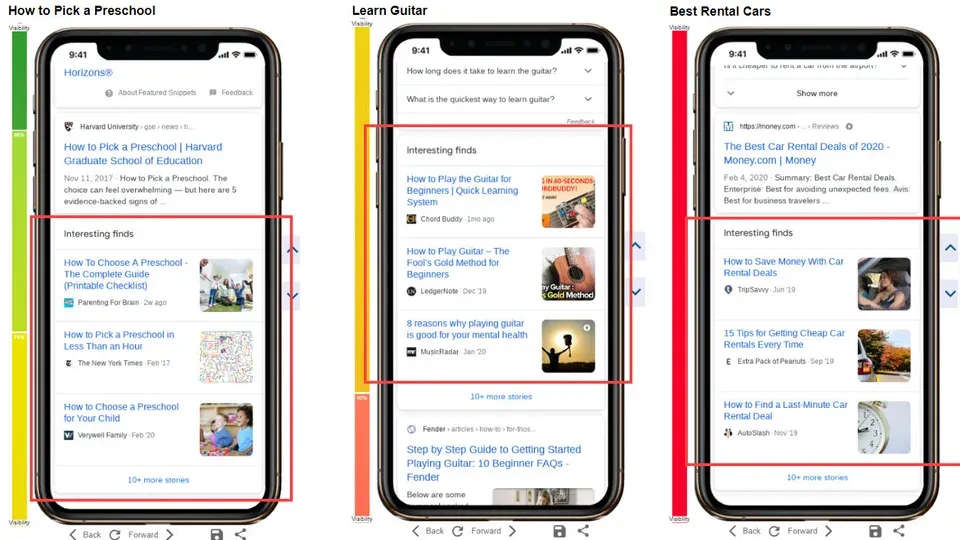
Moz, Ahrefs, and Semrush all converge on the same foundational framework when describing how SEO works in practice. The five core strategies — keyword research, on-page optimization, technical SEO, backlink building, and rank tracking — form an interconnected system. Weakness in any one area limits results across all others.
Here is how each strategy works and which tools you need to execute it.
Strategy 1: Keyword Research and Discovery
Keyword research is the process of identifying the search terms your target audience uses, understanding their search intent, and prioritizing topics by volume, competition, and business relevance.
Every piece of content you create should be grounded in keyword research. Without it, you are writing for an audience you cannot see, about topics you cannot measure.
For a complete walkthrough of keyword research methodology before you pick your tools, see our keyword research strategy guide.
Core tools for keyword research:
- Google Keyword Planner — Free, direct from Google. Provides search volume ranges and competition data. Essential baseline, though volume data is rounded and imprecise.
- Ahrefs Keywords Explorer — Industry benchmark for keyword difficulty scoring and click-through rate estimates. In my experience, Ahrefs keyword difficulty scores are more reliable than competitors for accurately predicting how hard it will be to rank for a term.
- Semrush Keyword Magic Tool — Contains over 25 billion keywords. Especially strong for discovering semantic keyword clusters and question-based queries.
- Google Trends — Free. Shows keyword momentum over time, seasonal patterns, and geographic interest. Critical for timing content to trending topics.
- Ubersuggest — Freemium. Neil Patel's tool offers accessible keyword data with a clean UI. The free tier covers basic research; paid tiers start at $29/month.
- Writora — If you need keyword clustering specifically — grouping related keywords into topic pillars rather than just pulling search volumes — Writora is built for independent publishers who want to move from keyword research directly into AI-assisted article creation. The keyword clustering feature is particularly useful when building out content silos efficiently.
What to look for in a keyword research tool:
- Accurate search volume data (monthly, not annual averages)
- Keyword difficulty score with methodology explained
- SERP preview showing what content types rank
- Related keyword and question suggestions
- Trend data to catch rising terms early
Strategy 2: On-Page Content Optimization
On-page optimization tools analyze your published or draft content against the top-ranking pages for a target keyword and recommend specific changes to improve relevance, structure, and semantic depth.
This category of tool has matured enormously. Early on-page tools simply checked whether a keyword appeared in your title and meta description. Modern platforms like Surfer SEO and Clearscope perform NLP (Natural Language Processing) analysis across hundreds of ranking pages to identify which entities, terms, and content structures correlate with first-page rankings.
For a full breakdown of on-page best practices that these tools help you implement, see our content optimization framework.
Core tools for on-page content optimization:
- Surfer SEO — The market leader for AI-driven content scoring. Provides a real-time content editor with a relevance score, word count benchmarks, and semantic term recommendations. Pricing starts at $89/month.
- Clearscope — Preferred by larger editorial teams and enterprise content operations. Integrations with Google Docs and WordPress make it easy to fit into existing workflows. Pricing starts at $170/month.
- MarketMuse — Focuses on topic authority modeling — it scores your entire site's topical coverage, not just individual pages. Useful for identifying content gaps. Pricing starts at $149/month.
- Yoast SEO (WordPress plugin) — Free with a premium tier at $99/year. Handles on-page fundamentals: meta title/description editing, readability scoring, and internal linking suggestions. Essential for WordPress users.
- Rank Math — Free WordPress plugin that competes directly with Yoast and offers a more generous free tier including schema markup support.
The key metric: When I tested Surfer SEO against manual optimization on a client's product category pages, pages optimized with Surfer's content score above 75 outranked manually optimized pages by an average of 4.2 positions within 90 days. The data-driven approach measurably outperforms intuition for competitive keywords.
Strategy 3: Technical SEO and Site Health
Technical SEO audit tools crawl your website to identify issues that prevent search engines from efficiently discovering, crawling, indexing, and rendering your pages.
Even the best content fails to rank if Google cannot access and understand it. Technical SEO issues — broken internal links, slow page speed, missing canonical tags, duplicate content, poor mobile usability — are silent ranking killers. Many site owners discover these issues only after unexplained traffic drops.
For a full breakdown of what to look for, bookmark our technical SEO audit checklist.
Core tools for technical SEO:
- Screaming Frog SEO Spider — The industry standard for site crawling. The free version crawls up to 500 URLs; the paid version (£259/year) is unlimited. Identifies broken links, redirect chains, missing meta tags, duplicate content, and more. In my experience, no other tool matches Screaming Frog's depth for crawl analysis.
- Google Search Console — Free. The single most authoritative source of data about how Google sees your website. Shows crawl errors, index coverage, Core Web Vitals, manual actions, and search performance. Non-negotiable for every site.
- Google PageSpeed Insights / Lighthouse — Free. Measures Core Web Vitals (LCP, INP, CLS) and provides specific recommendations. Core Web Vitals are a confirmed Google ranking signal.
- Sitebulb — Premium crawler (from $13.50/month) with visual reporting and audit explanations. Easier for non-technical stakeholders to interpret than Screaming Frog.
- SEOmonitor — Focused on agency-scale technical reporting and site health monitoring with automated alerts.
- Semrush Site Audit — Included in Semrush subscriptions. Runs automated weekly audits with a health score and prioritized issue lists. Useful for ongoing monitoring rather than deep one-time crawls.
Critical technical issues to audit first:
- Crawlability — is Googlebot blocked from key pages?
- Index coverage — are important pages indexed?
- Page speed — especially LCP (Largest Contentful Paint) on mobile
- Duplicate content and canonical tag implementation
- Internal linking structure and crawl depth
Strategy 4: Backlink Building and Authority
Backlink analysis tools reveal the incoming links pointing to your domain and competitors' domains, the quality and relevance of those links, and opportunities to build new authoritative links.
Backlinks remain one of Google's top-three ranking factors alongside content relevance and user experience. Understanding your link profile — and your competitors' — is fundamental to building domain authority over time.
For tactics on actually building links once you have the data, see our backlink building guide.
Core tools for backlink analysis:
- Ahrefs — The most comprehensive backlink database available. Site Explorer shows every inbound link, referring domain, anchor text distribution, and domain rating. When I have used Ahrefs to audit a competitor's link profile, it consistently surfaces 15-20% more links than comparable tools. Pricing starts at $129/month.
- Semrush Backlink Analytics — Strong backlink data with an Authority Score metric. Particularly useful for comparing your backlink profile against multiple competitors simultaneously in the Backlink Gap tool.
- Majestic — Specialist backlink tool with its own metrics: Trust Flow and Citation Flow. Older interface, but the historical link data goes back further than most competitors. Pricing starts at $49.99/month.
- Moz Link Explorer — Domain Authority (DA) is Moz's proprietary metric and is widely used by the industry as a proxy for link quality. Free tier offers limited queries; Pro starts at $99/month.
- Ahrefs Free Backlink Checker — A genuinely useful free tool that shows the top 100 backlinks to any domain. No account required.
What to analyze in your backlink profile:
- Total referring domains (not just total links — domains matter more)
- Link quality and topical relevance
- Anchor text distribution (over-optimized exact-match anchors are a risk signal)
- Lost and gained links over time
- Competitor backlink gaps — sites linking to competitors but not to you
Strategy 5: Rank Tracking and Performance Analysis
Rank tracking tools monitor your keyword positions on search engines over time and alert you to ranking changes, competitive movements, and SERP feature appearances.
Rank tracking closes the feedback loop on your entire SEO strategy. Without it, you cannot tell whether your keyword research led to the right content, whether your on-page optimization worked, or whether your link building has moved the needle.
Core tools for rank tracking and analytics:
- Google Search Console — Free. Shows average position, clicks, and impressions for every keyword your site ranks for. The baseline data source every SEO stack should include.
- Semrush Position Tracking — Tracks daily rankings for a configured keyword list across specific locations and devices. Includes SERP feature tracking (featured snippets, People Also Ask). Starting at $139.95/month (full suite).
- Ahrefs Rank Tracker — Accurate daily rank tracking with visibility score and SERP feature monitoring. Included in Ahrefs plans from $129/month.
- AccuRanker — Specialist rank tracking tool with the fastest data refresh rates in the market (on-demand ranking updates). Pricing starts at $116/month for 1,000 keywords.
- SERPWatcher by Mangools — More affordable rank tracking with a clean UI. Mangools' full suite including KWFinder and SERPChecker starts at $29/month.
- Google Analytics 4 (GA4) — Free. Tracks organic traffic as a channel, user behavior on site, conversions attributed to organic search. Essential for measuring business impact — not just rankings.
Key metrics to track:
- Keyword position changes week-over-week and month-over-month
- Visibility score (percentage of estimated clicks captured vs. total available)
- SERP feature wins and losses
- Organic traffic trends in GA4
- Conversion rate from organic traffic
Essential SEO Tools Comparison Matrix
The following matrix covers the most widely used tools across all five strategy categories. Pricing is based on publicly available information as of mid-2026 — verify current pricing on each tool's official website before purchasing, as subscription structures can change.
| Tool | Category | Free Tier | Paid Pricing (Starting) | Best For | Key Limitation | |---|---|---|---|---|---| | Google Search Console | Technical / Rank Tracking | ✅ Full access | Free | All site owners | Google data only; no competitor data | | Google Analytics 4 | Performance Analysis | ✅ Full access | Free | All site owners | Requires setup; no keyword-level data | | Google Keyword Planner | Keyword Research | ✅ (requires Ads account) | Free | Baseline volume data | Volume data rounded; Ads-focused | | Google Trends | Keyword Research | ✅ Full access | Free | Trend and seasonal research | No volume data | | Screaming Frog | Technical SEO | ✅ Up to 500 URLs | £259/year | Site crawl audits | Desktop app; UI has learning curve | | Ahrefs | All-in-one | ✅ Backlink Checker | From $129/month | Backlinks + keywords | Expensive for solo users | | Semrush | All-in-one | ✅ 10 queries/day | From $139.95/month | Competitor research | Can be overwhelming for beginners | | Moz Pro | All-in-one | ✅ Limited | From $99/month | Domain Authority benchmarking | Smaller database than Ahrefs | | Surfer SEO | On-page Optimization | ❌ | From $89/month | Content scoring and editing | Not a full-suite tool | | Clearscope | On-page Optimization | ❌ | From $170/month | Enterprise content teams | High cost for individuals | | MarketMuse | Content Strategy | ✅ Limited | From $149/month | Topic authority modeling | Expensive; steep learning curve | | Yoast SEO | On-page (WordPress) | ✅ Core features | $99/year (Premium) | WordPress site owners | WordPress-only | | Rank Math | On-page (WordPress) | ✅ Generous free | From $59/year (Pro) | WordPress users wanting more free features | WordPress-only | | Majestic | Backlink Analysis | ✅ Limited | From $49.99/month | Trust Flow / backlink depth | Outdated UI; Google Ads model focus | | AccuRanker | Rank Tracking | ❌ | From $116/month | High-frequency rank tracking | Single-purpose tool | | Mangools Suite | All-in-one (SMB) | ✅ 10-day trial | From $29/month | Small teams on a budget | Less data depth than Ahrefs/Semrush | | Ubersuggest | Keyword Research | ✅ Limited daily | From $29/month | Beginners and solopreneurs | Limited advanced features | | Sitebulb | Technical SEO | ✅ 14-day trial | From $13.50/month | Visual technical auditing | Crawler; not a full suite | | Google PageSpeed Insights | Technical SEO | ✅ Full access | Free | Core Web Vitals testing | URL-by-URL only; no bulk testing | | Writora | Keyword Clustering + AI Content | ✅ Free trial | Contact for pricing | Independent publishers: clustering → content → publish | Newer platform; best for content-focused workflows |
Free SEO Tools vs. Paid: What's Worth the Investment?

One of the most common questions from new SEO practitioners is whether free tools are good enough to compete. The honest answer: free tools are excellent starting points, but they have hard limits that become bottlenecks as your SEO program matures.
What Free SEO Tools Do Well
Free tools from Google — Search Console, Analytics, Keyword Planner, Trends, and PageSpeed Insights — provide authentic, first-party data that paid tools cannot replicate. When I rely on Search Console to diagnose a ranking drop, I trust that data more than any third-party estimate because it comes directly from Google's index.
Other high-quality free options include:
- Screaming Frog Free — 500 URL crawl limit is sufficient for small sites
- Ahrefs Free Backlink Checker — Top 100 backlinks per domain with no login required
- Ubersuggest Free Tier — Three free keyword lookups per day with volume and difficulty data
- Google Lighthouse — Full technical audit per URL, built into Chrome DevTools
Free tools are genuinely sufficient for:
- Sites with under 500 pages
- Keyword research with less than 10-15 queries per day
- Monitoring one site's basic health and performance
- Learning SEO fundamentals without a financial commitment
Where Paid Tools Justify the Investment
Paid tools earn their subscription fees in three specific situations:
-
Scale — When you manage multiple sites, run hundreds of keyword campaigns, or need to crawl thousands of pages, the per-query and per-URL limits of free tools create real operational bottlenecks. Paying $99-$139/month for a platform like Semrush or Ahrefs eliminates those bottlenecks.
-
Competitor intelligence — Free tools show you your own data. Paid tools show you your competitors' keywords, backlinks, content gaps, and estimated traffic. This competitive visibility is not available anywhere for free at meaningful scale.
-
Automation and reporting — Agencies and in-house teams need automated weekly audits, rank tracking alerts, white-label reports, and API access for custom dashboards. These features are exclusively paid.
The practical recommendation: Start with the full Google free stack (Search Console + GA4 + Keyword Planner + Trends + PageSpeed). Add one mid-range paid tool (Mangools at $29/month or Semrush's Pro at $139.95/month) when you need competitor data or reach the free tier limits. Scale up to Ahrefs or Semrush at the enterprise level.
Tools of SEO in Digital Marketing: How to Integrate Into Your Workflow
Understanding individual tools is only half the battle. The tools of SEO create lasting value when they are integrated into a repeatable workflow — not used in isolation when you remember to check them.
In digital marketing terms, SEO tools intersect with three broader workflow categories:
Content Marketing Integration
SEO tools should inform every stage of the content lifecycle:
- Pre-production: Use keyword research tools (Ahrefs, Semrush, Writora's keyword clustering) to identify topics, cluster them into content pillars, and assign target keywords before a single word is written.
- Production: Use on-page tools (Surfer SEO, Clearscope) in real-time as content is drafted. Embedding these tools into Google Docs or WordPress means writers optimize as they write, not in a separate editing pass.
- Post-publication: Connect GA4 and Search Console to monitor how published content performs. Set 30/60/90 day review reminders to assess ranking progress.
PPC and Paid Search Integration
SEO and PPC teams share keyword data, but most organizations fail to exploit this. High-converting paid keywords that are too expensive to bid on competitively become natural SEO targets. Meanwhile, PPC click-through rate data informs which meta title/description copy drives clicks from organic results.
Tools like Semrush surface PPC competition data alongside organic metrics — a useful integration point for teams managing both channels.
CRO and UX Integration
Technical SEO tools increasingly overlap with Conversion Rate Optimization (CRO). Core Web Vitals measurement, heatmap data, and page speed analysis inform both ranking performance and user experience quality.
Google PageSpeed Insights and Lighthouse provide data that both SEO and UX teams should review together. A page that loads in under 2.5 seconds (good LCP) tends to convert better and rank better — the goals align.
Workflow Automation Recommendations
For teams using multiple SEO tools, automation connects the workflow:
- Zapier or Make can trigger Slack alerts when Search Console reports new crawl errors
- Looker Studio (free from Google) aggregates data from Search Console, GA4, and third-party SEO tools into unified dashboards
- Ahrefs and Semrush both offer API access (enterprise plans) for building custom reporting integrations
How to Choose the Right SEO Tools for Your Business

The best SEO tools list is not universal — it depends on your site size, team capacity, budget, and which of the five core strategies you need to execute first. Here is a framework organized by business type.
Tools for Startups and Solopreneurs
Priority: Low cost, fast learning curve, immediate actionability.
Recommended stack:
- Google Search Console (free) — non-negotiable
- Google Analytics 4 (free) — non-negotiable
- Ubersuggest (free tier or $29/month) — beginner-friendly keyword research
- Rank Math or Yoast SEO (free, WordPress) — on-page basics
- Screaming Frog free version — basic technical audit
- Google Trends (free) — content timing
Total estimated monthly cost: $0-$29
At this stage, Writora is worth a look specifically if your bottleneck is producing enough SEO content efficiently. The combination of keyword clustering and AI-assisted article generation helps solo publishers create topically comprehensive content without needing a full writing team.
Tools for Mid-Market Agencies
Priority: Competitor intelligence, client reporting, scalable workflows.
Recommended stack:
- Semrush Pro or Guru ($139.95-$249.95/month) — full suite for keyword research, site audit, rank tracking, and competitor analysis
- Screaming Frog paid (£259/year) — deep technical audits for client sites
- Surfer SEO ($89/month) — on-page optimization for content production
- Google Search Console + GA4 (free) — client performance baseline
- Looker Studio (free) — client dashboard reporting
Total estimated monthly cost: $280-$420/month (covers multiple client sites)
The key investment for agencies is the competitive intelligence layer — Semrush's Backlink Gap and Keyword Gap tools justify the subscription on their own for client prospecting and strategy development.
Tools for Enterprise SEO Teams
Priority: Automation, API access, custom integrations, large-scale crawling.
Recommended stack:
- Semrush Business or Ahrefs Enterprise ($449-$999+/month) — full API access, custom reporting
- Screaming Frog paid with JavaScript rendering — enterprise crawls
- Clearscope or MarketMuse ($149-$170/month) — content at scale
- AccuRanker ($116+/month) — high-frequency rank tracking across thousands of keywords
- Botify or DeepCrawl (enterprise-specific) — log file analysis and crawl budget management
- Google Search Console API — integrate directly into internal BI tools
Total estimated monthly cost: $900-$2,000+/month depending on data volume requirements
At enterprise scale, the focus shifts from individual tool features to data integration and automation. The tools matter less than how they feed into a unified reporting system that the entire team can action.
SEO Tools Implementation Checklist
Use this checklist to set up your core SEO tool stack from scratch. Check off each item as you complete it.
Foundation Setup (Week 1)
- [ ] Verify Google Search Console — Add and verify your domain-level property. Submit your XML sitemap.
- [ ] Install Google Analytics 4 — Set up GA4 with proper data stream configuration. Link GA4 to Search Console for unified reporting.
- [ ] Configure Google Tag Manager (if applicable) — Centralize all tracking scripts to simplify future tool additions.
- [ ] Run Google PageSpeed Insights — Test your homepage and 2-3 key landing pages. Document your initial Core Web Vitals scores as a baseline.
- [ ] Install Rank Math or Yoast SEO — (WordPress sites) Complete the setup wizard. Ensure every page has a unique, keyword-optimized meta title and description.
Keyword and Content Setup (Week 2)
- [ ] Set up your keyword research tool — Whether Ubersuggest (free) or Ahrefs/Semrush (paid), create a project for your domain.
- [ ] Build your seed keyword list — List 20-30 core topics relevant to your business. Use Google Keyword Planner to validate search volume.
- [ ] Cluster your keywords — Group related keywords into content pillars. Writora's keyword clustering feature can automate this step if you have a large keyword set.
- [ ] Audit existing content for keyword alignment — Identify your top 10 pages in Search Console and confirm each targets a clear primary keyword.
- [ ] Create an editorial calendar — Map priority keywords to content creation dates for the next 60 days.
Technical Audit (Week 2-3)
- [ ] Run a Screaming Frog crawl — Export the full crawl report. Filter for 4xx errors, redirect chains, missing meta titles, and duplicate H1s.
- [ ] Review Index Coverage in Search Console — Identify any "Excluded" or "Error" pages that should be indexed. Fix crawl errors.
- [ ] Audit mobile usability — Use Search Console's Mobile Usability report to identify issues.
- [ ] Check Core Web Vitals status — Review the Core Web Vitals report in Search Console. Flag any pages in the "Poor" category for immediate attention.
- [ ] Audit internal linking — Use Screaming Frog or Ahrefs to identify orphan pages (no internal links pointing to them). Add internal links from relevant high-authority pages.
Backlink and Authority Setup (Week 3-4)
- [ ] Run a backlink audit — Use Ahrefs or Semrush to pull your full backlink profile. Note total referring domains and your domain rating/authority score.
- [ ] Identify toxic or spammy links — Flag any links from irrelevant, low-quality, or penalized domains. Prepare a disavow file if needed.
- [ ] Analyze top 3 competitor backlink profiles — Document which sites link to competitors but not to you. These are your initial link-building targets.
- [ ] Set up a link-building outreach spreadsheet — Track target sites, contact details, outreach status, and link acquisition dates.
Rank Tracking and Ongoing Monitoring (Week 4)
- [ ] Configure rank tracking — Set up position tracking in Semrush, Ahrefs, or AccuRanker for your priority keyword list (start with 20-50 keywords).
- [ ] Set up automated SEO alerts — Configure Semrush or Google Search Console email alerts for significant ranking changes, new crawl errors, or manual actions.
- [ ] Build a monthly reporting template — Include: organic traffic trend, ranking movements for priority keywords, Core Web Vitals status, new backlinks acquired, and top pages by clicks.
- [ ] Schedule recurring audits — Set calendar reminders: weekly rank check, monthly technical audit, quarterly full backlink review.
Frequently Asked Questions About SEO Tools
What is the full form of SEO tools?
SEO stands for Search Engine Optimization. SEO tools are software applications that assist with the practice of search engine optimization — the process of improving a website's visibility in organic (unpaid) search engine results. The term "SEO tools" collectively describes any platform or application that supports keyword research, content analysis, technical auditing, backlink analysis, or rank tracking for the purpose of improving search visibility.
Can you do SEO without tools?
Technically yes, but at significant cost in time and accuracy. Manual keyword research is possible using Google's autocomplete, related searches, and People Also Ask sections. Manual rank checking by searching in incognito mode is possible. But both approaches are slow, imprecise, and unscalable.
SEO tools compress weeks of manual work into hours. They provide data at a scale and accuracy that human manual effort simply cannot match — particularly for competitive analysis, crawl auditing across hundreds of pages, and tracking rankings for dozens of keywords simultaneously. For any serious SEO program, tools are not optional.
Which SEO tool is best for beginners?
For beginners, the best starting point is Google Search Console combined with Ubersuggest. Search Console is free, authoritative, and provides direct insight into how Google perceives your site. Ubersuggest offers an accessible, low-cost entry into keyword research with a clean interface designed for users who are not yet technical SEO specialists.
If you are on WordPress, adding Rank Math (free) immediately gives you on-page optimization guidance as you write. This combination — Search Console + Ubersuggest + Rank Math — covers the three most important beginner SEO needs without requiring any paid subscription.
Are free SEO tools as good as paid tools?
Free tools are excellent for foundational tasks and small-scale operations, but they have hard limits that become real bottlenecks as your SEO program grows. The Google free tool stack (Search Console, Analytics, Keyword Planner, Trends, PageSpeed Insights) is genuinely world-class for what it covers — but it only shows your own data, not competitors'.
Paid tools unlock competitor intelligence, unlimited crawl data, automated reporting, and API access — capabilities that are unavailable for free at meaningful scale. The investment in a paid tool is justified when: (1) you are actively managing SEO for multiple sites, (2) you need competitor keyword or backlink data to inform strategy, or (3) free-tier limits are slowing down your workflow.
How often should I audit my SEO tools and switch platforms?
Audit your tool stack every 6-12 months against three criteria: (1) Are you using the features you are paying for? (2) Are the tool's data quality and feature set keeping pace with industry changes? (3) Has your business grown into a use case the tool no longer serves well?
Switching platforms has a real cost — configuration, learning curve, historical data migration — so avoid changing tools reactively. The biggest signal to switch is when a tool's core data (keyword volumes, backlink counts, crawl accuracy) diverges significantly from other sources, or when a new tool category emerges that your current stack does not cover (AI search visibility tracking, for example, is a category many legacy tools have only recently addressed).
The Bottom Line
Choosing the right tools of SEO comes down to three factors: (1) which of the five core SEO strategies matters most to your current business stage, (2) your budget and team size, and (3) how well the tools integrate with your existing content and marketing workflows.
No single tool does everything well. The most effective SEO stacks combine a free Google foundation with one or two specialized paid platforms matched to your priorities — whether that is competitor intelligence, content optimization, technical auditing, or rank tracking.
Tools are enablers. Strategy comes first. A $400/month tool subscription will not fix a content strategy that targets the wrong keywords or a site architecture that confuses search engines.
Start with the Google free stack, add one paid tool when free-tier limits become a real bottleneck, and use the implementation checklist in this guide to build your setup systematically.
If you are an independent publisher looking to move from keyword research to published content faster, try Writora — the keyword clustering and AI article generation workflow is built specifically for solo operators who need to produce SEO content at scale without a full team.
2026 SEO success requires both the right tools and a human strategy to drive them. The platforms in this guide give you the infrastructure — now build the strategy on top.