Where to Do SEO: The Complete Beginner's Guide to Getting Started
Quick answer: SEO work happens across four domains—your website's on page elements, your content strategy, your technical infrastructure, and your link p...

Quick answer: SEO work happens across four domains—your website's on-page elements, your content strategy, your technical infrastructure, and your link profile. But the real question most beginners ask isn't what SEO is. It's where to SEO—where do you actually log in, what do you click first, and which tools deserve your attention before others?
This guide is your practical entry point. After working with SEO for over a decade—across startups, established e-commerce brands, and independent publishers—I've found that the biggest barrier for anyone learning how to do SEO isn't knowledge. It's knowing where to begin and in what order. Whether you're launching your first website or trying to grow organic traffic on an existing one, this article maps out every platform, tool, and workflow step you need.
One thing to acknowledge upfront: SEO is evolving alongside AI and large language models, but it is absolutely not dead. It's shifting from keyword-stuffing tactics to topical authority, user intent, and content quality. The fundamentals covered here remain the foundation of every successful organic search strategy. Let's get into it.
What Is SEO and Why It Matters for Beginners
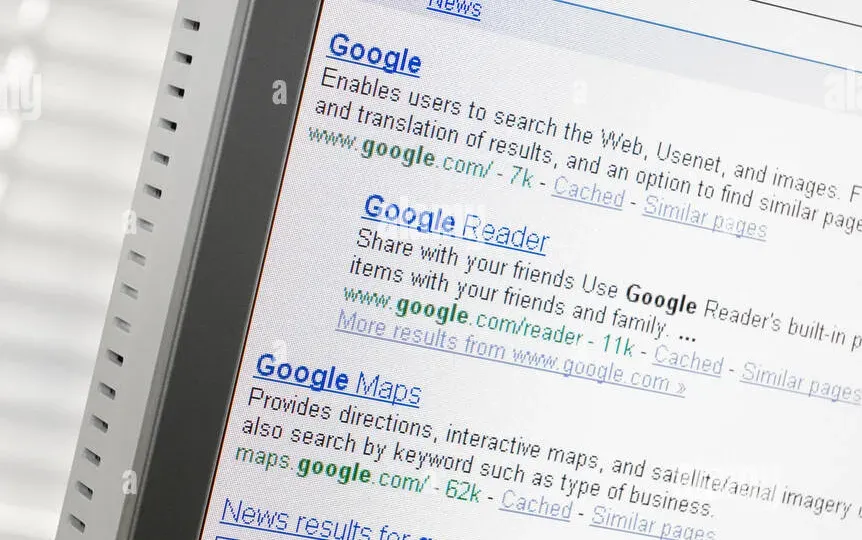
Search Engine Optimization (SEO) is the practice of improving your website's visibility in organic (non-paid) search engine results. The goal: attract more relevant traffic from people actively searching for what you offer. If you're exploring SEO for beginners, understanding this definition is the essential first step.
Why does it still matter? According to BrightEdge research, organic search drives over 53% of all trackable website traffic—more than paid search, social media, and email combined. That share has held remarkably steady even as AI-powered search features have expanded.
How Search Engines Work
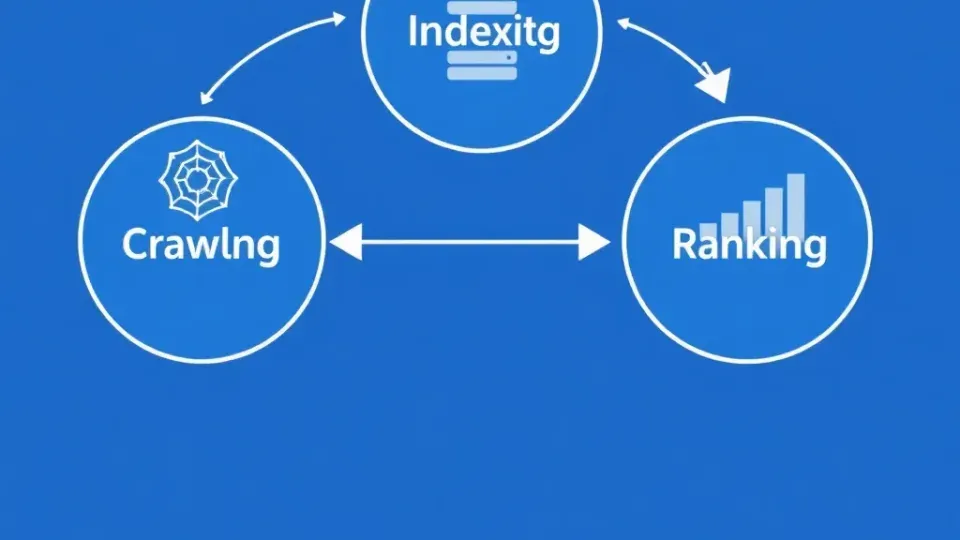
Search engines like Google operate through three core processes:
- Crawling – Automated bots (called crawlers or spiders) discover pages by following links and reading sitemaps.
- Indexing – Discovered pages are analyzed and stored in a massive database (the index), categorized by content, structure, and relevance signals.
- Ranking – When a user searches, Google's algorithm evaluates indexed pages against hundreds of ranking factors—relevance, authority, page experience, E-E-A-T signals—and serves results in order of predicted usefulness.
E-E-A-T (Experience, Expertise, Authoritativeness, Trustworthiness) is Google's quality evaluation framework, and it has become increasingly central to how content is assessed. Especially for YMYL (Your Money or Your Life) topics, demonstrating genuine experience and expertise isn't optional—it's a ranking prerequisite.
Understanding these mechanics tells you why SEO works. Now let's talk about where you do the actual work.
Where to SEO First: The Beginner's Workflow Roadmap
The biggest gap I see in beginner guides is the lack of a clear decision tree. Not everyone starts in the same place, and knowing where to SEO depends on your site's current state. Here's the framework:
- Brand-new website? Start with technical SEO setup and keyword research simultaneously.
- Existing site with traffic? Start with Google Search Console data analysis, then prioritize on-page SEO optimization gaps.
- Established site hitting a plateau? Focus on link building and content expansion into adjacent topics.
Regardless of your starting point, the three workstreams below run in parallel. Think of them as lanes, not sequential steps.
Step 1 – Where to Research Keywords: SEO Tools and Platforms
Keyword research is the process of identifying search terms your target audience uses, analyzing their search volume, difficulty, and intent (informational, commercial, or transactional). It's the foundation of every SEO strategy and one of the first places you need to understand where to SEO effectively.
Here's exactly where to do it:
- Google Keyword Planner (free with a Google Ads account) – Best for raw search volume data and discovering new keyword ideas. Navigate to
ads.google.com→ Tools → Keyword Planner. - Google Search Console – Your existing GSC data shows which queries already bring impressions and clicks. This is gold for finding quick-win optimization opportunities.
- Ubersuggest (free tier available) – Provides keyword suggestions, difficulty scores, and content ideas. A solid starting SEO tool for beginners on a budget.
- AnswerThePublic – Visualizes questions people ask around a topic. Excellent for finding long-tail, intent-rich queries.
- Ahrefs / SEMrush (paid) – Industry-standard SEO tools for competitive keyword analysis, keyword difficulty scoring, and SERP analysis.
For a deeper walkthrough, see our keyword research tools comparison guide.
In my experience, the most common beginner mistake is targeting high-volume, high-competition keywords first. Instead, focus on long-tail keywords with clear intent—phrases like "best CRM for small law firms" convert far better than "CRM software" and are dramatically easier to rank for.
Where AI fits: Tools like ChatGPT can accelerate keyword brainstorming. I regularly prompt it with "What questions would a [target audience] ask about [topic]?" to generate seed keyword lists. But AI tools lack real-time search volume data, so always validate suggestions in a dedicated keyword research tools platform.
Step 2 – Where to Optimize Your Website: On-Page SEO Locations
On-page SEO refers to optimizations made directly on individual web pages—things you control entirely within your CMS (Content Management System). This is distinct from website-level (technical) SEO, which addresses your entire site's infrastructure. Mastering on-page SEO is central to understanding how to do SEO properly.
Here are the exact locations on your pages where SEO optimization matters most:
| Page Element | What to Optimize | Why It Matters | |---|---|---| | Title Tag | Include primary keyword, keep under 60 characters | Strongest on-page ranking signal; displayed in search results | | Meta Description | Compelling summary with keyword, under 155 characters | Influences click-through rate from SERPs | | H1 Heading | One per page, includes primary keyword | Tells search engines the page's main topic | | H2/H3 Headings | Use secondary keywords and semantic variations | Structures content for crawlers and readers | | URL Slug | Short, descriptive, keyword-inclusive | Clean URLs correlate with better rankings | | Body Content | Natural keyword integration at 1-2% density | Relevance signal; must satisfy user intent | | Image Alt Text | Descriptive text with relevant keywords | Accessibility + image search visibility | | Internal Links | Link to related pages with descriptive anchor text | Distributes authority; aids crawling |
Where to do this work: Log into your CMS. If you're on WordPress, plugins like Yoast SEO or Rank Math provide field-by-field guidance for each element above. Shopify, Wix, and Squarespace all have built-in SEO fields accessible from their page editors. These plugins are among the most popular SEO tools for on-page optimization.
A common mistake I see is treating on-page SEO as a one-time task. It's not. Revisit your highest-traffic pages quarterly to refresh content, update statistics, and improve internal linking. For a comprehensive approach to connecting content with rankings, explore our guide on content marketing and SEO.
What's the difference between on-page SEO and technical SEO? On-page SEO targets individual pages—headings, keyword placement, meta tags, content quality. Technical SEO targets your entire site's architecture: site speed, mobile responsiveness, XML sitemaps, robots.txt, structured data, HTTPS, and internal linking structure. Both are essential; they're complementary, not interchangeable.
Step 3 – Where to Build Links and Authority
Backlinks (inbound links) are links from external websites pointing to yours. High-quality backlinks from authoritative, relevant sources remain one of Google's strongest ranking signals—they function as third-party votes of confidence. Link building is where many people learning how to do SEO feel the most uncertain, so let's demystify exactly where to focus.
Where to direct your link building efforts:
- Guest posting platforms – Identify authoritative blogs in your niche that accept guest contributions. Pitch genuinely valuable content, not thinly veiled advertisements.
- HARO alternatives (Connectively, Qwoted, Featured) – Respond to journalist queries to earn editorial backlinks from high-authority publications.
- Broken link building – Use tools like Ahrefs' Broken Link Checker to find dead links on relevant sites, then offer your content as a replacement.
- Content-driven link acquisition – Create link-worthy assets: original research, data studies, comprehensive guides, interactive tools, or infographics.
- Business directories and citations – For local SEO, claim profiles on Google Business Profile, Yelp, and industry-specific directories.
For tactical step-by-step approaches, see our link building strategies resource.
After working with dozens of sites, I can tell you that link building is where most beginners stall. The key insight: don't chase quantity. Ten links from relevant, authoritative domains in your niche outperform 500 links from irrelevant directories. Focus on building relationships, not just links.
Best SEO Tools and Platforms: Where to SEO by Category

Knowing where to SEO means knowing which platforms to log into. Here's a structured breakdown of the SEO tools that matter most, organized by cost and use case.
Free SEO Tools You Should Start With
These tools provide foundational data without upfront cost—perfect for SEO for beginners:
- Google Search Console (GSC) – A free Google tool that lets you monitor your site's presence in search results. Provides data on search queries, impressions, clicks, crawl errors, and indexation status. This is your essential starting point for understanding where your site stands. Set it up before anything else.
- Google Analytics (GA4) – Tracks traffic sources, user behavior, conversions, and engagement metrics. Essential for measuring SEO's business impact.
- Google Keyword Planner – Free keyword research with search volume estimates. Requires a Google Ads account but no active spending.
- Google PageSpeed Insights – Analyzes page loading performance and provides specific improvement recommendations. Built on Lighthouse data.
- Screaming Frog SEO Spider (free up to 500 URLs) – Desktop crawler that identifies broken links, duplicate content, redirect chains, and missing meta tags.
- Ubersuggest (free tier) – Keyword suggestions, domain analysis, and basic backlink data.
Paid SEO Platforms for Serious Growth
When you're ready to scale your efforts beyond the basics, these platforms provide deeper competitive intelligence:
| Platform | Best For | Starting Price | |---|---|---| | Ahrefs | Backlink analysis, keyword research, competitor research | ~$99/month | | SEMrush | All-in-one: keyword tracking, site audit, PPC data | ~$129/month | | Moz Pro | Domain authority tracking, on-page optimization | ~$99/month | | Surfer SEO | Content optimization and NLP-driven on-page analysis | ~$89/month | | Writora | Keyword clustering, AI article generation, one-click publishing | Free trial available |
Writora deserves a specific mention here for independent publishers. It combines keyword clustering with AI-powered content generation and direct publishing—collapsing what typically requires three separate SEO tools into one workflow. When I tested it, the keyword clustering feature was particularly useful for identifying content gaps and building topical authority across a site. It's worth exploring the free trial if you're managing SEO content at scale without a large team.
For a deeper comparison, the right tool depends on your primary need. If backlink analysis is your priority, Ahrefs is hard to beat. If you need an all-in-one dashboard, SEMrush offers the broadest feature set. If you're an independent publisher focused on content production efficiency, Writora fills a specific niche that the larger platforms don't address as cleanly.
Where to Track Your SEO Results
SEO without measurement is guessing. Here's where to monitor progress and ensure you understand where to SEO your tracking efforts.
Google Search Console is your primary performance dashboard. It shows:
- Which queries drive impressions and clicks
- Your average position for target keywords
- Indexation status and crawl errors
- Core Web Vitals performance
- Manual actions or security issues
For setup instructions and advanced tracking configuration, see our Google Search Console setup guide.
Google Analytics (GA4) complements GSC by showing what users do after they land on your site—bounce rates, engagement time, conversion paths, and revenue attribution.
Rank tracking tools (Ahrefs, SEMrush, or standalone tools like SERPWatcher) let you monitor specific keyword positions over time. In my experience, weekly rank tracking provides the right balance between actionable data and avoiding obsessive position-checking.
Key Metrics to Track
- Organic sessions – Total visits from search engines
- Impressions and CTR – How often you appear vs. how often people click
- Keyword positions – Movement for target terms
- Indexed pages – Ensuring Google can see your content
- Core Web Vitals – LCP, FID/INP, CLS scores
- Backlink growth – New referring domains over time
- Conversions – Leads, sales, or goal completions from organic traffic
Don't forget your technical SEO audit cadence. Run a comprehensive crawl monthly using Screaming Frog or your platform's site audit tool to catch issues—broken links, crawl errors, duplicate content—before they compound.
Is SEO Dead or Evolving? The Role of AI and ChatGPT

SEO is not dead. It is evolving. This question surfaces constantly among those new to SEO for beginners, and the answer is clear when you look at the data: organic search continues to drive the majority of website traffic across industries. Google processes over 8.5 billion searches per day, and that volume hasn't declined with the introduction of AI features.
What has changed is how SEO is practiced:
- AI Overviews and featured snippets now occupy more SERP real estate, which means ranking on page one isn't enough—you need to optimize for position zero and structured data extraction.
- Content quality standards have risen. Google's Helpful Content system explicitly targets content created primarily for search engines rather than users. Thin, keyword-stuffed pages are penalized more aggressively than ever.
- Topical authority matters more than individual keyword rankings. Sites that demonstrate deep expertise across a subject cluster outperform those targeting isolated keywords.
- E-E-A-T signals are increasingly weighted, especially for YMYL content. First-hand experience, author credentials, and editorial transparency influence rankings.
Can ChatGPT Do SEO for Me?
ChatGPT and similar AI tools can assist with specific SEO tasks:
- Keyword brainstorming – Generating seed lists and long-tail variations
- Content outline generation – Structuring articles based on topical coverage
- Meta description drafting – Creating multiple variations quickly
- Schema markup generation – Producing JSON-LD structured data snippets
- Content rewriting and summarization – Refreshing existing content
However, AI tools cannot perform SEO independently. They lack real-time search data, cannot build backlinks, don't have access to your analytics, and may generate inaccurate or generic content that fails E-E-A-T standards. When I tested ChatGPT for generating complete SEO content, the output consistently needed significant human editing—adding specific data points, verifying claims, injecting genuine experience, and aligning with actual search intent.
The right approach: Use AI as a productivity multiplier within your SEO workflow, not as a replacement for SEO expertise. Draft with AI, but strategize, verify, and refine with human judgment. This principle applies whether you're figuring out where to SEO your first blog post or scaling content across an enterprise site.
SEO Quick-Start Checklist
Use this checklist based on your current situation to understand exactly how to do SEO from day one:
Week 1: Foundation (All Sites)
- [ ] Set up Google Search Console and verify your domain
- [ ] Install Google Analytics (GA4) with proper event tracking
- [ ] Submit your XML sitemap to GSC
- [ ] Run a technical audit with Screaming Frog or your preferred SEO tool
- [ ] Fix critical issues: broken links, missing title tags, crawl errors
Week 2-3: Research and Planning
- [ ] Conduct keyword research using Google Keyword Planner + one additional tool
- [ ] Map keywords to existing pages (or plan new content)
- [ ] Analyze top 3 competitors for your primary keywords
- [ ] Identify content gaps—topics your competitors cover that you don't
Week 4+: Execution and Ongoing
- [ ] Optimize on-page SEO elements (title tags, meta descriptions, H1s, internal links) for priority pages
- [ ] Publish at least one high-intent content piece per week
- [ ] Begin outreach for backlink acquisition
- [ ] Monitor GSC weekly for indexation issues and keyword movement
- [ ] Conduct monthly technical audits
- [ ] Quarterly: refresh top-performing content with updated data and improved depth
Decision Tree: Where Should You Focus First?
- New site, no traffic → Technical setup + keyword research + foundational content
- Existing site, some traffic → On-page SEO optimization of current pages + content expansion
- Established site, plateau → Link building + topical authority expansion + content refresh
Frequently Asked Questions About Where to SEO

Is SEO dead in 2025?
No. SEO is evolving, not dying. Organic search continues to drive over half of all website traffic globally. What's changed is how search engines evaluate content—E-E-A-T, user intent satisfaction, and topical authority now carry more weight than raw keyword density. AI-powered search features (like Google's AI Overviews) have shifted some click patterns, but they've also created new optimization opportunities through structured data and authoritative content positioning. SEO remains a core digital marketing discipline.
Can ChatGPT or AI tools do SEO for me?
AI tools can assist with SEO tasks—keyword brainstorming, content outlining, meta description drafting, and schema markup generation—but they cannot perform SEO independently. They lack real-time search data, can't build backlinks, don't access your analytics, and may produce content that doesn't meet E-E-A-T standards. Use AI as a productivity tool within your workflow, applying human oversight for strategy, accuracy, and audience alignment.
Where do I put keywords on my website for on-page SEO?
Place your primary keyword in these specific locations: the title tag, the H1 heading, the URL slug, the first 100 words of body content, at least one or two H2 subheadings, the meta description, and relevant image alt text. Use secondary keywords and semantic variations naturally throughout the body content. Maintain a keyword density of 1-2%—forcing keywords unnaturally hurts readability and can trigger ranking penalties.
What's the difference between on-page SEO and technical SEO?
On-page SEO optimizes individual page elements: headings, keyword placement, meta tags, content quality, and internal links. Technical SEO optimizes site-wide infrastructure: crawlability, site speed, mobile responsiveness, XML sitemaps, robots.txt, HTTPS, and structured data. They overlap in areas like internal linking (an on-page tactic with site-wide architectural implications) and page speed (a technical factor that affects individual page performance). Both are essential—think of technical SEO as the foundation and on-page SEO as the furnishing.
How long does it take to see results from SEO?
SEO is a long-term investment. Technical fixes (indexation, crawl errors) can show impact within 2-4 weeks. Ranking improvements for moderately competitive keywords typically take 3-6 months of consistent effort—content creation, on-page optimization, and link building. Highly competitive niches may require 6-12 months or longer. Variables include domain age, existing authority, competition level, and keyword difficulty. According to benchmark data from Ahrefs, only 5.7% of newly published pages reach Google's top 10 within a year for at least one keyword—reinforcing that patience and consistency are essential.
Final Thoughts: Where to SEO and What to Do Next

Understanding where to SEO comes down to three actionable starting points:
- Set up Google Search Console and conduct keyword research – This gives you visibility into your current search presence and identifies the opportunities worth pursuing.
- Audit your website's technical health – Ensure search engines can crawl, index, and render your pages without friction.
- Plan and publish high-intent content with strong on-page SEO – Align every piece of content with specific search queries and genuine user needs.
The where depends on your current site maturity. A brand-new site needs technical foundations first. An established site may benefit most from content expansion and link building. Use the checklist above, and return to specific sections as you scale.
AI tools like ChatGPT are now a legitimate part of the SEO tools landscape—platforms like Writora integrate AI content generation directly into the SEO workflow, making it easier for independent publishers to research, create, and publish optimized content from a single platform. But these tools complement the fundamentals rather than replace them. The sites that win in organic search are the ones that combine technical excellence, genuine expertise, and consistent execution over time.
Whether you're just exploring SEO for beginners or ready to scale an existing strategy, how to do SEO effectively starts with picking your lane from the decision tree, logging into your first tool, and beginning. SEO is a long-term investment, and the best time to start is now.